Quick Summary
- There is no universal missed-call percentage for every dental office; definitions and call-tracking methods vary. Use your own phone-system reports as the baseline.
- A 2025 Patient Prism report analyzed 11.5 million calls across 8,280 dental locations and recorded more than 1.4 million patient opportunities without an appointment. This is one vendor's dataset, not a universal industry rate [1].
- AI phone answering plans use different pricing models. Public examples include monthly subscriptions and per-call charges; confirm whether a plan supports dental workflows and your PMS before comparing totals [6][8].
- Appointment booking, rescheduling, and PMS write-back depend on the vendor, your software/version, and the integration level. Verify each workflow in a live demonstration.
- If a vendor is acting as a business associate and will create, receive, maintain, or transmit ePHI on the practice's behalf, HIPAA generally requires an appropriate BAA and the parties' compliance with applicable HIPAA Rules [5].
- Measure results with your own answer rate, abandoned-call rate, new-patient booking rate, and after-hours outcomes rather than relying on a generic revenue-loss estimate.
How Many Calls Do Dental Offices Miss?
There is no single dependable percentage that describes how many calls every dental office misses. Studies and vendor dashboards may count unanswered rings, calls sent to voicemail, callers who hang up, after-hours calls, or all inbound calls differently. Read the definition and sample before applying any benchmark. The Open Dental Blog also notes that a missed-call rate can be misleading when the denominator or call types are not consistent [3].
Phone calls remain an important access point for patients who want to ask about availability, cost, insurance, or urgent symptoms. The Pankey Institute describes the phone as a critical patient touchpoint, while the share of appointments booked by phone will vary by practice and patient group [2].
Why dental calls go unanswered
Common coverage gaps are operational rather than unusual:
- The front desk is checking a patient in or out
- Two calls arrive at the same time
- The phone rings during lunch or a staff break
- A busy Monday morning creates a coverage gap
- A team member is out sick, on vacation, or the role is open
These moments can create missed connections, but their impact varies. Check your phone system's reports and listen to a representative sample of calls before deciding whether the bigger issue is staffing, call routing, abandoned waits, or after-hours coverage.
What happens after a call goes unanswered
After an unanswered call, a patient may leave a voicemail, try again, use an online form, or contact another practice. Do not assume a fixed share takes any one path. Review callbacks and appointment outcomes alongside the call log, and make the next step clear in your voicemail greeting.
Check after-hours calls separately. Compare call volume and outcomes by time of day. If callers regularly reach voicemail when the office is closed, an after-hours service or a clear callback/booking option may help; your own data should determine whether coverage is worthwhile.
What Does a Missed Dental Call Cost?
The financial effect of an unanswered new-patient call depends on whether the person was a qualified prospective patient, whether they book elsewhere, and what care they ultimately receive. A single industry-wide dollar figure can hide those differences, so estimate the opportunity using your own booking and revenue data.
Estimate the Opportunity for Your Practice
Use this simple model: (unanswered calls from prospective new patients) × (the share that would book) × (your average first-year contribution per patient). Then subtract the service fee and any setup or integration costs. Keep existing-patient calls separate so routine rescheduling does not inflate your new-patient estimate.
How to estimate your own exposure
Start with 30–90 days of call logs and classify calls as new-patient inquiries, existing-patient requests, spam, after-hours calls, and callbacks. Use your own booking rate and contribution margin; do not count every abandoned ring as a lost patient.
Measure before you buy. Record your current answer rate, abandoned-call rate, new-patient appointment rate, and callback time, then compare the same measures after a pilot. Keep the measurement window and call definitions consistent.
What Is an AI Answering Service for Dental Offices?
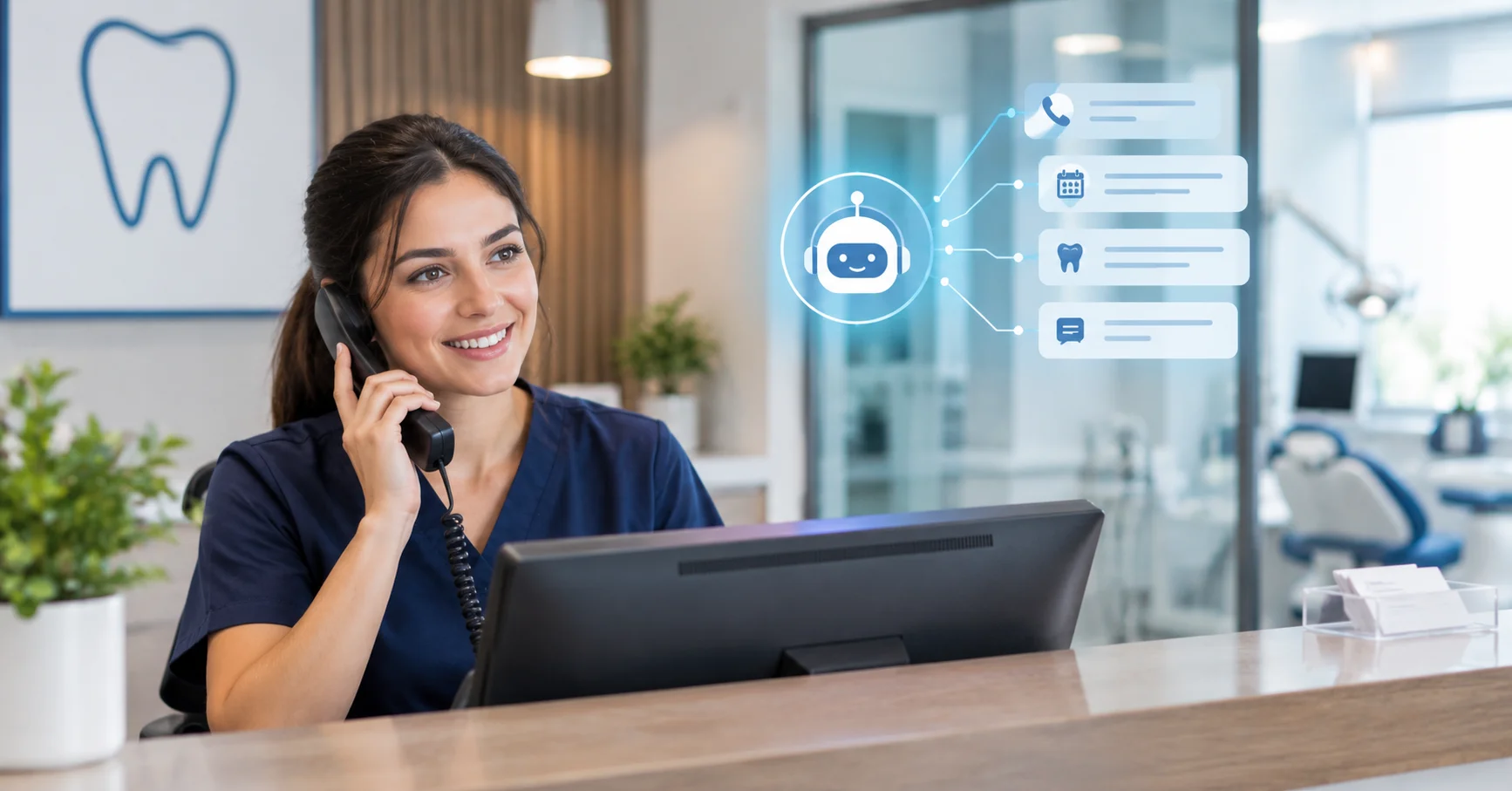
An AI answering service for dental offices is a virtual call answering system powered by artificial intelligence that holds natural conversations with patients. It is also called an AI receptionist, an AI dental receptionist, a virtual dental receptionist, or an AI phone assistant. Instead of sending callers to voicemail or a phone tree, it understands what the patient needs and takes action [7].
Unlike a traditional answering service with human agents reading from a script, an AI dental receptionist can:
- Provide coverage during the hours and routing conditions included in your plan
- Understand routine caller requests in natural language, subject to the system's tested limits
- Offer appointment booking only when the vendor supports your schedule/PMS workflow
- Route urgent requests using rules approved by your practice, without diagnosing or giving clinical advice
- Answer approved questions about hours, location, and services
- Capture caller details and provide call summaries when those features are supported and configured
The key distinction is whether the service can safely complete the task or only take a message. Capabilities differ by vendor and setup, so test real scenarios and confirm the fallback when the system cannot confidently handle a request.
AI answering service vs voicemail, live answering, and an in-house receptionist
Practices usually weigh four ways of covering the phone. Each has a different tradeoff.
| Option | Answers every call | Books appointments | Main tradeoff |
|---|---|---|---|
| Voicemail | No. Callers leave a message or hang up | No | Requires the team to return the call and identify the caller's need |
| Traditional live answering service | Yes, within the hours you pay for | Depends on the plan and access to your schedule | Higher monthly cost for scheduling coverage |
| AI answering service | Can, depending on plan, call volume, and routing | Only when the vendor supports the practice's scheduling workflow | Needs setup, testing, and ongoing review |
| In-house receptionist | Only while staffed and not already on another call | Yes | Coverage depends on staffing, call volume, and hours |
These options are not mutually exclusive. Many practices keep their front desk for in-person care and complex calls, then add an AI receptionist for overflow, lunch, and after-hours coverage.
Key terms
- Practice management software (PMS): the system that holds your schedule and patient records, such as Dentrix, Eaglesoft, Open Dental, or Curve.
- Write-back: the ability to create, change, or cancel appointments directly inside your PMS rather than only reading the calendar.
- Warm transfer: a live handoff to a person in which the recipient is briefed before the caller is connected, instead of the caller being dropped into a ringing line.
- Triage rules: predefined criteria, approved by your clinical team, that decide whether a call is an emergency, urgent, or routine.
- Overflow coverage: sending calls to the AI only when the front desk is busy or does not answer.
- PHI: protected health information, meaning patient details covered by HIPAA.
- BAA: a Business Associate Agreement, the contract that binds a vendor to HIPAA requirements when it handles PHI for you.
How Do AI Dental Receptionists Work?
An AI dental receptionist answers your forwarded calls, works out what the caller needs, and completes the task. It might book an appointment, answer a question, or transfer an emergency to a person. The patient experiences a conversation, and your team receives a summary. From the patient's perspective, calling a dental office with an AI receptionist feels like calling any well-run practice. The technology behind it is more sophisticated.
Step 1: The patient calls your practice
The patient dials your normal number. Calls are forwarded to the AI receptionist whenever you want it to answer: all calls, after-hours only, overflow when the front desk is busy or does not pick up, or during lunch [7]. Most practices keep their existing number and set up call forwarding rather than publishing a new one.
Step 2: The AI answers naturally
Instead of a recording, the caller hears a conversational voice: "Thank you for calling [Practice Name]. How can I help you today?" Many practices choose to say up front that the caller is speaking with a virtual assistant, which sets expectations and builds trust.
Some AI phone agents accept natural-language responses rather than fixed keypad commands, but speech recognition and handling vary. Test common requests, interruptions, background noise, and different speaking styles with the vendor before launch [7].
Step 3: The AI identifies what the patient needs
The system analyzes the caller's request and identifies intent. For dental practices, common intents include:
| Patient says | AI identifies | AI action |
|---|---|---|
| "I'd like to schedule a cleaning" | Routine appointment request | Offer available slots, book appointment |
| "My tooth is killing me" | Urgent dental issue | Screen for emergency symptoms, route accordingly |
| "My crown fell out and it's bleeding" | Possible emergency, triage needed | Warm transfer to on-call dentist |
| "What are your hours?" | General question | Answer from practice information |
| "Do you take Delta Dental?" | Insurance question | Confirm accepted plans, offer consultation |
| "I need to reschedule" | Schedule change | Find new slot, update appointment |
When a request is unclear, a well-built system asks a follow-up question. When it still cannot tell what the caller wants, it should hand the call to a person or take a detailed message rather than guess.
Step 4: The AI takes action
Based on intent, the service either completes a supported task or routes it to a person. Appointment availability and booking require an integration that supports your practice's workflow; urgent calls should follow practice-approved routing rules rather than clinical advice. The next section covers safe escalation.
Step 5: You receive a summary
Depending on the plan and configuration, the team may receive a call summary with the caller's request and any action taken. Confirm what information appears in logs or transcripts, how it is protected, and how staff can correct or follow up on an incomplete call.
Call types worth configuring first
You do not need to automate everything on day one. These workflows cover most routine volume and are the easiest to test:
- New patient appointment requests
- Rescheduling and cancellations for existing patients
- Hours, location, parking, and directions
- Accepted insurance plans and payment questions you have pre-approved answers for
- Emergency routing to the on-call dentist
- Message-taking for anything the AI should not handle, such as billing disputes
How Does an AI Receptionist Handle Dental Emergencies?
A dental AI receptionist should follow escalation rules approved by the practice and should not diagnose, recommend treatment, or promise a clinical outcome. Your team decides which phrases trigger a human transfer, on-call notification, or emergency instruction; test those routes before launch and whenever the policy changes.
The key point is who writes the rules. The AI should not diagnose anything. It matches what the caller says against criteria your clinical team has approved, then routes the call.
For a focused workflow example, see our guide to handling after-hours dental emergencies with a chatbot.
| Urgency tier | Examples | Typical routing |
|---|---|---|
| Emergency | Facial swelling, post-extraction bleeding past 20 minutes, severe trauma | Immediate warm transfer to the on-call dentist |
| Urgent | Pain your dentists want seen the same day | Offer a same-day slot or notify the on-call dentist |
| Routine | Lost filling, cleaning, rescheduling | Book the next available appointment |
Your dentists decide which symptoms belong in each tier. The examples above only show the structure. For life-threatening symptoms, such as trouble breathing or swallowing, the script should tell the caller to call 911 or go to the nearest emergency room instead of waiting for a callback.
Test the emergency flow before go-live
- Run test calls for every trigger symptom, using different phrasing, accents, and background noise
- Confirm the on-call phone number is current and that transfers actually connect
- Build a fallback for when the on-call dentist does not answer, such as a second contact before the caller is told what to do next
- Re-test whenever your on-call schedule or triage rules change
What an AI receptionist should not do
- Give clinical advice or diagnose a condition
- Quote treatment fees or promise insurance coverage beyond information your practice has approved
- Handle billing disputes or complaints without offering a human
- Keep a caller on the line who asks to speak with a person
- Continue guessing when it is uncertain instead of escalating
Where AI receptionists fall short
AI receptionists can struggle with strong accents, poor phone connections, complicated multi-person family bookings, and nuanced insurance questions. Anxious or upset patients may also prefer a human voice. These limits are the reason a clear human fallback matters, and the reason to review real calls during the first weeks rather than trusting the setup blindly.
Why Practice Management Integration Matters Most
Integration matters because an AI receptionist that cannot see or edit your schedule can only take messages. The difference between a useful AI answering service and an expensive message-taker is integration with your practice management software.
Do not assume that an AI dental receptionist supports Dentrix, Eaglesoft, Open Dental, Curve, or every version of a given product. Ask the vendor to demonstrate your exact PMS workflow, including whether the connection is read-only, offers booking, or can reschedule and write changes back.
| Integration level | What it means | Practice impact |
|---|---|---|
| Message-only | AI takes a message, your team calls back | Patient waits. Some don't wait. |
| Read-only calendar | AI sees availability but cannot book | Faster callback but still manual |
| Full write-back | AI books, reschedules, updates PMS directly | No manual entry. Patient gets confirmed appointment. |
When write-back is supported, test that the appointment appears in the correct schedule with the right provider, operatory, appointment type, duration, and patient status. Also confirm what happens if the PMS connection fails during a call.
What to verify about an integration
- Whether your specific PMS and version are supported, since support varies by vendor [9]
- Whether the AI respects provider schedules, operatories, and appointment types
- How it treats new patients differently from existing patients
- How it prevents double-booking
- What happens if your PMS is temporarily unreachable during a call
How Much Does an AI Dental Answering Service Cost?
There is no dependable flat rate for every dental AI answering service: plans differ by call volume, live-agent backup, appointment scheduling, and integration depth. The examples below are current publicly listed prices from general-purpose AI phone-answering providers, not a dental-specific market average. They do not establish that a provider supports a particular PMS or dental workflow. Confirm the current terms with each provider before comparing costs.
| Published plan example | Listed price | What to verify for a dental office |
|---|---|---|
| Goodcall Starter (general-purpose phone agent) | $79/month; 100 unique customers included | Confirm call forwarding, privacy terms, and any required dental/PMS workflows [6] |
| Smith.ai AI Receptionist Free | $0/month for 25 calls; $3 per additional call | Confirm whether your intended call volume and integrations are included [8] |
| Smith.ai AI Receptionist Pro | $150/month for 75 calls; $2 per additional call at the listed tier | Ask about dental-specific setup, BAA availability, and PMS connection costs [8] |
| Dental-focused or PMS-integrated answering service | Request a current quote | Compare message-only, read-only, booking, and full write-back capabilities |
These public prices are useful reference points, but the least expensive plan may not include HIPAA-ready call handling, live transfer, a dental PMS integration, or appointment write-back. Request an itemized quote and test the features you actually need.
To estimate break-even, divide your monthly service cost (including usage and setup amortization) by your own average contribution from a booked new patient. The result is the number of incremental bookings needed to cover the service. This is a planning calculation, not a guarantee that any particular calls will convert.
What drives the price
- Pricing model: flat monthly rate versus per-minute or per-call billing. Ask what happens during a busy month.
- Integration depth: message-only is cheapest, full PMS write-back costs more.
- Number of locations and providers covered under one plan.
- Human handoff and live-agent backup, which add cost.
- Languages, reporting, and call recording options.
Also ask about one-time setup or integration fees, overage charges, extra fees for additional locations, and cancellation terms. A low monthly price can hide costs that appear later.
Is an AI Answering Service HIPAA Compliant?
An AI answering service is not automatically HIPAA compliant because it advertises healthcare features. If a vendor is a business associate that will create, receive, maintain, or transmit electronic protected health information (ePHI) on the practice's behalf, the practice generally needs an appropriate BAA in place and must meet its own HIPAA obligations as well [5].
Call recordings, transcripts, and appointment details can contain PHI when they identify a person and relate to their care. Before sending ePHI to a vendor acting on the practice's behalf, confirm the vendor's role, execute the required BAA, and document the practice's risk review. A BAA is an important safeguard, not a complete compliance program; the parties must also follow applicable HIPAA Rules and their agreed responsibilities [5].
Look for these compliance markers:
- Signed BAA before any data flows
- Security safeguards: ask how ePHI is protected in transit and at rest, and review access controls and incident response
- Independent security evidence: reports such as SOC 2 may help evaluate controls, but are not a HIPAA certification or substitute for compliance
- Subcontractors: ask which downstream providers may handle ePHI and how the vendor manages its business-associate obligations
- Access controls and audit logs showing who viewed patient data
- Defined retention and deletion rules for recordings and transcripts
- Clear escalation design for clinical and emergency intents
There is no government-issued "HIPAA certified" badge for software vendors. When a vendor uses that phrase, treat it as a prompt to ask for documents: the BAA, security reports, and written policies.
If the planned workflow sends ePHI to a vendor that must act as the practice's business associate, do not send that information until the required agreement and safeguards are in place. If your workflow is designed to avoid PHI, confirm that the vendor's data handling actually supports that design. Ask your privacy or legal adviser to review the arrangement.
For website-based patient inquiries, see the related HIPAA and dental AI chatbot checklist; phone and web vendors should each be reviewed according to their role and the data they handle.
Call recording and AI disclosure
Ask whether calls are recorded or transcribed, how long they are retained, who can access them, and whether the vendor uses them to improve models. Review your recording notice and AI disclosure with counsel for the jurisdictions where you operate. This is general information, not legal advice.
Which Dental Practices Benefit Most From AI Answering?
AI answering services work for practices of all sizes, but the return varies by practice type.
| Practice type | Why AI helps | Priority |
|---|---|---|
| Solo practices (1 dentist) | Single front desk person cannot answer every call while checking in patients | High. One recovered patient covers cost |
| Small group (2-3 dentists) | Higher call volume, more simultaneous calls, lunch coverage gaps | High. Scales without adding headcount |
| Multi-location practices | Consistent patient experience across offices, centralized after-hours coverage | Medium-high. Depends on current staffing |
| Specialty practices (ortho, oral surgery) | Complex pre-visit requirements, higher-value cases, more after-hours calls | High. High-value cases justify investment |
| Practices with bilingual populations | AI handles multiple languages without hiring bilingual staff | High. Multilingual AI expands access |
The pattern: if your front desk cannot answer every call while serving in-person patients, and your missed calls represent meaningful revenue, an AI answering service fills a gap that voicemail cannot.
Language support varies a great deal between products, and some vendors build their offering around multilingual calls [4]. If a meaningful share of your patients prefer another language, test that language during the demo rather than relying on a feature list.
The gain is smaller for some practices. If your front desk already answers nearly every call and you rarely receive after-hours inquiries, the return will be modest. Pull your call data first, so the decision rests on your numbers rather than on averages.
How to Choose an AI Dental Receptionist: Questions to Ask Vendors
Demos are polished. These questions surface the differences that matter once the system is answering real patients.
- Will you sign a BAA before we share any data, and does it cover your subcontractors?
- Which PMS versions do you support, and is it full write-back or read-only?
- How are emergency rules configured, and can my dentists approve them in writing?
- What happens when the AI is unsure, or the caller asks for a person?
- How do you handle call recording and disclosure, and how long are recordings and transcripts retained?
- Can I keep my phone number, and how does forwarding work?
- Can the AI take several calls at once without busy signals or queues?
- What does reporting show, and can I listen to or read individual calls?
- How is pricing structured, including overages, setup fees, and extra locations?
- Can I speak with a practice that uses the same PMS, and can I test the system with my own call scenarios?
A vendor that answers these clearly and in writing is usually easier to work with after launch. Vague answers on the BAA, integration depth, or fallback behavior are the clearest warning signs.
How to Set Up an AI Dental Answering Service
Setup time varies with call routing, number forwarding, staff approvals, languages, emergency procedures, and any PMS integration. Plan for configuration, test calls, team review, and a monitored pilot rather than relying on a general 24–48-hour promise.
- Audit your current call data. Pull 30-90 days of call records. Identify after-hours volume, consistently defined unanswered calls, and current new-patient booking rate.
- Review privacy and security. Determine whether the vendor handles ePHI, confirm the BAA and safeguards that apply, and verify your specific PMS integration.
- Map your call workflows. Document every inquiry type the front desk handles. Separate what needs human judgment from what follows a repeatable pattern [7].
- Define emergency escalation rules. Have the practice's clinicians approve which calls need an immediate human transfer, on-call notification, or emergency direction.
- Configure the service. Ask how it obtains practice information, then verify hours, holiday schedules, providers, approved answers, and accepted-plan language before launch.
- Start with a limited pilot. After-hours or overflow coverage may be a manageable first scope if your call logs show a gap; decide based on your practice's needs and use human handoff for uncertain or sensitive calls.
- Expand to business hours. Once the AI handles after-hours calls well, enable it for overflow, lunch, and eventually all calls.
Start narrow, then expand. Use a monitored pilot with clear escalation and review the conversations before extending coverage to additional call types or business hours.
Your first 30 days
- Week 1: after-hours coverage only. Read or listen to every call.
- Week 2: fix the gaps you found, such as missing answers, wrong hours, or unclear greetings.
- Week 3: add lunch and overflow coverage. Keep reviewing a sample of calls.
- Week 4: compare your numbers with the baseline you pulled before launch, then decide whether to expand to all calls.
Common mistakes to avoid
- Choosing a message-only tool and expecting it to book appointments
- Launching without testing the emergency transfer end to end
- Leaving old hours, insurance lists, or provider names on your website, which the AI may repeat
- Giving callers no way to reach a person
- Never reviewing transcripts after launch
- Ignoring call recording consent and disclosure requirements
How Do You Measure Whether an AI Answering Service Is Working?
Track five numbers: answer rate, new patient booking rate, after-hours capture, escalation accuracy, and cost per booked appointment. Compare each with the baseline from the call data you pulled before launch.
| Metric | How to calculate it | What it tells you |
|---|---|---|
| Answer rate | Answered calls divided by total inbound calls | Whether callers reach someone |
| New patient booking rate | New patient appointments booked divided by new patient calls | Whether answered calls turn into patients |
| After-hours capture | After-hours calls booked or resolved divided by all after-hours calls | The value of coverage outside business hours |
| Escalation accuracy | Emergencies correctly transferred divided by total emergencies, plus a review of wrong routings | Whether the triage rules are safe |
| Cost per booked appointment | Monthly service cost divided by appointments the AI booked | Return on the subscription |
Do not rely on a raw missed-call rate alone. It can mislead, especially across multiple locations, so pair it with booking outcomes [3]. Also track the show rate of AI-booked appointments, because a booking only counts if the patient arrives.
A simple ROI example
This is a calculation framework, not a benchmark. Estimate how many qualified new-patient calls your pilot recovers, multiply by your observed booking rate and average first-year contribution, then subtract the full service cost. Compare the same call types and time periods before and after launch, and include any bookings that would have happened through another channel to avoid double-counting.
Website Chat: The Other Half of Patient Capture
Phone calls are not the only way patients reach out. Many browse your website first, have questions, and leave without contacting you because there is no one to answer in the moment.
Zappiq AI handles the website side. It is a chat assistant that qualifies visitors before asking for contact details, answers questions from your own content, and emails you the lead with the full conversation. Zappiq AI is a website chat tool, not a phone answering service. It works alongside your phone systems, not instead of them. For a dental-specific view, see AI chatbot for dental clinics or our comparison of dental answering services and AI chatbots.
Phone AI receptionist handles
- Phone coverage during configured hours and routing conditions
- Appointment booking only if the supported integration allows it
- Escalation of urgent calls using practice-approved rules
- PMS scheduling only where the vendor supports your system
Website chatbot handles
- Website visitor questions in real time
- Lead qualification before contact details
- After-hours chat capture
- Ad attribution per conversation
Many dental practices benefit from both. The phone receptionist catches callers; the website chatbot catches browsers. If you want to see how qualification works before choosing a tool, the AI lead qualification chatbot guide and the list of lead qualification questions for chatbots explain the approach.
One caution applies here too. If website visitors might type health details into a chat, apply the same BAA scrutiny to any chat vendor, and design the conversation to collect contact details and scheduling needs rather than clinical information.
Not ready for a full AI answering service? Start with website chat.
Zappiq AI trains on your website, qualifies each visitor, and emails you the lead with the full conversation. No credit card required.
Start Free Trial →100 free conversations | No branding on any plan | No developer needed
Frequently Asked Questions
There is no universal rate: studies define missed calls differently, so use your phone-system reports and keep the definition consistent. Patient Prism analyzed 11.5 million calls across 8,280 dental locations in 2025 and reported 1.45 million patient opportunities without an appointment; that vendor dataset is not a universal missed-call benchmark.
They may leave a voicemail, try again, use an online form, or contact another practice. Track your callbacks and booking outcomes instead of assuming a fixed share takes one path.
Prices depend on call volume, billing model, human backup, and dental/PMS integrations. Public general-purpose examples include Goodcall Starter at $79/month for 100 unique customers, Smith.ai Free at $0 for 25 calls then $3 per call, and Smith.ai Pro at $150/month for 75 calls then $2 per call at the listed tier. These are not dental-specific quotes; verify current terms and supported features with each provider.
It is software that handles inbound phone conversations for a dental practice. Depending on the service and configuration, it may answer approved routine questions, capture details, route calls, or support scheduling. Confirm capabilities and human fallback before relying on it.
Some services can, but booking is vendor- and integration-specific. Ask for a demonstration with your PMS and version, and confirm whether the connection is read-only, supports new bookings, or can also reschedule and write changes back.
There is no single after-hours share that applies to every office. Review your own call logs by hour and day, separating new-patient inquiries from existing-patient and non-patient calls.
Use practice-approved call-routing rules to identify requests needing an immediate human transfer or on-call notification. The system should not diagnose, recommend treatment, or decide whether symptoms are an emergency; have clinicians approve and test the escalation script.
If the vendor is a business associate handling ePHI for the practice, an appropriate BAA is generally required before the vendor creates, receives, maintains, or transmits that ePHI. A BAA alone does not establish compliance; review safeguards, subcontractors, retention, access, and your own risk-management duties.
There is no reliable universal dollar amount. Estimate the potential using qualified new-patient calls, your observed booking rate, and your average first-year contribution, then subtract the total service cost.
It depends on call routing, phone-number forwarding, practice approvals, testing, and whether a PMS integration is involved. Ask the vendor for a project plan and allow time to test emergency and human-handoff scenarios before launch.
No. An AI receptionist may handle routine booking, rescheduling, and common questions, especially during busy periods or after hours. Your team remains responsible for in-person patients, complex conversations, insurance and billing issues, and calls that need human judgment. The goal is to cover gaps and free your team for in-person care.
Acceptance depends on how well the system works and how it is introduced. Identify the assistant up front, keep greetings short, solve the caller's request quickly, and offer a path to a person on request. Review call transcripts during the pilot to find where callers get frustrated.
Some services can repeat a practice-approved list of accepted plans, but real-time eligibility verification is a separate capability that depends on the vendor and connected systems. Ask for a demonstration, do not let the AI promise coverage, and route uncertain questions to staff.
A live answering service uses human agents, while an AI service uses conversational software. Coverage hours, concurrent-call capacity, scheduling features, human escalation, and price vary by vendor and plan, so compare the workflows you need and test them before choosing.
Identify the assistant clearly and review any AI-disclosure and call-recording notices with counsel for the jurisdictions where you operate. Requirements depend on the call and applicable law.
Estimate qualified unanswered new-patient calls multiplied by your observed booking rate multiplied by your average first-year contribution, then subtract the total service cost. Compare the same measures before and during a monitored pilot, and avoid counting calls that would have booked through another channel.
Often, through call forwarding or number porting, but the method depends on the vendor and your carrier. Confirm how caller ID, emergency transfers, fallback routing, and any carrier fees will work before you sign.
The Bottom Line
An AI answering service may help a dental office cover calls when the front desk is busy or closed, but results depend on the call mix, routing, integration, and staff handoff. Start with a baseline from your own phone and scheduling systems rather than a generic missed-call or revenue-loss statistic.
Published AI phone-agent prices can look low at first glance, but per-call fees, live-agent escalation, dental-specific setup, and PMS write-back can change the total. Compare an itemized quote and verify features before committing.
A practical way to start:
- Pull 30-90 days of call data to find your missed-call and after-hours volume.
- Shortlist vendors that meet the privacy requirements for your workflow and demonstrate your specific PMS features.
- Test each one with your own call scenarios, including an emergency.
- Pilot after-hours coverage first, then measure against your baseline.
If you want to start with the website side of the same problem, Zappiq AI handles visitor questions and lead qualification. You can try it free at zappiqai.com, no card needed, and see which questions your visitors are asking. You can also read more in our dental marketing guides or compare plans on the pricing page.
See what your website visitors are asking
Start with 100 free conversations. Zappiq AI reads your site, qualifies each visitor, and emails you the leads with the full transcript.
Start Free Trial →No credit card | No developer needed | No branding on any plan
References
Statistics in this guide come from the sources below and are attributed in the text. Vendor pricing changes often, so confirm current pricing and features with each vendor before you decide.
- Patient Prism. "The Dental Patient Access Report" (2025 call-data cohort; published July 2, 2026). patientprism.com.
- The Pankey Institute. "The Phone Is Still the Dental Practice's Most Critical Patient Touchpoint." pankey.org.
- Open Dental Blog. "Why Your Multi-Location Practice's Missed Call Rate Is the Wrong Number to Track." opendental.blog.
- Intake.Dental. "Intake.Dental vs Yapi: Multilingual AI vs proven communication automation." intake.dental.
- U.S. Department of Health and Human Services. "May a HIPAA covered entity or business associate use a cloud service to store or process ePHI?" hhs.gov.
- Goodcall. "Pricing." Current public plan details; verify before purchase. goodcall.com.
- Plivo. "AI Receptionist for Small Medical Practices in 2026." plivo.com.
- Smith.ai. "AI Receptionist Plans & Pricing." Public general-purpose plan details; verify before purchase. smith.ai.
- One Frequency Consulting. "AI Receptionist for Dental Practices: Vendor Comparison & Buyer Checklist." onefrequencyconsulting.com.

Ansar Ali
Ansar Ali founded Zappiq AI after noticing that most small businesses were paying for chat platforms designed around support desk workflows when what they actually needed was a smarter way to identify serious visitors in their traffic. He works on qualification logic, attribution, and keeping Zappiq fast and unobtrusive on any site it is installed on. Mentions of Zappiq in this guide come from the company that makes it, so weigh them accordingly.