Quick Summary
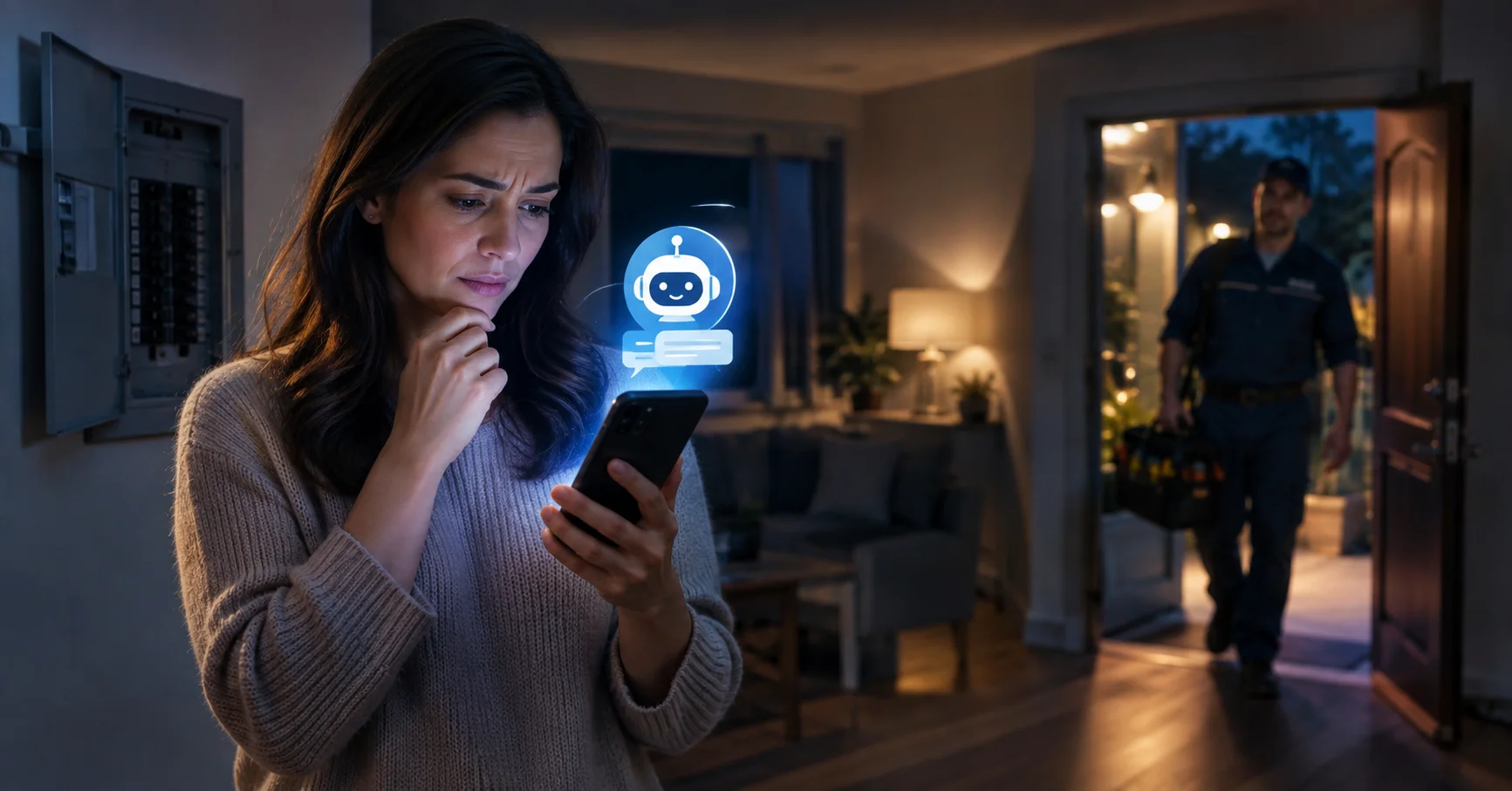
- Emergency electrician leads mostly pick up the phone, so a website chatbot is a second layer, not a replacement for call coverage. It earns its place with visitors who cannot or will not call, with people unsure whether their problem is an emergency, and with urgent but not dangerous jobs that arrive through emergency ads.
- A 24/7 chatbot for an emergency electrician must follow safety triage first. Fire, smoke, flames, a shock injury, or a downed power line means emergency services and the utility, not a sales conversation.
- After-hours electrical work typically bills at about 1.5 to 2 times the standard rate, and consumer guides quote emergency rates of roughly $100 to $260 an hour. Publishing that up front means fewer surprises on the callback.
- Emergency clicks are expensive, commonly $15 to $35 each, while Local Services Ads for electricians average around $39 per lead in one 2026 benchmark. Losing a lead after you paid for it is the costly part.
- Test any chatbot before trusting it by typing the phrases real customers use, such as "sparking outlet" or "burning smell," and checking the reply leads with safety.
- Zappiq AI answers from your website, qualifies visitors, and starts with 100 free conversations. Paid plans begin at $27 a month for 1,500 conversations. It is website chat only and does not answer phone calls.
Why Emergency Electrician Leads Behave Differently
Most electrical leads give you time. A homeowner pricing a panel upgrade will wait a day. Someone with a sparking outlet at 11 pm will not. They search "emergency electrician near me," "24 hour electrician," "electrician open now," or something blunter like "no power in half my house," and they contact whoever looks most available.
That urgency is why the clicks cost so much. Emergency keywords commonly run $15 to $35 per click, while electrician keywords overall are quoted anywhere from about $8 to $25. Google Local Services Ads, which charge per lead instead of per click, averaged about $39 per verified electrician lead in one early 2026 benchmark, with other sources quoting up to $85. General Google Ads leads for electricians land closer to $90 to $105. However you buy it, you have paid before anyone has spoken to you.
The money on the other side is worth it. After-hours calls typically bill at 1.5 times the standard rate, and true emergency calls at 1.5 to 2 times. Consumer guides put emergency and after-hours work at roughly $100 to $260 an hour, and one flat-rate guide lists same-day emergency visits at $200 to $500. The jobs pay well. What they punish is a slow or missing reply.
Where a Website Chatbot Fits, and Where It Does Not
Let's be straight about this, because plenty of articles on the subject are not. Someone who smells burning plastic from an outlet picks up the phone. They do not open a chat window on a website. So if you take emergency calls, your first job is to make sure the phone gets answered. A chatbot cannot do that.
| Option | Answers phone calls | Typical cost | Weak spot |
|---|---|---|---|
| Call forwarding to an on-call tech | Yes | Your phone plan | One person is always on, and calls during a job get missed |
| Live answering service | Yes | Roughly $100 to $400 a month, more with per-minute billing | Operators may not recognize an electrical emergency from the description |
| AI phone receptionist | Yes | Roughly $50 to $300 a month on flat plans | Quality varies, so test it with real emergency phrases |
| Website chatbot (Zappiq AI) | No, website chat only | Free for 100 conversations, then $27 a month | Only reaches people who are on your site and choose to chat |
These solve different problems, and a shop with serious emergency volume often needs both a phone layer and a chat layer. The chatbot is the cheaper one, and it covers a group of visitors the phone options never see.
What an Emergency Electrician Chatbot Should Ask
The best 24/7 electrician chatbot does not start with a generic “How can I help?” It asks only the questions needed to decide whether the visitor needs emergency services, an on-call electrician, or a normal appointment. Keep the conversation short: someone typing at midnight is usually stressed, on a phone, and ready to leave if the first reply feels like a form.
- What happened? Let the visitor choose a plain-language issue such as sparks, smoke, a hot outlet, a tripped breaker, partial power loss, or a planned repair.
- Is anyone in danger right now? If the answer suggests fire, smoke, flames, shock, or a downed line, show the approved 911 and utility guidance before collecting lead details.
- Where is the property? Capture the ZIP code or service area so the team can reject out-of-area requests without a late-night phone tag.
- How should the electrician reach you? Ask for a name, mobile number, and email only after the safety message and service-area check.
- When can someone respond? Offer realistic options such as emergency dispatch, an after-hours callback, or the next available daytime slot. Never let the AI receptionist invent an arrival time.
This turns the chatbot into an emergency electrician lead capture tool rather than a risky troubleshooting assistant. It also creates a cleaner handoff for the person who receives the transcript. For the broader qualification framework, see our guide to the AI lead qualification chatbot; for follow-up timing, compare the workflow in how to handle after-hours website leads.
Who Still Uses Chat at 2 am
- People who cannot talk. Someone hiding in a quiet house with sleeping kids, someone at work, or a customer who is deaf or hard of hearing. Chat is the easier way to reach you.
- People who are not sure it is an emergency. "My breaker keeps tripping, can this wait?" is a question many homeowners would rather type than say aloud. A good answer protects them and filters your calls.
- Urgent but not dangerous jobs. Half the outlets dead, a breaker that will not reset, flickering lights. They arrive through emergency ads but can often wait for a morning slot.
- Price checkers. People who want to know what an after-hours call costs before they commit. If your site explains it, the bot can too.
- Landlords and property managers. They often start on a website and want details captured, not a long phone call at midnight.
One benchmark roundup citing Housecall Pro data puts the share of home service jobs booked outside business hours at 41%. That figure covers all trades, not only emergencies, but it fits what any electrician with a late-night phone already knows.
Triage First: The Safety Rules a Chatbot Must Follow
An emergency electrician chatbot has one rule that outranks lead capture. If the situation is dangerous, the first thing a visitor sees is what to do about it. Fire departments and electricians publish broadly consistent guidance: call 911 for fire, smoke, flames, or a shock injury; contact the utility and 911 for a downed power line; and call an electrician for hazards inside the home such as burning smells, sparks, and hot outlets or panels.
| Tier | What the visitor describes | What the page or bot should do | Who handles it |
|---|---|---|---|
| 1. Life safety | Fire, smoke, flames, someone shocked, a downed line | Tell them to get out if needed and call 911, plus the utility for lines. No sales talk | Emergency services and the utility |
| 2. Hazard | Burning smell, sparks, buzzing or hot panel, hot or melted outlet | Show your emergency phone number first and your company's safety script | Your on-call tech, by phone |
| 3. Urgent | Part of the house without power, breaker will not reset, dead outlets | Capture the details, state the after-hours rate, set the callback expectation | On-call or first thing in the morning |
| 4. Routine | Add an outlet, price a fixture, plan a project | Treat as a normal lead | Office, next business day |
| Utility side | Whole street out, problem at the meter or lines | Point to the utility's outage line | The utility |
No troubleshooting over chat: A chatbot should not walk someone through resetting breakers, opening panels, or testing outlets. The bot's safety content should be short, fixed, and written or approved by a licensed person at your company. Anything beyond that is a liability you do not want a machine improvising.
Say the After-Hours Price Before They Ask
Emergency pricing surprises people. Most homeowners know a daytime electrician is not cheap, but they do not know about call-out fees and after-hours multipliers until the phone call. Consumer guides describe a service call fee of roughly $75 to $200, an after-hours premium of 50% to 100%, and in some markets total emergency visits of $200 to $500. Your numbers will differ, so use yours.
Put your call-out fee and after-hours rate on your emergency page in plain language, with an honest note that the final price depends on what is found. A visitor who has read that before contacting you has already accepted it, and a chatbot trained on that page repeats it consistently at any hour. Nobody has to haggle with a stranger at midnight.
What One Lost Emergency Inquiry Can Cost (Illustrative Math)
These come from published benchmarks and price guides, so swap in your own. The number to remember is not the total. It is that the money was already spent when the lead walked.
Test It Before You Trust It
This step is easy to skip and expensive to skip. Before any chatbot goes live on an emergency page, open it and type what a scared homeowner would type. Check what comes back.
- "Sparking outlet in the kitchen." The reply should lead with safety and your emergency number, not a request for an email address.
- "I smell smoke from my panel." It should point to emergency services immediately.
- "My son got shocked by the washing machine." It should direct them to emergency services first.
- "Power is out on my whole street." It should send them to the utility, not pretend you can fix a grid outage.
- "How much to come out tonight?" It should quote your published call-out fee and after-hours rate, or say it cannot give an exact price without seeing the problem.
- "Can you come right now?" It should not promise an arrival time you cannot guarantee.
If any answer is wrong, change what your website says and test again, because a site-trained bot answers from your pages. Repeat this test after you edit the pages, and again after any storm season.
How to Set Up an Emergency Chatbot on Your Website
- Build a proper emergency page. A tap-to-call number at the top, your hours, your service area, your call-out fee and after-hours rate, and a short "what counts as an emergency" box with the 911 guidance above.
- Write a "when to call" explainer. Use the triage tiers so a homeowner can place their own situation. This page also ranks for searches like "is a burning smell from an outlet an emergency."
- Install the one script. Zappiq AI for electricians reads your site on signup and trains automatically, so there is no flow builder to configure.
- Make leads reach a person who is awake. Every qualified lead arrives by email with the full transcript, but email can sit unread overnight. Webhooks through Zapier, Make, or n8n can push it to a Slack channel or a text message service your on-call tech actually watches.
- Decide your callback promise. "We reply within 15 minutes" is only worth saying if somebody does. Set a standard you can keep on your worst night.
- Track the source. Ad attribution per lead shows which emergency keywords produce real jobs and which only produce tire kickers.
- Read the transcripts weekly. Every confused or misdirected chat points to a sentence missing from your emergency page.
What the chatbot handles
- Answers emergency page questions at any hour
- Reaches visitors who cannot or will not phone
- Sorts urgent jobs from routine ones before they hit your inbox
- Repeats your published after-hours pricing consistently
- Emails the lead with the full conversation
What it does not handle
- Answering phone calls, which needs a phone service
- Dispatching your on-call technician
- Safety judgment, troubleshooting, or replacing 911
- Visitors who never open your website
Want after-hours website visitors caught while you sleep?
Zappiq AI trains on your website, qualifies each visitor, and emails you the lead with the full conversation while it is still fresh.
Start Free Trial →No credit card | No developer needed | No branding on any plan
What a Chatbot Costs Next to a Phone Service
Answering services run roughly $50 to $400 a month depending on whether they are live or AI and how many calls you get. The chatbot costs less because it does less: it covers website visitors only. Many electricians who take real emergency volume end up with a phone service for calls and a chatbot for the site, and the two together still cost less than a missed night shift.
How to Tell If It Is Working
- After-hours chats per week. Watch the spikes around storms and cold snaps.
- Share of chats by triage tier. If most are routine, your ads or your pages may be attracting the wrong searches.
- Time to first human contact. Measure from the moment the lead arrives to the moment someone calls back. This number is yours, not the chatbot's.
- Cost per booked job by source. Ad spend divided by booked emergency jobs, split by keyword and by Local Services Ads versus search.
Frequently Asked Questions
A website chatbot cannot answer phone calls. Emergency callers mostly phone, so you still need call forwarding, an answering service, or an AI phone receptionist. A chatbot covers the other group: website visitors who prefer to type, are unsure whether their problem is an emergency, or have an urgent but not dangerous issue that can wait for a callback.
Fire, smoke, flames, a shock injury, or a downed power line is a 911 emergency. Burning smells, sparks, buzzing or hot panels, and hot or melted outlets are urgent hazards that call for an emergency electrician right away. Part of a house losing power or a breaker that will not reset is urgent but usually not life threatening.
Only a short, fixed safety message approved by a licensed person at your company, such as calling 911 for fire, smoke, or shock injuries and the utility for downed lines. A chatbot should not walk people through resetting breakers, opening panels, or testing outlets, and should never promise that a situation is safe.
After-hours and emergency work usually bills at about 1.5 to 2 times standard rates, or 50% to 100% more. Consumer guides quote roughly $100 to $260 an hour for emergency work, plus a service call fee, and some list same-day emergency visits at $200 to $500 before extra work. Prices vary by market, license level, and what is found.
Most use a mix of Google Local Services Ads, search ads on terms like emergency electrician near me, a complete Google Business Profile, and a fast first response. Emergency clicks commonly cost $15 to $35 and Local Services Ads often cost less per lead, so protecting each lead with call coverage and a chatbot for after-hours web visitors matters.
An answering service, live or AI, answers phone calls and can dispatch emergencies. A website chatbot only talks to visitors on your site, answering questions from your pages and qualifying them before sending you the lead. Shops with real emergency volume often use both, since callers and website visitors are different groups.
Zappiq AI has a 14-day trial with 100 conversations. Starter is $9/month equivalent when billed annually for 350 conversations; Growth is $39/month or $27/month equivalent when billed annually for 1,500 conversations; and Pro is $99/month or $69/month equivalent when billed annually for 5,000 conversations. There is no AI credit meter or per-lead fee, and no plan adds Zappiq branding to the widget.
The Bottom Line
Emergency electrical work is the most urgent and often the best paid in the trade, and it is the one where honest expectations matter most. A chatbot will not answer your phone, dispatch your tech, or stand in for 911. What it can do is quietly catch the visitors the phone never reaches, sort the urgent from the routine, and repeat your pricing and safety message the same way every night.
Build the emergency page first, with the number, the rates, and the safety box. Cover the phone with something that answers. Then add a chatbot to the site and test it with the scary phrases before you let customers do it for you.
That is where Zappiq AI fits for electricians. You can try it free at zappiqai.com, no card needed, and run the test script above in the first ten minutes.
Test it with the scary phrases first
Start a 14-day trial with 100 conversations. Zappiq AI reads your site, qualifies each visitor, and emails you the leads with the full transcript.
Start Free Trial →No credit card | No developer needed | No branding on any plan
References
- ConsumerAffairs. "How Much Does an Electrician Cost?" consumeraffairs.com.
- LeadDuo. "How Much Do Electricians Charge Per Hour in 2026?" leadduo.io.
- NearMeTips. "How Much Does an Electrician Cost in 2026?" nearmetips.com.
- SnapScope. "Electrician Price List: 2026 Flat Rate Guide." snapscopeai.com.
- PipelineOn. "Local Service Ads for Electricians: Cost and Benchmarks." pipelineon.com.
- Watson and Co. "How Much Does Advertising Cost for Electricians?" watsonco.marketing.
- Signpost. "The Best Answering Services for Electricians." signpost.com.
- Northern Mister Sparky. "Burning Smell From an Electrical Outlet? Do This Now." northernmistersparky.com.
- Daven Electric. "What Is Considered an Electrical Emergency?" davenelectric.com.
- SALT Electric. "When to Call an Emergency Electrician." callsalt.com.
- Apten. "Speed-to-Lead Benchmarks 2026." apten.ai.

Ansar Ali
Ansar Ali founded Zappiq AI after noticing that most small businesses were paying for chat platforms designed around support desk workflows when what they actually needed was a smarter way to identify serious visitors in their traffic. He works on qualification logic, attribution, and keeping Zappiq fast and unobtrusive on any site it is installed on. Mentions of Zappiq in this guide come from the company that makes it, so weigh them accordingly.