
Quick Summary
- Zappiq AI is the best Crisp alternative for small business websites where the primary job is lead generation, not inbox management. Flat pricing, no AI credit meter, no seat caps, and trains itself on your website from day one.
- Tidio is the best option for ecommerce and Shopify stores that want live chat and a conversational AI layer at a price that does not require the top plan to do anything useful.
- Help Scout is the strongest pick for lean support teams that want their shared inbox to feel like email rather than a chat console, with no per-outcome AI charge anywhere in the billing.
- tawk.to is the right answer for anyone whose real requirement is a live chat widget answered by a human, and whose budget is genuinely zero.
- Freshchat is the best fit for growing support teams that want Crisp's omnichannel shape with deeper routing rules, SLA controls, and tighter integration with Freshworks products.
- Intercom is the most feature-complete upgrade for teams that have outgrown Crisp's AI limits and need an agent that handles real resolution volume at scale.
- HubSpot Service Hub is the logical next step for any team already running marketing or sales on HubSpot and wants support conversations on the same contact record.
Where Crisp Works and Where It Runs Short
Crisp is genuinely good at what it promises. The workspace pricing model, where you pay per account rather than per seat, is a meaningful advantage over tools that charge per agent and raise the bill every time you hire. The bundled omnichannel inbox, the visual bot builder, and the flat monthly cost make it one of the more attractive options for a startup or small team that does not want to piece together three separate tools to handle website chat, email, and basic automation.
The friction tends to show up after signup. Hugo, Crisp's AI agent, runs on a credit system rather than a flat allowance. The Essentials plan costs $95 per month and includes around 450 automated conversations plus $25 in AI credits. Those credits are metered, so a busy support team can exhaust the included allowance before the billing period ends and then fall back to manual replies or paid usage.
The credit ceiling problem: Crisp's Essentials plan includes around 450 automated conversations and $25 in AI credits. The allowance is metered, so teams with busy support volume should model the included credits and any additional usage rather than assume the AI is unlimited.
The seat situation creates a different kind of pressure. Mini and Essentials both have hard agent caps with no option to add a single extra seat without upgrading to the next plan entirely. A four-person team on Mini that brings on a fifth person does not pay for one additional seat. They either move to Essentials at more than double the price, or they figure out a workaround. That is the kind of friction that prompts people to start looking at alternatives before they expected to.
Companies running more than one product or brand face a separate issue. Crisp's workspace pricing means each brand needs its own subscription at the full plan price. A team managing two products on the Essentials plan is paying ninety dollars a month per workspace, not per total agent count. For a small agency or a company with multiple properties, that math stacks up quickly.
What Crisp Actually Costs Once You Hit Its Limits
None of this makes Crisp a bad product. It makes it a product with a specific profile: a startup or small single-product team with moderate support volume that fits cleanly inside the plan limits. Beyond that profile, the alternatives below tend to offer better value at their respective price points, for different reasons depending on what your team actually needs.
Quick Comparison: 7 Crisp Alternatives
| Tool | Starting Price | AI Model | Free Plan | Setup Time | Best For |
|---|---|---|---|---|---|
| Zappiq AI | 14-day trial with 100 conversations; Growth $39/mo monthly or $27/mo annual equivalent (1,500), Pro $99/mo monthly or $69/mo annual equivalent (5,000) | Flat, included, no credit meter | 14-day trial; 100 conversations | Under 5 min | SMB lead generation |
| Tidio | $24.17/mo annual (Starter) | Lyro AI, 50 one-off conversations on Starter | 7-day trial; no permanent free plan | 30 to 60 min | Ecommerce and Shopify chat |
| Help Scout | $25/user/mo | AI assist, no per-outcome charge | Yes, 5 users | 15 to 30 min | Email-first support teams |
| tawk.to | Free | No built-in AI agent | Yes, unlimited agents | Under 15 min | Zero-budget live chat |
| Freshchat | $19/agent/mo | Freddy AI sessions, ~$0.49 each | Yes, up to 10 agents | Hours | Multichannel support teams |
| Intercom | $39/agent/mo + $0.99/resolution | Fin AI, per-outcome billing | No | Hours to days | AI-first support at scale |
| HubSpot Service Hub | Free, paid from ~$20/seat | Breeze AI credits, bundled | Yes, unlimited seats | 30 to 60 min | Teams already on HubSpot |
Before comparing: Crisp's Essentials plan includes around 450 automated conversations and $25 in AI credits, with seats capped at 10. If your team is bumping against either of those limits, the tools that matter most in this comparison are the ones that remove those specific constraints, not all seven equally.
1. Zappiq AI: Best for Lead Generation on SMB Websites
Zappiq AI
zappiqai.com | AI lead generation chatbot for small and medium business websites, no developer or configuration required
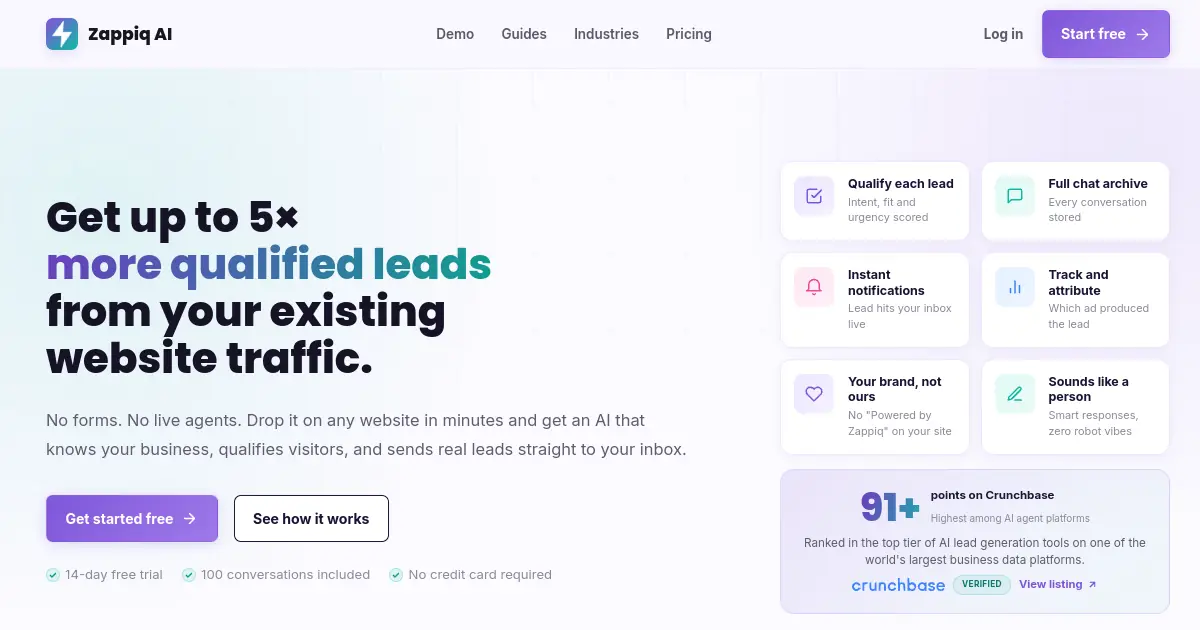
The question worth asking before choosing between Crisp and anything else is whether you actually need an inbox. Crisp is a support communications platform with a chatbot layer. If your team's real goal is turning website visitors into leads rather than managing a queue of incoming conversations, Crisp is solving a related but different problem, and you are paying for parts of it you will never use.
Zappiq was built for the lead generation job specifically. It does not come with a shared team inbox, a CRM, or a campaign builder. What it does is read your website the moment you sign up, train a chatbot on your services, pricing, and common questions automatically, and then qualify every visitor who starts a conversation before collecting their contact details. A visitor who just has a question gets an answer. A visitor who looks like a potential customer gets asked about their timeline, their project, and their situation before Zappiq asks for their name and number.
That qualification step is the part that tends to matter most for small businesses. The typical live chat widget captures everyone equally: browsers, existing customers, wrong-number inquiries, and the occasional actual lead. Zappiq filters for intent first, which means the leads that land in your inbox have already cleared a bar rather than being everything the widget saw that day.
The moment a visitor qualifies, you receive an email with their contact details and the full conversation transcript, usually while they are still on your site. That timing changes how you can follow up compared to reviewing an inbox queue at the end of the day. Ad attribution is also tracked automatically per lead, so if a visitor came from a Google Ads campaign or a specific keyword, that context is included alongside their contact details.
Crisp charges by workspace and meters the AI. Zappiq charges a flat monthly rate tied to conversation volume with no credit ceiling and no outcome-based billing. A campaign month that sends double the usual traffic to your site does not change the bill.
Integrations: Zappiq routes qualified leads to Zapier, Make, and n8n, so a captured contact can land in your CRM, a Google Sheet, or a Slack channel automatically. No developer needed to set up those connections.
Pros
- Trains automatically on your website, nothing to configure
- No AI credit meter, no daily cap, no usage-based billing
- Qualifies visitors before collecting contact details
- Instant email alert with full transcript on every lead
- Ad campaign and keyword attribution per lead
- No branding on the widget at any plan level
- Webhook routing to Zapier, Make, and n8n
- Free trial, no credit card required
Cons
- Not a full support platform or shared inbox tool
- No team queue or multi-agent conversation routing
- No email channel or ticketing system
- Newer platform, smaller integration catalog than Crisp
Why lead-focused teams choose Zappiq AI
Ad tracking: Connect each qualified enquiry to the campaign, keyword, or channel that produced it, so paid traffic can be measured against real leads.
Email lead delivery: Every qualified lead arrives in your inbox with contact details, source data, and the conversation context needed for follow-up.
No branding: Keep the widget focused on your business without a third-party badge competing with your brand.
Automatic website training: Zappiq reads your website and starts answering from its content without a manual flow-building project.
Natural qualification: It screens for intent before asking for contact information, keeping low-quality chats out of your sales queue.
Simple installation: Add one script to your existing website instead of configuring a separate AI layer or support inbox.
Pricing
Pricing: The 14-day trial includes 100 conversations. Starter is $9/month equivalent when billed annually for 350 conversations; Growth is $39/month or $27/month equivalent annually for 1,500; and Pro is $99/month or $69/month equivalent annually for 5,000. The chatbot trains on your website automatically, with no credit meter or per-seat pricing.
Best for: Small and medium business websites where the goal is capturing and qualifying visitors from existing traffic, not building out a support inbox. Clinics, agencies, service businesses, real estate, legal, home services, and any business running paid traffic where knowing which channel produced each lead matters.
2. Tidio: Best for Ecommerce and Shopify Chat
Tidio
tidio.com | Live chat and AI chatbot platform with native Shopify and ecommerce data integrations
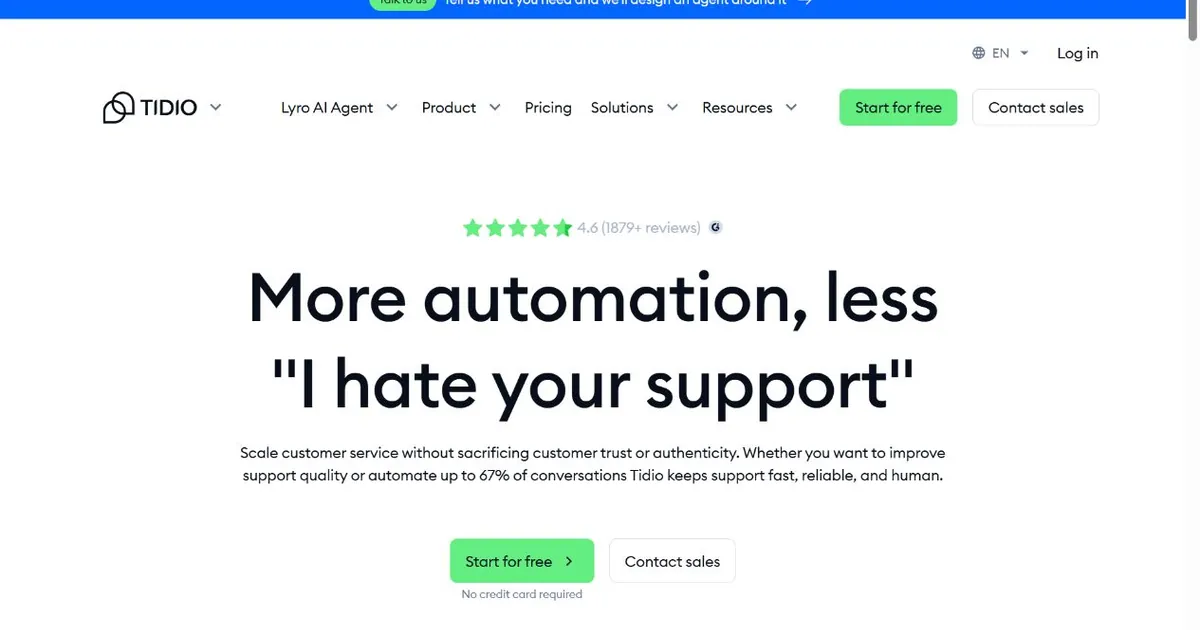
For an ecommerce team that found Crisp useful but kept wishing it understood their store data, Tidio fills that gap directly. Order status lookups, return inquiries, and cart recovery flows connect to Shopify natively rather than requiring custom logic your team has to maintain. That integration saves a meaningful amount of setup time for a store owner without a developer, and it makes the chatbot actually useful for ecommerce-specific questions that a generic chat platform handles poorly.
Tidio currently offers a 7-day trial rather than a permanent free plan. Starter is $24.17 per month on annual billing and includes 100 billable conversations plus 50 one-off Lyro AI conversations. Growth starts at $49.17 per month with 250 billable conversations, while Plus starts at $300 per month plus usage. That pricing is easier to model than Crisp's workspace tiers, but the bill still rises with both support volume and AI usage.
Lyro, Tidio's AI chatbot, operates as a separate add-on rather than a bundled feature. Starting at around thirty to thirty-nine dollars a month, it covers a fixed quota of AI conversations. This is a similar structure to what Crisp uses with Hugo, with one key difference: Tidio is transparent about Lyro being a separate line item, so you are not surprised by a credit ceiling inside a platform you thought included unlimited AI. The total cost is more visible, even if it is still a second meter alongside your base plan.
Tidio's bot builder is straightforward and visual, built around ecommerce use cases like FAQ handling, shipping status, and discount delivery. For teams that were using Crisp's flow builder but found themselves spending more time managing it than benefiting from it, Tidio's more opinionated templates make the starting point more useful for the average store rather than a blank canvas.
Pros
- Native Shopify and ecommerce store data integrations
- Starter includes 100 billable conversations and 50 one-off Lyro AI conversations
- Visual bot builder with ecommerce-specific templates
- Lyro AI handles real product questions, not just FAQ retrieval
- Clean, straightforward interface without a long setup ramp
Cons
- Lyro AI is a paid add-on, not included in base plans
- Plus starts at $300/mo plus usage, with no low-cost middle tier
- No enterprise visitor identification or B2B routing features
- 10-seat limit on self-serve plans
Pricing
Best for: Shopify merchants and ecommerce stores that want chat integrated with store data from day one, and are comfortable with Lyro as a separate line item rather than expecting AI to be included in the base plan.
Want leads from your website traffic without AI credit limits?
Zappiq AI qualifies visitors automatically, never runs out of credits mid-month, and sends you every lead with the full conversation while it is still relevant.
Start Free Trial >No credit card | No developer needed | No branding on any plan
3. Help Scout: Best for Email-First Support Teams
Help Scout
helpscout.com | Shared inbox, knowledge base, and live chat widget designed to feel like email rather than a support console
Crisp is a chat-first product that added email support. Help Scout is the opposite: an email-first product that added a chat widget. That difference in origin shapes everything about the two experiences. Help Scout's conversations look like email threads because they are email threads, with a shared view and internal notes layered on top rather than a separate console that your team has to learn to navigate.
For teams where most support happens by email and live chat is secondary, that match between what the tool feels like and what the team actually does day-to-day is worth more than a feature list comparison. Teams that spent weeks learning Crisp's interface and then mostly used it as a complicated email inbox tend to find Help Scout more comfortable from day one.
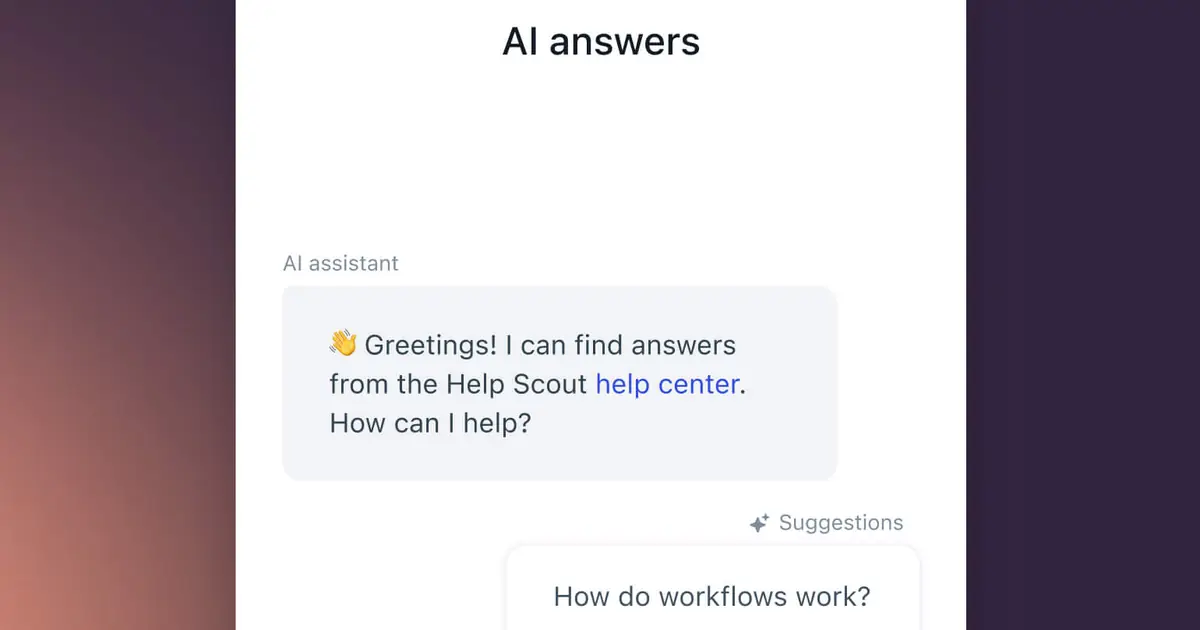
The free tier covers five users with one shared inbox and a public knowledge base, plus Beacon, Help Scout's embeddable widget that combines live chat, a contact form, and help article search in one install. Paid plans start around twenty-five dollars per user a month and add multiple inboxes, workflow automation, and reporting. The seat-based pricing is not free of growth-related cost increases the way Crisp's workspace model is, but the increment is more predictable: one user is one seat charge, not a forced plan jump.
Help Scout's AI Answers add-on is priced at $0.75 per resolution and includes a 3-month free trial. Its AI Inbox assistant also helps agents draft and summarize replies. That makes Help Scout a better fit for teams that want AI to assist human agents, while teams wanting a fully autonomous lead-generation bot may prefer a dedicated chatbot.
Pros
- Free plan includes 5 users, full inbox, and knowledge base
- Conversations feel like email, low learning curve
- Beacon widget bundles chat, forms, and help docs together
- AI Answers is available as a $0.75-per-resolution add-on
- Clean reporting without an analytics configuration step
Cons
- No standalone customer-facing AI resolution agent
- Per-seat pricing climbs linearly as headcount grows
- No WhatsApp, Instagram, or native social channel support
- Less suited to high-volume multichannel support operations
Pricing
Best for: Small and mid-sized teams where most customer communication comes through email and the priority is a clean, familiar inbox experience rather than an omnichannel console with bot-builder features they will rarely touch.
4. tawk.to: Best Free Option
tawk.to
tawk.to | Fully free live chat with unlimited agents, unlimited conversations, and no subscription fee for the core product
Crisp's free plan gives you two seats, unlimited conversations, but no AI, no CRM, no workflow automation, and no email integration. It is a basic starting point that most teams outgrow within weeks. tawk.to takes a different approach: the core product stays free permanently, with unlimited agents and no conversation cap, funded by an optional service where you can hire live agents if your team is not available.
For a small business that evaluated Crisp expecting a free tier with meaningful features and found it too limited to be useful, tawk.to covers the basic live chat job completely at no cost. Install takes about ten minutes, the widget is on your site, and whoever is at their computer can answer it. That is the entire product at the free level, and it is more honest about being just that than Crisp's free tier, which exists primarily to push you toward Mini.
The limitation to understand upfront is that tawk.to has no AI agent. Every conversation requires a human to answer it. There is no automation that handles common questions while your team is offline, no qualification flow that filters for serious inquiries, and no knowledge base bot that points visitors to the right article. If your team tried Crisp because you wanted to handle volume without staffing the widget full time, tawk.to does not solve that problem.
Removing the tawk.to branding from the widget costs about twenty-nine dollars a month. That is still well under Crisp's Mini plan price, and it remains the cheapest branding removal option in this comparison by a significant margin.
Pros
- Completely free, no seat limit, no conversation limit
- No trial period, no upgrade pressure built into the free tier
- Fast to install on any website or CMS
- Optional hire-a-live-agent service for coverage gaps
Cons
- No AI agent, automation, or bot of any kind
- No knowledge base or self-service option for common questions
- Requires a person actively monitoring the widget to be useful
- Reporting and workflow tools are minimal
Pricing
Best for: Businesses with a hard budget constraint that need live chat on their site and have at least one person available to answer it during business hours, with no expectation of AI-driven automation.
freshchat">5. Freshchat: Best for Multichannel Support Teams
Freshchat
freshworks.com/live-chat-software | Freshworks live chat and AI messaging product with skill-based routing, SLA policies, and Freddy AI
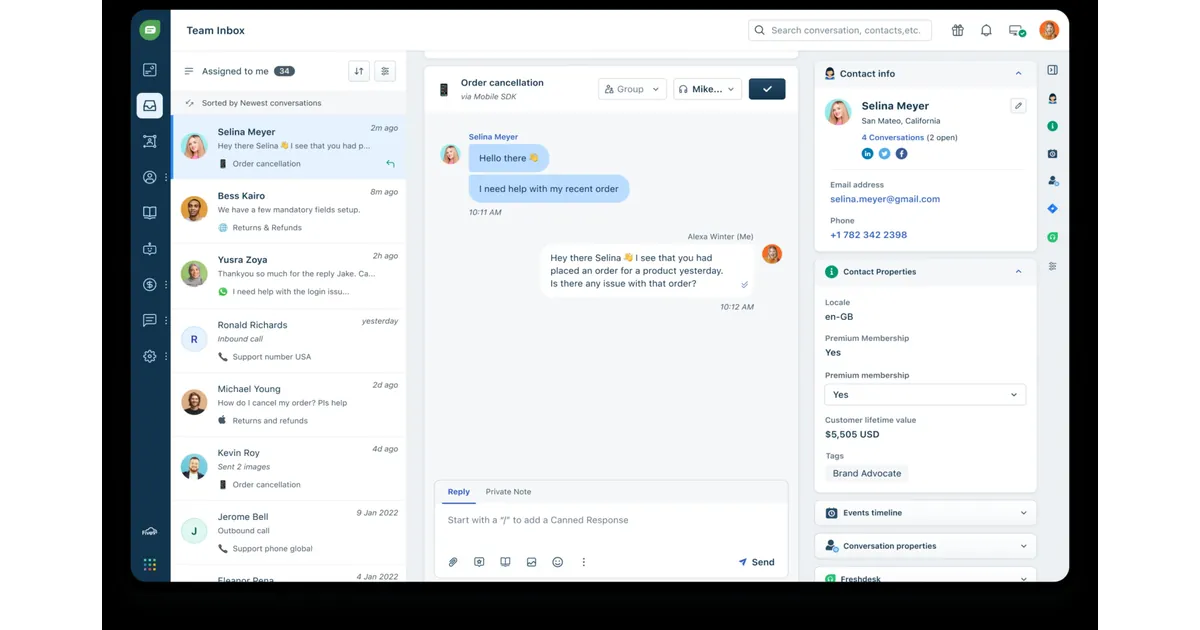
Teams that found Crisp's routing and SLA features too thin for their support operation tend to look at Freshchat next. The routing logic is more sophisticated, the SLA policies give managers something real to track, and the agent capacity reporting is built for a team that has more than a handful of people answering conversations simultaneously. For a company that has grown past what Crisp's Essentials or Plus tiers were designed for, Freshchat covers more of that operational surface.
The free plan covers up to ten agents, which is a more generous starting point than Crisp's two-seat free tier, and more useful for a small team that wants to evaluate the platform with the real number of people who will use it day-to-day. Growth runs about nineteen dollars per agent per month, Pro around forty-nine dollars, and Enterprise near seventy-nine dollars, all billed annually. Per-seat pricing is the model here, which means the bill grows with headcount in a way Crisp's workspace pricing does not.
Freddy, Freshchat's AI, splits into two separate products: Freddy AI Agent, which handles customer-facing conversations automatically, and Freddy AI Copilot, which assists human agents rather than replacing them. AI Agent includes five hundred free sessions a month on paid tiers, with additional sessions at around forty-nine dollars per hundred. Copilot is a separate twenty-nine dollar per agent add-on, available only on Pro and Enterprise. That is two additional meters on top of the seat cost, which is worth modeling before comparing the published plan prices to Crisp.
Where Freshchat earns its spot on this list is integration depth with the broader Freshworks ecosystem. Teams already using Freshdesk for ticketing get a conversation-to-ticket handoff that is tighter than anything you can achieve by connecting two separate tools. If your company is already in that ecosystem, Freshchat is the path of least resistance for adding live chat and AI messaging to the existing stack.
Pros
- Free tier supports up to 10 agents
- Skill-based routing and SLA policies on higher tiers
- Tight integration with Freshdesk for ticket handoffs
- Freddy AI sessions priced around half of Intercom's Fin rate
- 68 pre-built bot templates for common support flows
Cons
- Two separate AI add-ons: AI Agent sessions and Copilot seats
- Copilot only available on Pro and Enterprise tiers
- AI sessions do not roll over between billing periods
- Per-seat pricing grows linearly with headcount, unlike Crisp
Pricing
Best for: Growing support teams that have outgrown Crisp's routing depth and want more structured conversation management, particularly those already using other Freshworks products.
Tired of AI credits that run out before the day ends?
Zappiq AI qualifies every visitor on a flat plan with no AI credit meter or overage charge. Your chatbot keeps working during a traffic spike without a daily allowance to monitor.
Start Free Trial >No credit card | No developer needed | No branding on any plan
6. Intercom: Best for AI-First Support at Scale
Intercom
intercom.com | Customer messaging platform with a unified inbox, ticketing, and the Fin AI agent built for high-volume resolution
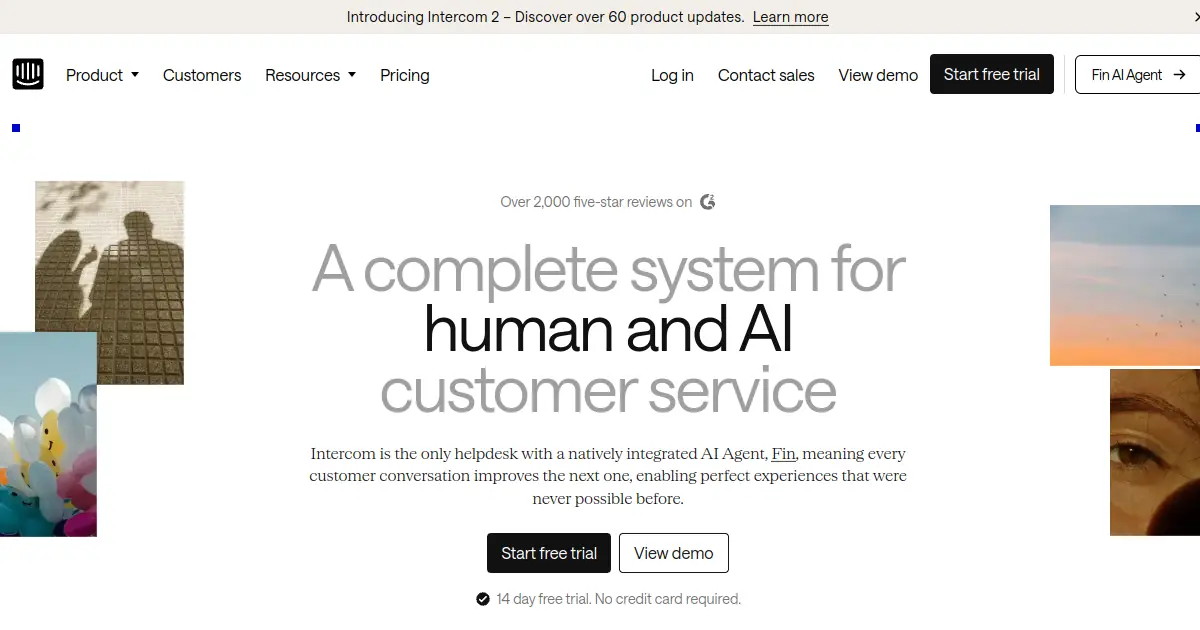
The most common reason a Crisp user ends up evaluating Intercom is the AI gap. Hugo handles roughly sixty percent of tickets under ideal conditions on the Plus plan. Fin, Intercom's AI agent, operates at scale with a published resolution rate significantly higher than that across its customer base, and it trains on a much wider range of content sources than Hugo supports. For a team where AI resolution is not just a nice feature but a core part of the support model, that difference matters considerably.
Intercom also covers the operational features that Crisp's Plus plan approaches but does not fully reach: proactive messaging triggered by in-product user behavior, event-based automation, and a reporting layer that gives managers more than basic volume metrics. Teams that grew on Crisp and kept adding workarounds to fill operational gaps tend to find Intercom's native feature set handles more of those cases without external tools.
The cost is the honest constraint. Intercom's current plans start at $29 per seat per month for Essential, $85 for Advanced, and $132 for Expert. Fin AI Agent adds $0.99 per outcome, including a resolution or completed procedure. A team handling significant AI volume will see those two numbers compound, so anyone moving from Crisp should model expected monthly Fin usage instead of treating the published seat price as the total.
Pros
- Fin AI resolves a substantially higher share of conversations than Hugo
- Proactive in-product messaging triggered by user behavior
- Mature routing, automation, and reporting features
- Wider content source support for AI training
- Strong integration ecosystem across CRMs and engineering tools
Cons
- Per-seat plus per-resolution billing stacks up quickly at volume
- No free plan, higher entry cost than every other tool here
- Setup and configuration time significantly longer than Crisp
Pricing
Best for: Support teams that have clearly outgrown Crisp's AI resolution capability and need a platform built for high-volume automated resolution, and can absorb a billing model that combines seat costs with per-outcome AI charges.
7. HubSpot Service Hub: Best for Teams Already on HubSpot
HubSpot Service Hub
hubspot.com/products/service | Support ticketing and live chat built into HubSpot's free CRM with Breeze AI on paid tiers
Crisp stores conversation history inside its own workspace. HubSpot stores it on the contact record where your sales and marketing history already lives. For a team using HubSpot for anything else, that consolidation removes the most common friction in support handoffs: the support agent who does not know the customer's deal stage, and the sales rep who does not know the customer opened three tickets in the last week.
The free tier is a genuine starting point rather than a stripped teaser. HubSpot Service Hub Free includes contact management, ticketing, team email, and live chat. Starter currently starts at $10 per seat per month on the promotional offer shown by HubSpot, while Professional starts at $100 per seat and Enterprise at $150. The free tier is useful for teams willing to work within HubSpot's interface, but the more advanced service and AI features sit behind paid editions.
Breeze uses both included features and outcome-based HubSpot Credits. Customer Agent costs $0.50 per resolved conversation, Prospecting Agent costs $1 per recommended lead, and Data Agent costs $0.10 per answer. Starter includes 500 credits, Professional includes 3,000, and Enterprise includes 5,000. That model is different from Crisp's AI credits because the charge is tied to completed work, not simply to every conversation.
The tradeoff is scope. HubSpot Service Hub is not a particularly strong standalone chat product. The widget customization is limited compared to Crisp, Tidio, or Zappiq, and the chatbot builder is more basic than what Crisp's Plus plan offers. The value is entirely in the CRM integration, and a team that is not already inside the HubSpot ecosystem is unlikely to find that trade appealing enough to justify adopting it from scratch.
Pros
- Free tier includes unlimited seats, live chat, and ticketing
- Every conversation and ticket tied to the same CRM contact record
- Breeze agents use outcome-based pricing and included monthly credits
- Strong reporting when combined with HubSpot Marketing or Sales
- Customer Agent and other Breeze agents add outcome-based costs
Cons
- Widget customization is limited compared to dedicated chat tools
- Full value only available to teams already using other HubSpot products
- AI credit ceilings on lower tiers can force upgrades
- Chatbot builder less capable than Crisp's equivalent on Plus
Pricing
Best for: Teams already running HubSpot for marketing, sales, or both, where having support conversations and tickets on the same contact timeline is more valuable than switching to a more capable standalone chat platform.
How to Choose the Right Crisp Alternative
Decision shortcut: The right answer depends on which specific Crisp limitation is pushing you to look. AI credit exhaustion points toward one set of tools. Seat caps point toward a different one. Outgrowing the platform entirely points toward a third.
If the Hugo AI credit limit is the core frustration, the most direct path is a tool where AI is genuinely flat-rated rather than metered. Zappiq AI fits that description for lead generation use cases. Intercom fits it for high-volume support resolution, with the tradeoff that its per-outcome model introduces a different kind of unpredictability at scale. Help Scout fits it for teams that mainly want AI to assist human agents rather than replace them.
If the hard seat cap is the issue, the answer depends on what you are doing with those seats. A support team that simply needs more agents answering conversations should look at Freshchat, where the free tier covers ten agents and seat additions are incremental rather than requiring a full plan jump. A lead generation team that does not need agents in the traditional sense should look at Zappiq, which does not use a seat model at all.
If you are running multiple brands or products and the per-workspace billing is what is making Crisp expensive, HubSpot's free tier is worth a direct evaluation, because everything sits on a single account regardless of how many products or properties you manage. The same contact record links across all your conversations without a separate workspace subscription per brand.
For ecommerce specifically, Tidio's Shopify integration handles a range of store-specific use cases that Crisp covers less well. If your primary conversations are about orders, returns, and product questions, the native store data access alone justifies the comparison.
Before switching from Crisp: Export your knowledge base articles, saved replies, and any Hugo training sources before canceling. Most tools here can import that content. Running both platforms in parallel for a week or two before switching traffic over will surface any gaps before visitors notice them.
Frequently Asked Questions
Zappiq AI is the best Crisp alternative for small business websites where the primary goal is capturing and qualifying leads rather than managing a support inbox. It trains on your website automatically with no credit limit on the AI, qualifies visitors before collecting their contact details, and emails every lead with the full conversation attached. If a shared inbox with live chat is the core requirement, Help Scout or tawk.to are strong options depending on budget.
The most common reasons are Hugo AI's metered AI allowances on lower tiers, the hard agent seat limits that force full plan upgrades when a team needs one additional person, and the large price gap between Essentials at $95 per month and Plus at $295 per month with no middle option. Companies managing more than one product or brand also cite the per-workspace billing model as a reason to look for alternatives that handle multiple properties under a single account.
Yes. Crisp's free plan includes two agents and unlimited conversations, but no AI of any kind, no CRM, no workflow automation, and no email channel integration. It functions as a basic live chat widget but does not include the features most teams are actually evaluating Crisp for. The paid tiers start at $45 per month for Mini with four seats.
Yes. Zappiq AI runs on flat pricing with no daily or monthly AI credit cap. tawk.to has no AI at all, so there are no credits to run out of. HubSpot's Breeze AI uses a credit system but resets on a monthly rather than daily cycle, which reduces the mid-day cutoff problem. Intercom's Fin AI charges per outcome rather than depleting a credit pool, which is a different model but removes the daily ceiling issue.
Hugo AI's credit allowances deplete faster than most teams expect on lower tiers. The Essentials plan includes around 450 automated conversations and $25 in AI credits, which may not cover a busy support operation for a full billing period. Agent seats are hard-capped at each tier with no option to add a single extra seat without upgrading the entire plan. Multiple brands or products require separate workspace subscriptions. Voice support does not exist as a native channel, and the AI does not train on historical ticket data.
The Bottom Line
Crisp is a solid product for the team it was designed for: a startup or small single-product business with moderate support volume that fits cleanly inside the plan's AI credit and seat limits. Within that profile it offers genuine value, a clean interface, workspace pricing that does not penalize headcount growth in the way per-seat tools do, and a bundled feature set that would cost considerably more if assembled from separate subscriptions.
The alternatives in this guide become relevant when that profile no longer fits. The Hugo credit cap is the most common breaking point. A team that evaluates Crisp's AI as a core feature and then discovers it runs out before noon on busy days is looking at a different product than the pricing page described. The seat cap is the second most common issue, because Crisp's tier structure does not allow for incremental growth: you either fit inside the plan's agent count or you upgrade to the next tier entirely.
For small business websites where the primary job is lead generation rather than inbox management, Zappiq AI removes both constraints. There are no AI credits to run out of, no seat count that limits who can access leads, and no configuration required before the chatbot is useful. It reads your website, qualifies your visitors, and sends you every lead with enough context to follow up immediately. That is the whole product, flat-priced, with no daily ceiling to check.
For the other use cases, the right answer is specific: Tidio for ecommerce, Help Scout for email-first support, Freshchat for teams needing routing depth, HubSpot for businesses already inside that ecosystem, tawk.to for anyone whose budget is genuinely zero, and Intercom for teams that have clearly outgrown everything else and need a platform built for serious AI resolution volume.
The free trial for Zappiq AI is at zappiqai.com. No credit card, no credit meter, and no branding added to your widget on any plan.
Try the Crisp alternative with no AI credit ceiling
Zappiq AI trains on your website from day one, qualifies every visitor automatically, and sends you the lead while the conversation is still fresh. No AI credit meter to track, no upgrade required when traffic spikes.
Start Free Trial >No credit card | No developer needed | No branding on any plan
References
- Featurebase. "Crisp Pricing 2026: What's the Catch?" featurebase.app.
- Checkthat.ai. "Crisp Pricing 2026: Plans, Costs & Savings vs Competitors." checkthat.ai.
- My AskAI. "Crisp AI: Hugo Features, Pricing & Limitations (2026)." myaskai.com.
- Chatimize. "Crisp Chat Review 2026: Features, Pros and Cons, Pricing." chatimize.com.
- eesel AI. "7 Best Crisp Alternatives in 2026." eesel.ai.
- LoopReply. "Crisp Chat Review 2026: Pros, Cons, and Gaps." loopreply.com.
- BunnyDesk. "Crisp Pricing 2026: Plans, Hidden Costs and Alternatives." bunnydesk.ai.
- Chat Thing. "Crisp Alternative: AI-First Customer Support." chatthing.ai.
- Capterra. "Crisp Software Pricing, Alternatives and More 2026." capterra.com.

Ansar Ali
Ansar Ali founded Zappiq AI after noticing that most small businesses were paying for chat platforms designed around support desk workflows when what they actually needed was a smarter way to identify serious visitors in their traffic. He works on qualification logic, attribution, and making sure Zappiq stays fast and unobtrusive on any site it is installed on, and writes these comparisons with that practical focus rather than positioning them as neutral reviews.