
Quick Summary
- Zappiq AI is the best Rasa alternative for small business websites where the job is capturing and qualifying leads from existing traffic. There is nothing to build, nothing to host, and nothing to train. It reads your site and starts working the day you sign up.
- Botpress is the best option for teams that want Rasa's open-source ethos but with a visual flow builder their non-engineering colleagues can actually use, alongside native multi-channel deployment.
- Voiceflow is the strongest pick for product and CX teams building customer-facing conversational experiences that need design collaboration, version control, and built-in analytics rather than a code-first pipeline.
- Dialogflow CX is the natural path for teams already on Google Cloud who want a managed NLU service with visual flow design and enterprise contact center integration without self-hosting anything.
- Microsoft Bot Framework is the right choice for enterprises already inside the Azure ecosystem who need an open-source, code-first approach with deep integrations into Microsoft 365 and Cognitive Services.
- Langflow is the best fit for developers who want to build LLM-native conversational agents with a visual canvas and full Python access, without Rasa's older intent-based pipeline architecture.
- Typebot is the simplest option for marketing and lead generation teams who want conversational forms rather than full AI agent orchestration, with a no-code builder and straightforward pricing.
Where Rasa Works and Where It Gets Heavy
Rasa earned its position at the top of the open-source NLU framework rankings through genuine technical depth. For a healthcare system that needs to run everything on its own air-gapped servers, or a bank that cannot send conversation data to any third-party cloud, or a telecom building an agent that handles tens of millions of monthly interactions, Rasa's combination of self-hosted deployment, deterministic business logic, and CALM's LLM-native dialogue handling is hard to replace. The platform has been named a Strong Performer in Forrester's Conversational AI Platforms Wave for Q2 2026, and its customer list includes Deutsche Telekom, Swisscom, ERGO Group, and nib Group. These are not coincidences.
The friction shows up in a specific way depending on who is evaluating it. The Developer Edition is free for one bot and covers up to 1,000 external conversations per month or 100 internal conversations per month. That limit sounds usable until you account for testing, staging, and real traffic. Once a team needs more capacity or enterprise support, Rasa directs buyers to its sales-led Platform and Enterprise options rather than publishing a numeric middle tier. Teams that only slightly exceed the free allowance therefore need to request a commercial quote before they can model the next step.
The pricing gap: Rasa's Developer Edition is free for one bot with up to 1,000 external conversations per month or 100 internal conversations per month. Paid Rasa Platform and Enterprise plans use sales-led pricing, so a team that needs more capacity must request a quote instead of moving to a publicly listed middle tier.
For smaller or less technical teams, the friction is different. Rasa was built for ML engineers who are comfortable with Python, YAML configuration files, training data curation, and the infrastructure required to run a production machine learning pipeline. A clinic, a law firm, or an agency that read about Rasa's capabilities and assumed they could get a chatbot running on their website in a week will spend most of that week reading documentation before a single conversation happens. The tool is genuinely powerful, but that power is inseparable from its complexity.
Voice is now part of Rasa's platform story, including voice and IVR capabilities. The practical tradeoff is that production voice deployments still require connector, telephony, and infrastructure decisions, so teams choosing Rasa for voice should budget for those integrations rather than treat voice as a turnkey website widget.
What Rasa Actually Costs Across Real Team Scenarios
None of that changes the fact that Rasa is the right tool for organizations with the right profile. Self-hosted data control, full NLU ownership, CALM's hybrid determinism and LLM flexibility, and enterprise-grade compliance are things Rasa does better than most alternatives on this list. But for teams that are evaluating Rasa because they want a chatbot, rather than because they need a framework, the alternatives below will almost certainly get them further faster.
Quick Comparison: 7 Rasa Alternatives
| Tool | Starting Price | Technical Skill Needed | Self-Hosted Option | Best For |
|---|---|---|---|---|
| Zappiq AI | Free trial | None | No (managed SaaS) | SMB lead capture, no engineering |
| Botpress | $0 + AI Spend; Plus $89/mo monthly or $79/mo annual | Low to medium | No (Botpress Cloud) | Visual flow with multi-channel deploy |
| Voiceflow | Free trial; usage-based / quote-based | No-code | No | CX teams, collaboration, analytics |
| Dialogflow CX | $0.007/text request; $0.06/audio minute | Medium | No (Google Cloud only) | Teams in the Google Cloud ecosystem |
| Microsoft Bot Framework | Free SDK + Azure costs | Developer required | Yes | Azure-native enterprise deployments |
| Langflow | Free (open-source) | Developer comfortable | Yes | LLM-native agents, Python control |
| Typebot | Free 200 chats; Starter $39/mo for 2,000 | No-code | Yes (open-source) | Conversational forms, lead capture |
Before you compare: Rasa is a framework, not a finished chatbot. If you are looking at alternatives because you want a deployed chatbot rather than the tools to build one, most of your evaluation should focus on the no-code and managed ends of this list. If you need Rasa's specific technical capabilities but want less infrastructure burden, the developer-oriented options in the middle are the better comparison.
1. Zappiq AI: Best for Lead Generation on SMB Websites
Zappiq AI
zappiqai.com | AI lead generation chatbot for small and medium business websites, no Python, no pipelines, no infrastructure
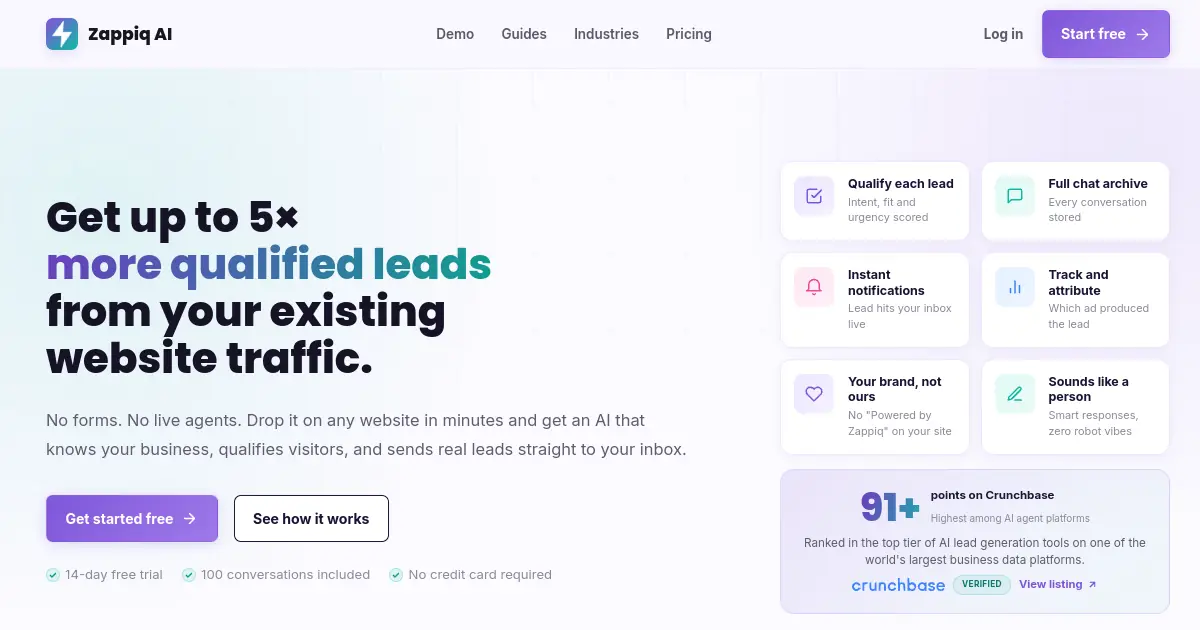
The question worth asking before spending time in Rasa's documentation is whether you actually need to build a chatbot or whether you need one to be working. Rasa is the right answer to the first question. Zappiq AI is the right answer to the second.
Rasa gives you the framework to train an NLU model, define dialogue flows in YAML, write custom actions in Python, set up a PostgreSQL tracker store, and run the whole thing on a server you maintain. If your goal is fine-grained control over every aspect of your AI pipeline, that depth is valuable. If your goal is getting more leads from the traffic already landing on your website, you are using a precision instrument for a job that does not require one.
Zappiq reads your website the moment you sign up. It builds its own understanding of your services, your pricing, and the questions your visitors typically ask, without you writing a single training example. From the first conversation, it handles real visitor questions accurately and routes visitors who look like potential clients through a short qualification flow before collecting their contact details. The result that lands in your inbox is a qualified lead with context, not a raw chat session that still requires follow-up work to interpret.
The intent filtering is the part that matters most for businesses running paid traffic. A standard chat widget captures everyone equally: people with quick questions, existing customers checking order status, and the occasional actual prospect. Zappiq screens for intent before contact details are ever requested. The leads you receive have already cleared a bar, which means your time spent following up goes to people who are actually worth contacting.
Ad attribution is tracked per lead automatically. If a visitor arrived through a Google Ads campaign or a specific keyword, that source is attached to the lead record alongside their contact details. For teams actively running paid acquisition, that closes the loop between what they are spending and what they are getting back without any additional setup.
Integrations: Zappiq connects to Zapier, Make, and n8n on Pro accounts. A qualified lead can route automatically into your CRM, a Google Sheet, a Slack notification, or an email sequence without anyone manually moving data between tools.
Pros
- Trains on your website automatically, nothing to configure
- Qualifies visitors by intent before collecting contact details
- Flat conversation-based pricing, no infrastructure bill
- Instant lead alert by email with full transcript and ad source
- No branding on the widget at any plan level
- Webhook routing to Zapier, Make, and n8n on Pro
- Free trial, no credit card required
- Works on any website platform in under five minutes
Cons
- Not a developer framework or NLU pipeline tool
- No self-hosted or on-premise deployment option
- No multi-agent orchestration or custom dialogue management
- Not suited for regulated enterprise compliance requirements
Why lead-focused teams choose Zappiq AI
Ad tracking: Keep campaign, source, medium, and keyword data with each qualified enquiry so you can see which marketing efforts generate real opportunities.
Email lead delivery: Send the lead's contact details, qualification answers, source data, and conversation context straight to your inbox for prompt follow-up.
No branding: Give visitors a branded chat experience without a third-party badge competing with your business name or call to action.
Automatic website training: Zappiq learns from your services, pricing, and FAQ content, so your team does not have to design intents, maintain dialogue rules, or train an NLU model.
Natural qualification: Ask practical follow-up questions in a conversational way before requesting contact details, helping separate serious enquiries from casual questions.
Simple installation: Add one script to WordPress, Shopify, Webflow, Wix, Squarespace, or a custom site without building a Rasa deployment or maintaining a separate bot stack.
Pricing
Pricing: Start with a 14-day trial that includes 100 conversations. Starter is $9/month equivalent billed annually for 350 conversations; Growth is $39 monthly or $27/month equivalent billed annually for 1,500; Pro is $99 monthly or $69/month equivalent annually for 5,000, with no per-lead fees.
Best for: Service businesses, dental clinics, real estate agents, law firms, agencies, and any SMB that wants to capture and qualify more leads from existing website traffic without hiring a developer or maintaining chatbot infrastructure.
botpress">2. Botpress: Best for Visual Flow Building with Multi-Channel Reach
Botpress
botpress.com | AI-native chatbot builder with drag-and-drop flow design, LLM autonomy nodes, and multi-channel deployment across web, WhatsApp, and Telegram
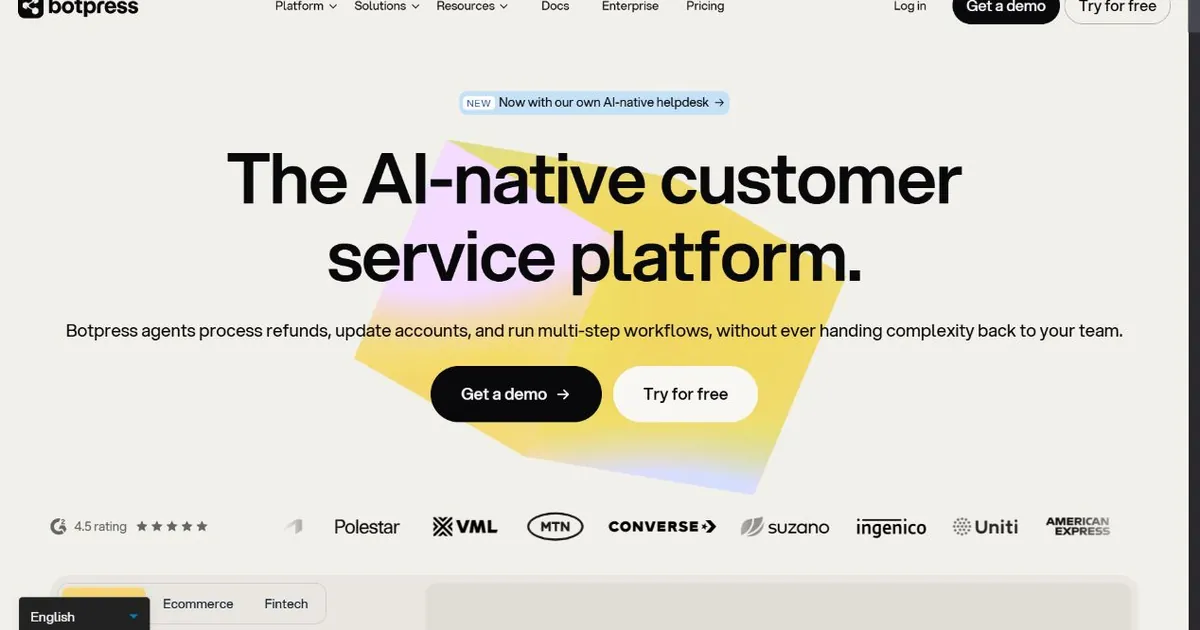
Botpress is the closest thing to a visual wrapper around the capabilities that originally made Rasa attractive to developer teams. Where Rasa puts conversation logic in YAML stories and Python action files, Botpress puts the same logic in a drag-and-drop canvas that non-engineers can navigate. The Autonomous Node allows an LLM to handle open-ended exchanges within a structured flow, which is conceptually similar to what Rasa is doing with CALM, but without requiring the team to understand the underlying pipeline architecture.
The multi-channel deployment is where Botpress pulls ahead of Rasa for teams building anything that needs to reach users across web chat, WhatsApp, Telegram, and Messenger simultaneously. Getting a Rasa deployment to serve multiple channels requires configuring separate channel connectors, maintaining them through Rasa version upgrades, and handling the edge cases each channel introduces differently. Botpress handles that from a single bot configuration. The same flow serves every channel without duplicated maintenance work.
The Knowledge Base feature lets teams upload documents and URLs to create a RAG-powered FAQ layer without building a vector database pipeline. For teams that were hoping to use Rasa for document-aware conversations and finding the setup more involved than expected, this removes the component assembly step entirely.
Botpress currently starts with a Pay-as-you-go plan at $0 per month plus AI Spend, including a $5 monthly AI credit. Plus is $89 per month on monthly billing ($79 per month billed annually) plus AI Spend, and Team is $495 per month ($445 per month annually) plus AI Spend. Incoming message and event limits vary by plan, so production usage should be modeled separately from the subscription. Botpress branding is removed on Plus and higher tiers.
Pros
- Visual flow builder accessible to non-engineer team members
- Native multi-channel deployment: web, WhatsApp, Telegram, Slack, Teams
- Autonomous Node handles open-ended LLM exchanges within structured flows
- Built-in Knowledge Base with document and URL upload for RAG Q&A
- PAYG includes 500 incoming messages and events per month
Cons
- LLM API spend billed separately, total cost is variable
- AI Spend is billed separately at provider cost
- Team is $495/mo monthly or $445/mo billed annually
- Advanced custom logic still requires JavaScript familiarity
Pricing
Best for: Development teams that want Rasa's open-source philosophy and code-level flexibility, paired with a visual canvas that allows product managers and content editors to manage conversation flows without touching the codebase.
voiceflow">3. Voiceflow: Best for CX Teams Building Managed Production Agents
Voiceflow
voiceflow.com | Collaborative no-code platform for designing, building, and managing AI chat and voice agents with versioning, analytics, and multi-model support
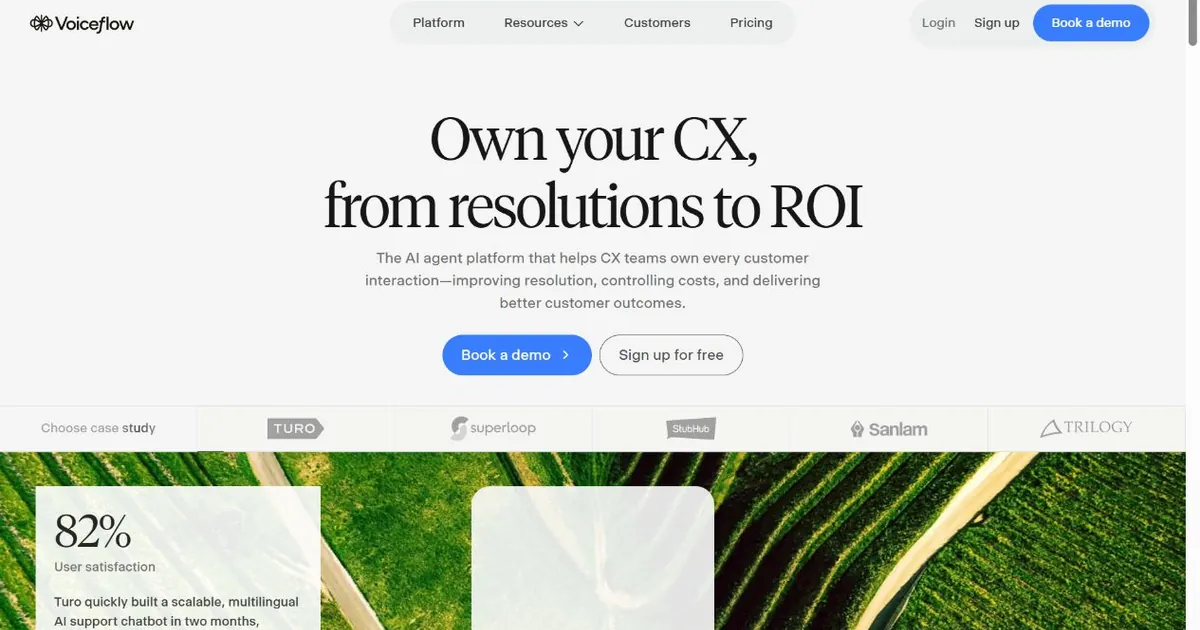
Rasa and Voiceflow occupy opposite ends of the build-versus-manage spectrum. Rasa gives engineers fine control over every aspect of how a conversational agent behaves, at the cost of requiring engineers to maintain all of it. Voiceflow gives cross-functional teams a shared design surface for building agents, then layers production management tools on top so the agent can be improved over time without requiring a code commit for every change.
The observability difference is what tends to matter most in practice. Rasa's built-in monitoring is limited. Production teams typically add LangSmith or Helicone to get meaningful visibility into what their flows are actually doing. Voiceflow includes conversation transcripts, intent tracking, and the ability to run test cases against agent versions before shipping changes, all inside the same interface where the agent was built. That eliminates the external tooling setup and means more of the team can participate in improving the agent over time.
The model flexibility is another practical advantage. Rasa's CALM works with whatever LLM you configure it to use, but the configuration is a developer task. Voiceflow lets you choose between OpenAI, Anthropic, Google, Amazon Bedrock, and Groq per agent, and swap them without touching infrastructure. For teams that want to test which model performs best on their specific conversation types, that ability to change direction quickly without engineering involvement is genuinely useful.
Voiceflow is designed to deploy agents across voice and chat, with production observability and performance analytics. That makes it a stronger managed option for CX teams that want voice without assembling every connector themselves. Rasa can also support voice and IVR, but production teams still need to evaluate the required connectors, telephony setup, and deployment model.
Pros
- Built-in versioning, transcript review, and conversation analytics
- No-code canvas means designers and PMs can build without engineering
- Model-agnostic: OpenAI, Anthropic, Google, Bedrock, Groq all supported
- Voice and chat deployment with production observability
- G2 2026 Best Software Award for Agentic AI
Cons
- No self-hosting, Voiceflow runs on its own cloud infrastructure
- Less flexible than Rasa for deep custom NLU pipeline control
- Not suitable for air-gapped or on-premise data residency requirements
- Paid plans required for meaningful production scale
Pricing
Best for: Customer experience and product teams that need collaborative agent design, production observability, and the ability to improve live agents without engineering support, and who do not have a hard data residency or self-hosting requirement.
4. Dialogflow CX: Best for Teams Already on Google Cloud
Dialogflow CX
cloud.google.com/dialogflow | Google Cloud's enterprise conversational agent platform with visual state-machine flow design, Playbooks, and contact center integrations

Dialogflow CX sits at the intersection where Rasa's technical control meets managed cloud convenience, for teams that are already committed to the Google ecosystem. The visual state-machine interface that made Dialogflow CX popular with contact center teams has grown more capable since Playbooks were added, giving teams the ability to define natural-language goals that an LLM can pursue within a structured agent framework, rather than mapping every possible conversation branch explicitly.
For large contact centers handling thousands of distinct intents, the visual flow graph is easier to audit and manage than Rasa's training story files. A banking team that needs to trace exactly which path a conversation took through the agent, for compliance or quality review, has a more visual and less technical interface for doing that in Dialogflow CX than in Rasa. The deterministic structure that organizations in regulated industries value from Rasa is present in Dialogflow CX's state-machine model, with the tradeoff that it runs exclusively on Google's infrastructure rather than your own.
Dialogflow CX uses pay-as-you-go billing. Google lists $0.007 per text request and $0.06 per audio minute, with additional Google Cloud charges possible for related services such as data storage or search. Production cost planning therefore depends on request volume, audio usage, and the services connected to the agent.
The hard constraint is deployment flexibility. Dialogflow CX runs exclusively on Google Cloud. Organizations with a regulatory requirement to run agent infrastructure on their own hardware or in their own cloud account cannot use it. For those teams, Rasa remains the practical standard. For everyone else already in the Google ecosystem, Dialogflow CX removes most of the infrastructure and maintenance burden that comes with self-hosting Rasa.
Pros
- Managed infrastructure, no servers to set up or maintain
- Visual state-machine builder plus Playbooks for natural-language goal handling
- Strong contact center integration through CCAI platform
- $600 to $1,000 credit for new accounts makes evaluation accessible
- Tightly integrated with Google Cloud services and Vertex AI
Cons
- Cloud-only, no self-hosted or on-premise deployment option
- Complex billing model with multiple per-request and per-event charges
- Google platform naming changes create roadmap confusion
- More expensive than self-hosted Rasa at equivalent conversation volumes
Pricing
Best for: Enterprises already running on Google Cloud that need a managed NLU platform with visual flow design and contact center integration, and do not have a hard requirement to run agent infrastructure in their own environment.
5. Microsoft Bot Framework: Best for Azure-Native Enterprise Deployments
Microsoft Bot Framework
dev.botframework.com | Open-source SDK for building bots on Azure, with deep integrations into Microsoft 365, Teams, and Azure Cognitive Services
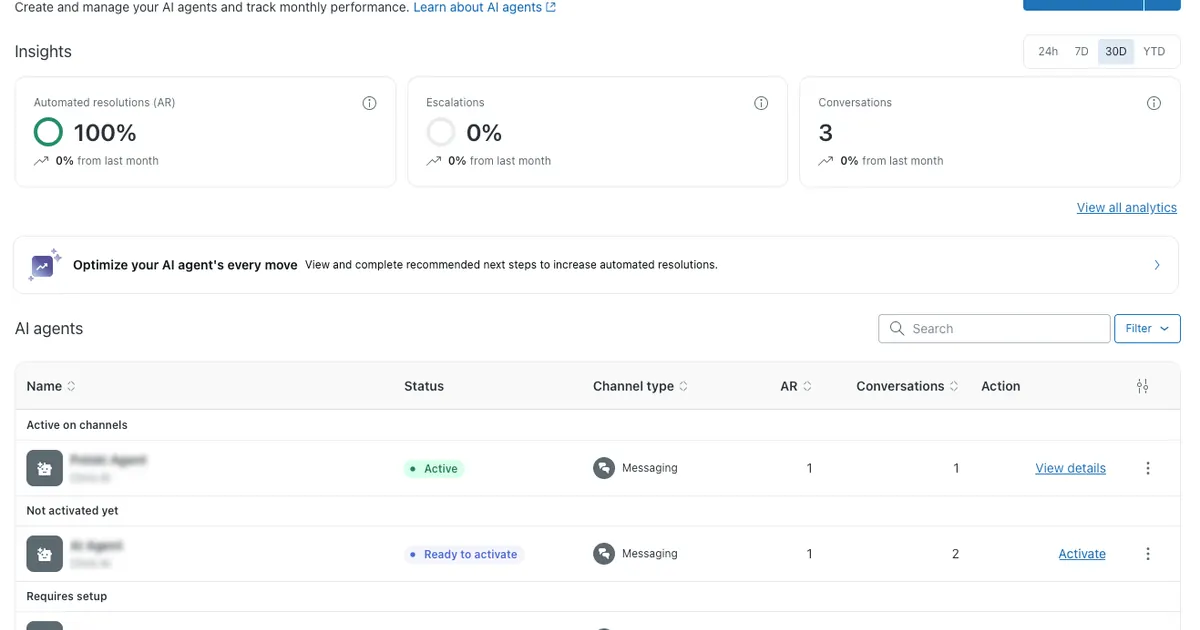
Microsoft Bot Framework occupies a similar philosophical position to Rasa in the developer tool landscape. Both are code-first, both require engineering teams to use productively, and both prioritize developer control over platform convenience. The difference is the ecosystem they attach to. Rasa is cloud-agnostic and self-hostable. Microsoft Bot Framework is designed to live on Azure, pulling from the same ecosystem of services your organization already uses if Microsoft is your enterprise standard.
For organizations that are already running Microsoft 365, Azure Active Directory, Azure Cognitive Services, and Teams as their collaboration platform, the Microsoft Bot Framework integration story is significantly cleaner than Rasa's. A bot built in Bot Framework can authenticate through Azure AD, deploy to Teams natively, pull knowledge from SharePoint and OneDrive, and log to Azure Monitor, all without custom integration work. That same set of integrations would require building custom connectors in Rasa.
The Bot Framework SDK itself is open-source and free. Azure App Service hosts the bot, and pricing follows the standard Azure compute model. For organizations with existing Azure commitments and enterprise agreements, the bot hosting cost often falls within already-contracted capacity rather than appearing as a new line item. That makes the comparison with Rasa's sales-led paid plans more favorable for Azure-first organizations than the headline numbers suggest.
The honest limitation is that the Microsoft Bot Framework is not a pleasant experience for teams without experienced Azure developers. The infrastructure configuration, the OAuth flows, the channel registrations, and the deployment pipelines all assume familiarity with the Azure ecosystem. Teams that are not already running Azure workloads will find the setup effort comparable to or greater than Rasa's, without the same level of NLU customization that makes Rasa's technical barrier worth paying.
Pros
- Native integration with Microsoft Teams, 365, and Azure AD
- Open-source SDK with no per-message or per-conversation licensing fee
- Azure hosting costs often absorbed by existing enterprise contracts
- Direct access to Azure Cognitive Services for speech, vision, and language
- Strong Teams deployment for internal employee bots
Cons
- Requires experienced Azure developers to set up and maintain
- No visual flow builder, entirely code-driven development
- Difficult to use productively outside the Azure ecosystem
- Less NLU depth than Rasa for custom machine learning pipelines
Pricing
Best for: Enterprises that run Microsoft 365 and Azure as their primary infrastructure, need a bot deployed to Teams and authenticated through Azure AD, and have developer capacity to manage an Azure-native deployment without a visual builder.
6. Langflow: Best for LLM-Native Agents Without Rasa's Legacy Architecture
Langflow
langflow.org | Open-source visual builder for LLM-native agents, RAG pipelines, and multi-agent workflows with Python customization throughout
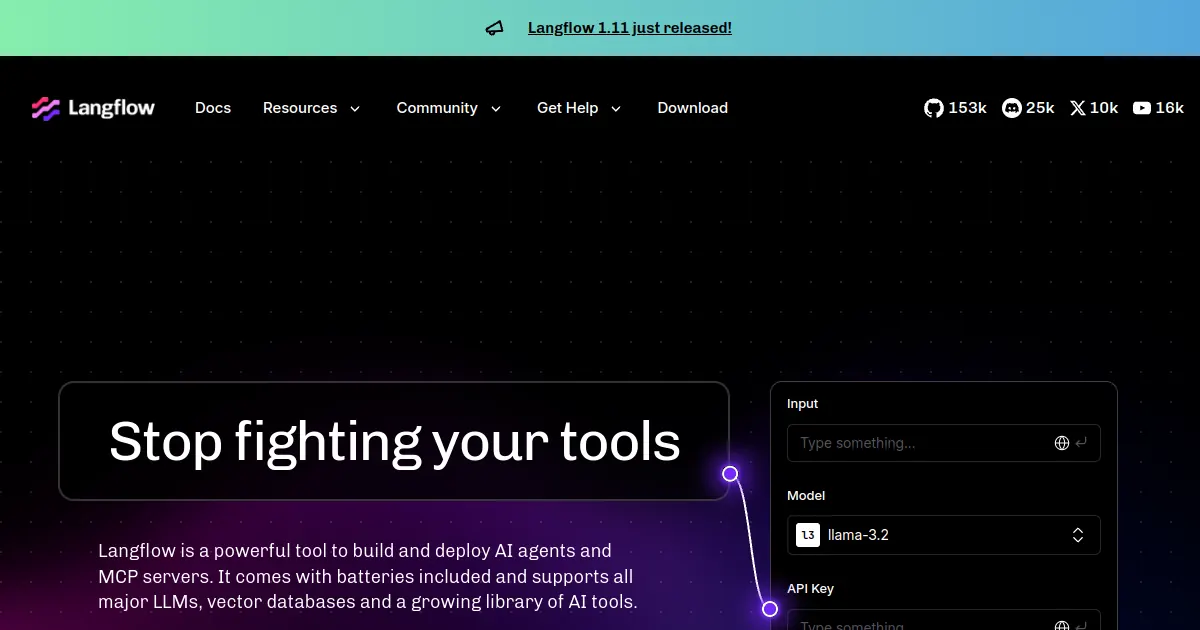
Developers evaluating Rasa in 2026 are often doing so because they want a conversational AI framework with full code-level control. Some of those developers would benefit more from a different comparison: Rasa's architecture was built around intent classification and entity extraction, approaches that predate the current generation of large language models. CALM modernizes this by layering LLM-based understanding on top, but the underlying framework still carries design decisions from an earlier era. Langflow was built for the LLM-native world from the start.
The visual canvas gives developers a way to prototype agent logic, RAG pipelines, and tool-connected workflows without writing the orchestration code by hand. That is the same value proposition Rasa's YAML-based configuration offers, but the component model in Langflow maps more naturally to how LLM applications actually work today: an input, a prompt template, an LLM call, a knowledge retrieval step, and an output, connected visually without needing to understand a separate dialogue management framework.
Python customization is available at any point in a Langflow workflow. Custom components are written as Python classes, which means developers comfortable with Python can extend the platform significantly without hitting a wall where they need to drop down to a different abstraction layer. This is a different experience from Rasa's custom actions, which require a separate action server running alongside the main Rasa process.
Langflow is an open-source, self-hostable platform that can run through Docker, Python, or Kubernetes. Its documentation also covers remote servers and cloud-provider deployments, but hosting, security, databases, and model-provider costs remain your responsibility. For teams that can manage that infrastructure, it offers a lower-subscription path than a sales-led enterprise platform.
Pros
- Built for LLM-native agent design rather than legacy intent architecture
- Python customization at any node without a separate action server
- MIT license, fully free to self-host with no usage restrictions
- Strong RAG pipeline support with native vector store integrations
- Active open-source community and rapid feature development
Cons
- Production deployment requires you to manage hosting, security, and operations
- Requires DevOps capability for production self-hosting
- Less mature than Rasa for regulated enterprise compliance needs
- No built-in conversation management or agent analytics dashboard
Pricing
Best for: Developer teams that want the open-source self-hosting flexibility of Rasa but prefer an LLM-native architecture over intent-based NLU, and who are comfortable building and maintaining their own Python-based production deployment.
typebot">7. Typebot: Best for Conversational Forms and No-Code Lead Capture
Typebot
typebot.io | Open-source no-code builder for conversational forms and step-by-step chat flows that collect data, qualify leads, and route inquiries
Typebot occupies a specific and useful corner of the chatbot market that Rasa does not compete in: structured data collection through a conversational interface. Rather than building a free-form AI agent that handles open-ended conversation, Typebot builds step-by-step chat flows that guide a visitor through a specific sequence, collecting the information you need and routing them based on their answers. The result looks like a chat conversation to the visitor but behaves like a well-designed form on the backend.
For marketing teams and solo founders who want conversational lead capture without the engineering overhead of any of the other tools on this list, Typebot's drag-and-drop builder is the fastest path from idea to deployed flow. There is no NLU to train, no Python to write, and no infrastructure to provision. The open-source version can be self-hosted for teams that want full data control, and the cloud version handles hosting for everyone else.
The LLM integration exists in Typebot for teams that want it, allowing an AI node to handle a specific exchange within an otherwise structured flow. That is different from Rasa's approach, where the NLU pipeline is the core of the product. Typebot's LLM support is an option within a form-first tool, not the other way around. Teams that want to qualify leads through a structured sequence and occasionally let an LLM answer a specific question in the middle of that sequence will find it a cleaner fit than either pure AI platforms or pure form builders.
The GitHub star count for Typebot sits above 9,800, indicating a healthy and active developer community for an open-source product. The cloud plans start at $39 per month for Starter with 2,000 chats per month; Pro is $89 per month for 10,000 chats and WhatsApp integration. For teams comparing this with Rasa's sales-led paid platform plans for a use case that is really about structured lead collection rather than enterprise NLU, the difference is worth taking seriously.
Pros
- No-code drag-and-drop builder, no technical background required
- Open-source with self-hosting option for full data control
- Cloud plans from $39/mo, with 2,000 chats included in Starter
- Clean structured data collection ideal for lead qualification flows
- LLM integration available for AI steps within structured flows
Cons
- Form-first design, not suited for open-ended free-form AI conversations
- No multi-agent orchestration or enterprise NLU pipeline
- Limited compared to Rasa for regulated industry compliance requirements
- Less capable for deeply contextual or multi-turn reasoning tasks
Pricing
Best for: Marketing teams, solo founders, and agencies that want structured conversational lead qualification on their website without the engineering requirement of any AI framework, and whose primary goal is collecting specific information from visitors rather than building a general-purpose AI agent.
How to Choose the Right Rasa Alternative
Decision shortcut: The most useful question you can ask before evaluating any tool on this list is whether you are trying to build a conversational AI system or deploy one. Rasa is a framework for building. Most of the frustration with it comes from teams that needed a deployment rather than a development environment.
If the gap between Rasa's free Developer Edition and its sales-led paid plans is the specific issue, evaluate the workload rather than a headline number. Botpress offers a free Pay-as-you-go plan plus AI Spend, with Plus at $89 per month monthly or $79 per month billed annually. Voiceflow offers a free trial, usage-based billing for agencies, and quote-based business plans. Both offer managed alternatives without requiring your team to self-host Rasa.
If the engineering overhead is the issue and you are looking for an alternative that does not require a Python ML team, the answer depends on what your chatbot is actually supposed to do. For lead capture on a business website, Zappiq AI removes all engineering entirely and delivers a working chatbot the same day. For structured data collection and qualification flows, Typebot covers the job without code. For teams that want more conversational capability without deep technical involvement, Voiceflow's no-code canvas is the most capable option.
If you are a developer who likes Rasa's technical control but wants a more modern LLM-native architecture, Langflow is the most direct alternative. The Python-first design, the open-source license, and the LLM-oriented component model cover the same developer needs Rasa addresses, without the intent-classification legacy or the CALM migration overhead.
If the Google or Microsoft ecosystem is already your infrastructure home, Dialogflow CX and Microsoft Bot Framework respectively are worth evaluating before adopting an independent platform. The integration benefits in each case are significant enough that the ecosystem fit may outweigh any individual feature comparison against Rasa or each other.
Before switching from Rasa: Export your training data and document your dialogue flows before decommissioning anything. Most tools here cannot import Rasa's story format directly, but the intent and entity definitions are useful as a starting point for understanding what your agent actually needs to handle. Running a new platform in parallel on non-production traffic for a few weeks surfaces gaps before they affect real users.
Frequently Asked Questions
Zappiq AI is the best Rasa alternative for small businesses that want a working chatbot on their website without hiring a developer or learning a framework. Rasa requires Python engineers, NLU pipeline management, and self-hosted infrastructure. Zappiq reads your website, trains automatically on your content, qualifies visitors, and delivers every lead by email. For a dental clinic, a law firm, a real estate agent, or any service business that wants more enquiries from their website traffic, it is the practical path that Rasa is not designed to be.
The most common reasons are the engineering overhead required to build and maintain a production deployment, the free Developer Edition's limit of 1,000 external or 100 internal conversations per month, the difficulty of debugging complex dialogue flows as the agent grows larger, the sales-led pricing of paid Rasa Platform plans, and the infrastructure cost of self-hosting a machine learning pipeline at scale. Teams without dedicated ML engineers consistently find the ongoing maintenance burden grows faster than the product value being delivered.
Rasa's Developer Edition is free for local or production use with one bot per company and up to 1,000 external conversations per month or 100 internal conversations per month. Paid Rasa Platform and Enterprise plans use sales-led pricing; the public pricing page does not list a numeric intermediate tier. Self-hosting may avoid a subscription, but server infrastructure, LLM usage, and engineering time still carry real costs.
It depends on the specific enterprise requirement. For teams that need on-premise or air-gapped deployment with full data control and GDPR sovereignty, Rasa itself is still the strongest option and no alternative matches it for that use case. For Azure-native enterprises building internal tools and Teams bots, Microsoft Bot Framework is the natural fit. For Google Cloud-first organizations running contact centers, Dialogflow CX integrates more smoothly. For teams that need cross-functional collaboration on agent design with production management tools, Voiceflow scales to enterprise use without requiring an ML engineering team to maintain it.
The free Developer Edition is limited to one bot and up to 1,000 external or 100 internal conversations per month, while the next paid option uses sales-led pricing with no public numeric middle tier. The platform requires Python ML engineers to use productively, which many small and mid-size businesses do not have on staff. Production voice work requires connector and telephony integration. CALM can also add complexity for teams maintaining older deployments, and self-hosting still carries server, database, LLM, and engineering costs.
The Bottom Line
Rasa is the strongest option in its category for a specific and real set of requirements: enterprises in regulated industries that need to run conversational AI on their own infrastructure, with complete control over the NLU pipeline, the data, and the deployment environment. Healthcare systems, financial institutions, government agencies, and telecom companies with ML engineering teams on staff get genuine value from Rasa that is difficult to replicate anywhere else on this list. The Forrester recognition and the customer list speak to that depth.
The alternatives in this guide exist for teams whose requirements do not justify a developer framework. A business that needs more than the Developer Edition allowance can compare managed tools with clearer self-serve pricing and less infrastructure overhead before requesting a sales-led Rasa quote.
For small and medium businesses where the real goal is getting more qualified leads from website traffic, Zappiq AI removes every barrier that makes Rasa inaccessible: no engineering team required, no pipeline to build, no servers to run, and no conversation cap to worry about. The chatbot reads your website, qualifies your visitors, and sends you every lead with full context while the conversation is still relevant. That is the entire product, flat-priced, working from the first day.
For the other cases: Botpress for teams that want visual flow building with multi-channel reach, Voiceflow for CX teams that need production management and collaboration tools, Dialogflow CX for Google Cloud-native contact centers, Microsoft Bot Framework for Azure-first enterprises, Langflow for developers who want a modern LLM-native architecture with Python flexibility, and Typebot for marketing teams that need structured conversational lead collection without any engineering involvement.
The free trial for Zappiq AI is at zappiqai.com. No credit card required, no developer needed, and no branding placed on your widget at any plan level.
Try the Rasa alternative that does not require a developer
Zappiq AI trains on your website from day one, qualifies every visitor automatically, and sends you the lead while the conversation is still fresh. No pipeline, no infrastructure, and no sales-led enterprise contract.
Start Free Trial >No credit card | No developer needed | No branding on any plan
References
- Voiceflow. "Rasa Review 2026: CALM, Pricing, and the Best Alternatives." voiceflow.com.
- Rasa. "8 Best AI Agent Builders for Enterprise in 2026." rasa.com.
- Rasa. "Rasa vs Dialogflow: 2026 Enterprise Comparison." rasa.com.
- Dasha.ai. "Rasa Alternatives in 2026: Open Source Control vs. Native Agility." dasha.ai.
- BuiltABot. "Rasa Alternatives 2026: Open-Source vs No-Code Chatbots." builtabot.com.
- eesel AI. "The 7 Best Open Source Chatbot Platforms in 2026." eesel.ai.
- Boei. "5 Best Open-Source Chatbot Platforms in 2026." boei.help.
- Rasa. "Pricing and subscription plans." rasa.com/pricing.
- Fastio. "9 Best Open Source AI Chatbot Frameworks in 2026." fast.io.
- Botpress. "Plans and pricing." botpress.com/en/pricing.

Ansar Ali
Ansar Ali founded Zappiq AI after seeing that small service businesses kept evaluating tools built for engineering teams when what they actually needed was a faster way to turn website visitors into qualified enquiries. He works on qualification logic, attribution tracking, and making sure Zappiq stays fast and unobtrusive on any site it runs on, and writes these comparisons from that practical angle rather than as a neutral third-party observer.