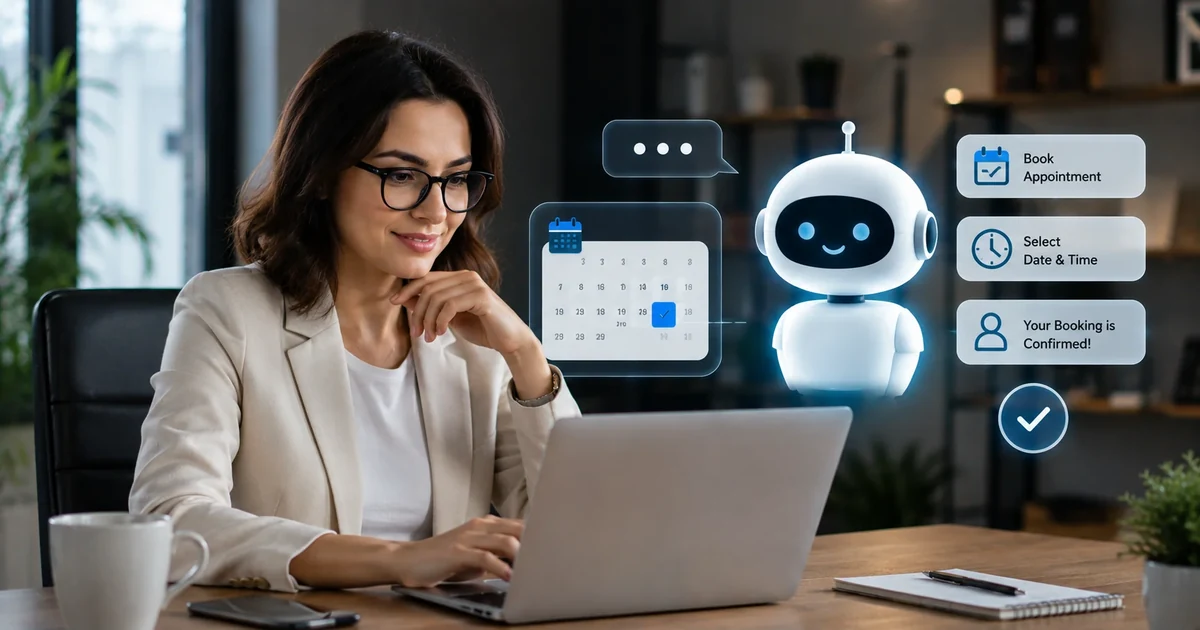
The Real Problem with Appointment Booking
The phone rings when you are with a client. You call back two hours later and get voicemail. They email. You reply the next morning. By then they have booked somewhere else. This is how most service businesses lose appointments -- not because they lack availability, but because there is a gap between when a potential client is ready to book and when a human is available to take the request.
Home-service businesses can also see how these ideas apply to emergency work in our guide to the best AI chatbot for plumbers.
That gap is widest after hours, on weekends, and during busy stretches when your team is with existing clients. Research from SimplyBook.me's 2026 booking survey found that 40% of all online appointment bookings happen outside traditional business hours. Evenings and weekends carry the highest volume of scheduling intent, and visitors booking in the 7 p.m. to 10 p.m. window show measurably higher purchase intent than daytime browsers. These are not casual inquiries. These are people who have decided they want the service and are trying to get into your calendar.
Businesses that cannot take booking requests outside staffed hours lose roughly 37% of potential bookings, according to a 2026 industry analysis. Of the after-hours visitors who encounter a closed or unavailable system, 73% do not return. They find a competitor who answers.
An AI chatbot for appointment booking solves this at the root. It is available every hour of every day, holds a real conversation about what the visitor needs, qualifies whether they are a good fit for your services, and captures their scheduling request with enough information for a confirmed or near-confirmed booking. By the time you start work the next morning, the leads are already in your inbox.
A clarification worth making early: there is an important difference between a chatbot that captures a booking request and one that fully automates the booking against a live calendar. Both are valuable. Which one you need depends on your workflow. This article covers both, starting with the simpler capture-and-confirm approach that most businesses can deploy this week.
Two Approaches: Capture-and-Confirm vs Full Calendar Integration
Most guides about appointment booking chatbots skip past this distinction, which leads to businesses either under-deploying (building a basic form when a real chatbot would work) or over-engineering (spending weeks on calendar integration when a simpler capture flow would have produced leads immediately). The right choice depends on your operation.
Approach 1: Capture-and-confirm
The chatbot holds a real conversation with the visitor, identifies what they need, collects their name, contact details, preferred date and time, and any other information relevant to the service. It sends an instant notification to your team with all of that information, and the visitor receives a message that their request has been received and someone will confirm shortly.
This approach requires no calendar integration. It can go live in under an hour. It eliminates the core problem -- after-hours missed requests and phone tag -- without any technical setup beyond the chatbot itself. For most small service businesses, this alone will recover a significant share of the bookings they were losing.
Approach 2: Full calendar integration
The chatbot connects to your live calendar (Google Calendar, Calendly, Acuity Scheduling, or your practice management system). It checks real-time availability, shows the visitor open slots during the conversation, the visitor selects a time, and the booking is confirmed and added to the calendar automatically. No human step is required between the conversation and the confirmed appointment appearing in your schedule.
This approach eliminates the confirmation lag entirely and allows the chatbot to handle rescheduling and cancellations through the same interface. It requires slightly more setup -- connecting the calendar system and configuring which services map to which appointment types and durations -- but the result is a fully automated booking loop.
The practical recommendation: start with capture-and-confirm. Get the chatbot live, see the leads arrive, and measure the volume. If the volume justifies the additional setup, connect the calendar and move to full automation. Most businesses see enough value in capture-and-confirm that they stay there. Full calendar integration is worth the effort when your team is spending significant time on booking confirmation calls and emails.
How an AI Appointment Booking Chatbot Works
Visitor arrives and opens the chatbot
A visitor lands on your services page, pricing page, or any page where booking intent is likely. The chatbot widget sits quietly in the corner. The visitor opens it because they have a question or because a gentle prompt appears after they have been reading for 20 to 30 seconds without taking action. The opening message is a short, natural greeting that reflects what your business does -- not a generic "How can I help you today?"
The AI understands what the visitor needs
Because the chatbot trains on your website content, it can handle whatever the visitor types. Questions about services, pricing, availability, what to expect, how long an appointment takes -- all of these get accurate answers drawn from your own content. The visitor does not have to navigate a menu or pick from preset options. They type what they are looking for in plain language and the chatbot responds accordingly.
The chatbot qualifies the visitor
Not every visitor who opens a chatbot is ready to book. Some are comparing options. Some have a question that, once answered, will lead them to book immediately. Some are researching for a future date. The chatbot reads intent signals in the conversation and responds appropriately. For visitors who are clearly ready to book, it moves naturally toward capturing the scheduling details. For those still in the research stage, it answers their questions and makes it easy to come back when they are ready.
Booking details are collected in conversation
Rather than dropping the visitor into a separate booking form, the chatbot gathers the relevant information as part of the conversation. Name, contact number or email, preferred date and time, the type of service they need, and any specific details that your team needs before the appointment. This feels different from a form fill -- it is a conversation that ends with a scheduling request, not a series of fields to complete.
You receive an instant notification with full context
The moment the booking request is complete, you receive an email alert with the visitor's details, what they need, their preferred time, and the full conversation. If you are using calendar integration, the booking appears in your calendar immediately. If you are using capture-and-confirm, you can reply to confirm the slot within minutes rather than playing phone tag for a day. The lead arrives hot, with everything you need to make the next contact count.
Automated reminders reduce no-shows
After the appointment is confirmed, the chatbot platform can send automated reminder messages at configured intervals -- typically 24 hours before and again two hours before the appointment. The visitor can reschedule through the same interface if something changes. This reminder loop addresses the two most common causes of no-shows: forgetfulness (38% of no-shows, per BMJ Open) and scheduling conflicts that the client did not get around to communicating (26%, per Accenture).
What the Conversation Actually Looks Like
The difference between a scripted booking flow and a real AI conversation is most visible in what happens when a visitor takes an unexpected turn. Here is an example of how an AI appointment booking chatbot handles a real visitor interaction for an HVAC company.
This conversation went from a symptom description to a booked visit in under two minutes, at 10:47 p.m. on a Sunday. No phone call, no form, no wait until Monday morning. The HVAC company received the notification with full details before the visitor closed their laptop. That is the practical reality of what an AI appointment booking chatbot does for a service business that runs on scheduled visits.
Reducing No-Shows with Automated Reminders
No-shows are the second-largest source of lost revenue in appointment-based businesses, after missed after-hours bookings. The average no-show rate across all service industries is 23%. In healthcare it is 27%. In dental practices without automated reminders it climbs to 30%. At a typical service value of $150 to $300 per appointment, a business doing 50 appointments per week can lose tens of thousands of dollars annually to empty slots that could not be reallocated because there was no warning.
The root causes are well documented. Per BMJ Open, 38% of no-shows happen because the patient or client simply forgot -- an appointment booked two or three weeks in advance often slips from memory, especially without a reminder. Another 26% stem from scheduling conflicts that arose after booking, where the client could not easily cancel or reschedule and chose not to show up rather than making a phone call. Both causes are directly addressable through automated reminders and easy rescheduling, which is exactly what a booking chatbot delivers.
| Industry | Avg no-show rate (no reminders) | With automated reminders | Reduction |
|---|---|---|---|
| Healthcare / medical | 27% | ~13% | ~50% |
| Dental practices | 30% | ~15% | ~50% |
| HVAC and home services | 18% | ~9% | ~50% |
| Salons and aesthetics | 20% | ~10% | ~50% |
| Financial and professional services | 15% | ~7% | ~50% |
| All service industries (average) | 23% | ~11% | ~50% |
The 50% no-show reduction figure comes from a Cochrane Systematic Review of automated reminder interventions. It is one of the most robust findings in scheduling research, replicated across healthcare, professional services, and home services contexts. Combined SMS and email reminders sent 24 to 48 hours before the appointment perform best. A same-day reminder two hours before the appointment adds incremental improvement. The chatbot can also make rescheduling frictionless -- a visitor who realises they cannot make their appointment can reply to the reminder message and reschedule through the same interface without making a phone call.
Which Businesses Benefit Most
Any business that sells time slots rather than products has a scheduling problem worth solving. The impact is highest where the appointment value is significant, the no-show rate is material, and after-hours traffic is a meaningful share of total visitor volume.
Dental Clinics
30% no-show rate without reminders. High average appointment value. Patients book weeks in advance and frequently forget. An AI chatbot for dental practices handles after-hours enquiries, books new patient consultations, and sends automated reminders that bring no-shows down to 15% or below. See the full guide for dental clinic chatbots.
HVAC and Home Services
Service calls are often urgent and driven by after-hours emergencies -- a broken AC at 9 p.m. in summer, a heating failure on a weekend. A chatbot that captures the request immediately, collects the address and symptom details, and routes a confirmed lead to your technician schedule beats a voicemail that does not get returned until the following morning.
Real Estate Agencies
Property viewing requests arrive at all hours, driven by portal browsing that peaks in evenings and weekends. A chatbot that handles viewing requests, qualifies the buyer or tenant, and captures their preferred slots converts passive enquiries into scheduled viewings without agent involvement. See how real estate chatbots handle this workflow.
Med Spas and Aesthetics
High appointment values, high sensitivity to no-shows, and strong after-hours discovery driven by social media browsing. A booking chatbot captures consultation requests, answers questions about procedures and pricing, and sends reminder sequences that significantly reduce empty treatment slots. Full guide: AI chatbot for med spas.
Law Firms
Initial consultation requests often arrive in the evening when a potential client has had time to research their situation. A chatbot that fields their specific questions, establishes whether the firm handles their type of matter, and captures a consultation request converts high-intent evening traffic that would otherwise be lost to a voicemail.
Financial Advisors
Discovery calls and initial consultations are the entry point for a high-value client relationship. A chatbot that qualifies visitors on their situation, answers questions about the advisor's focus areas, and captures a call booking request filters out mismatched enquiries while ensuring genuinely interested visitors can get on the calendar without waiting for office hours.
Remodeling and Contractors
Project enquiries are research-heavy and high consideration. Visitors on a contractor's website at 10 p.m. are doing comparison research. A chatbot that answers specific questions about project types, timelines, and process -- and captures an estimate request at the moment intent is highest -- converts that research session into a booked visit before the visitor moves on to a competitor. See the guide for remodeling company chatbots.
Salons and Pet Groomers
High booking frequency, strong sensitivity to last-minute cancellations, and clients who prefer booking online over calling. A chatbot that handles new and repeat booking requests 24/7, sends automated appointment reminders, and processes rescheduling requests without staff involvement frees up the front desk for in-person clients. Full guide: AI chatbot for pet groomers.
Chatbot vs Calendar Link: Why the Distinction Matters
A calendar link -- Calendly, for instance -- is not the same as an appointment booking chatbot, even though both can result in a confirmed appointment. Understanding the difference explains why businesses that already have a Calendly link are still missing bookings.
A calendar link drops the visitor into a scheduling interface. It shows available slots and asks them to pick one. It does not answer questions before they commit to a time. It does not qualify whether this visitor is a good fit for the service. It does not handle the conversation that precedes booking intent -- the "do you work in my area," "how much does this cost," "what happens at the first appointment" questions that the majority of first-time visitors need answered before they are ready to put their name on a time slot.
Visitors who arrive at a calendar link having already decided to book will use it efficiently. Visitors who still have questions will close the tab and either call or look elsewhere. For most service businesses, the second group is larger than the first. A chatbot addresses both: it answers the questions that precede booking intent and captures the scheduling request from visitors who are ready. The calendar link only serves the second group.
| Capability | AI booking chatbot | Calendar link (e.g. Calendly) | Phone / manual |
|---|---|---|---|
| Available 24/7 | ✓ | ✓ | ✕ |
| Answers pre-booking questions | ✓ | ✕ | ✓ |
| Qualifies visitor before booking | ✓ | ✕ | ✓ |
| Captures requests from undecided visitors | ✓ | ✕ | ✓ |
| Automated no-show reminders | ✓ | Partial | ✕ |
| Instant lead notification with context | ✓ | ✕ | ✕ |
| CRM / webhook integration | ✓ | Partial | ✕ |
| Ad attribution per booking | ✓ | ✕ | ✕ |
What to Look for in an AI Appointment Booking Chatbot
Most businesses evaluating chatbot platforms are looking at the same surface-level features. Here are the ones that actually determine whether the chatbot delivers on the appointment booking promise.
Real AI conversation, not scripted flows
A scripted appointment booking chatbot presents the visitor with preset button options and follows pre-defined paths. It works when a visitor's needs fit one of the paths you designed. It breaks -- often mid-conversation, right at the moment of highest intent -- when the visitor takes an unexpected turn or asks a question you did not anticipate. For appointment booking, where the conversation before the booking request is often the most important part, a scripted bot is a significant liability.
A genuine AI chatbot reads whatever the visitor types, responds from its training on your content, and handles the conversation wherever it goes. The path to a booking request does not have to be a fixed sequence because the AI adapts to how the visitor expresses their need. This is not a marginal improvement in user experience. It is the difference between a chatbot that captures bookings and one that loses visitors at the moment they were most likely to convert.
Instant notification with full conversation context
A booking request captured at 11 p.m. is only valuable if your team can follow up with full context the next morning. The notification needs to include the visitor's name, contact details, what they described as their need, their preferred appointment time, and the complete conversation thread. A bare "someone submitted a booking request" notification requires you to reconstruct the context from scratch on the follow-up call. A full-context notification means the follow-up starts with you already knowing what the conversation is going to be about.
Automated reminder sequence
A confirmation sent immediately after booking, a reminder 24 hours before the appointment, and a same-day reminder two hours before. Each reminder should include the option to reschedule easily -- a link or a reply-based rescheduling flow that converts a potential no-show into a rebooked appointment rather than lost revenue. The Cochrane review data is clear on this: a well-configured automated reminder sequence reduces no-shows by around 50% across most service industries.
Ad attribution and traffic source tracking
Knowing that three bookings came in overnight is useful. Knowing that all three came from visitors who clicked a specific Google Ads keyword is what allows you to make better decisions about your marketing budget. An appointment booking chatbot that tracks the traffic source for every captured request tells you which channels produce actual bookings, not just website visits. For businesses running paid campaigns alongside their organic traffic, this attribution closes the loop between ad spend and real revenue.
Automatic retraining when your content changes
Your services change. Your availability changes. Your pricing changes. A chatbot that was trained once and never updated will answer questions about your old service list, your previous pricing, and appointment durations you no longer offer. A chatbot that retrains automatically when your website changes stays current without requiring you to open the platform and update it manually every time you update a page. This is the difference between a system that takes care of itself and one that quietly becomes a liability.
How Zappiq AI Handles Appointment Booking
Zappiq AI was built as a lead qualification and capture platform, which makes it well suited to the appointment booking use case for businesses that want to capture scheduling requests and route them into their existing workflow rather than rebuilding that workflow around a new calendar system.
Because Zappiq trains from your website content, it already knows your services, your appointment types, your pricing where published, your service area, and anything else a visitor might ask before deciding to book. It does not need a separate knowledge base configured. It reads your site and builds its understanding from what you have already written.
When a visitor expresses booking intent, Zappiq collects their details in conversation -- name, contact information, preferred time, service type -- and sends an instant notification to your inbox with the full conversation attached. Through Zapier, Make, or n8n webhooks, that booking request can route automatically to your CRM, your calendar system for manual confirmation, or your team's Slack channel. Every request is also tagged with the traffic source that brought the visitor to your site, so you know which campaigns are producing actual booking inquiries versus which ones are generating traffic that does not convert.
For businesses that want to understand the broader context of how a lead qualification chatbot fits into a website's conversion strategy, the guide on what a lead capture chatbot actually does covers the mechanics in full. For businesses specifically evaluating chatbots for service industries, the guide to AI chatbots for small businesses covers how the economics look across different business types.
Zappiq AI chatbot training follows a unique system prompt. During onboarding, it uses your website to build the default chatbot around your business details. For further training, you can work with an AI agent such as Claude to explain your goals and add FAQs, pricing details, qualification rules, and preferred follow-up instructions.
Zappiq pricing is straightforward: a 14-day trial includes 100 conversations. Starter is $9/month billed annually for 350 conversations; Growth is $39/month month-to-month or $27/month billed annually for 1,500; Pro is $99/month month-to-month or $69/month billed annually for 5,000. See the full Zappiq AI pricing options.
- Trains automatically on your website -- no manual knowledge base required
- Real AI conversation that handles any pre-booking question a visitor asks
- Instant email notification with visitor details and full conversation thread
- Ad attribution tags every booking request to its traffic source
- Webhook integration with Zapier, Make, and n8n for CRM and calendar routing
- No per-seat fees -- flat pricing by conversation volume
- Live in under five minutes, no developer required
- Retrains automatically when your website content changes
- Zero branding on the widget at any plan level
Start capturing after-hours appointment requests today
Zappiq AI trains on your website, holds real conversations with visitors at any hour, and delivers booking requests to your inbox with full context. Most businesses are live in under five minutes.
Start Free Trial14-day trial with 100 conversations | Starter $9/month billed annually
Frequently Asked Questions
An AI chatbot for appointment booking is a conversational tool that captures scheduling requests from website visitors at any hour, qualifies the visitor during the conversation, collects their contact details and appointment preferences, and routes the confirmed request into your calendar, CRM, or email inbox. The best implementations combine real AI conversation with calendar integration so the chatbot can show live availability and confirm a slot without any manual step from your team.
An appointment booking chatbot reduces no-shows by sending automated confirmation messages immediately after booking, then reminder messages at 24 hours and again two hours before the appointment. It also makes rescheduling easy -- a client who knows they cannot attend can reschedule through the chatbot rather than simply not showing up. Per a Cochrane Systematic Review, automated reminders reduce no-shows by around 50% across most service industries. The Accenture Patient Survey found that online self-scheduling reduces no-shows by a further 38% compared to phone-only booking.
Yes, when connected to a live calendar system such as Google Calendar, Calendly, or Acuity Scheduling. In that configuration, the chatbot checks real-time availability, shows the visitor open slots, confirms their preferred time, and creates the calendar event automatically. Without a live calendar connection, the chatbot captures the visitor's contact details and appointment preferences and sends an instant notification to your team to confirm. The capture-and-confirm approach still eliminates phone tag and after-hours missed requests, but requires a human confirmation step.
According to SimplyBook.me's 2026 booking survey, approximately 40% of all online appointment bookings happen outside traditional business hours. Evenings, weekends, and early mornings account for a significant share of scheduling intent. Businesses without after-hours booking capability are estimated to miss around 37% of potential bookings, and 73% of visitors who encounter a closed system do not return to complete their booking.
A Calendly link drops the visitor into a scheduling interface that shows available slots. It works well for visitors who have already decided to book and simply need to pick a time. It does not answer pre-booking questions, qualify the visitor, or engage with visitors who still have questions before they are ready to commit to a time slot. An AI chatbot handles the entire conversation that precedes booking intent -- answering service questions, addressing concerns, establishing fit -- and then captures the scheduling request from visitors who are ready. It serves both the undecided visitor and the ready-to-book visitor. A calendar link only serves the second group.
Any service business that sells time slots rather than products benefits from appointment booking automation. The highest-impact industries are dental clinics, medical practices, HVAC and home services, real estate agencies, law firms, med spas, salons, chiropractors, financial advisors, and cleaning services. The common thread is a meaningful cost per no-show, significant after-hours traffic from potential clients who cannot call during business hours, and high-consideration decisions where visitors have pre-booking questions that a chatbot can answer.
Using a capture-and-confirm approach -- where the chatbot collects booking requests and routes them to your team for confirmation -- most businesses can have a chatbot live in under an hour. You create an account, the platform trains on your website, and you add a single script tag to your site. Full calendar integration, where the chatbot checks live availability and confirms slots automatically, requires additional setup to connect your calendar system and configure appointment types and durations. That typically takes a few hours depending on your calendar platform.
No. Modern AI chatbot platforms install via a single script tag that works on WordPress, Shopify, Webflow, Wix, Squarespace, and any site that accepts custom HTML. No developer involvement is required at the installation stage. Calendar integration with platforms like Google Calendar or Calendly uses pre-built connectors rather than custom development. The only scenario that typically requires developer involvement is a custom-built practice management system that does not have a standard API connector available.
References
- SimplyBook.me. "Online Booking Statistics 2026." simplybook.me. 2026.
- SchedulingKit. "Appointment No-Show Statistics by Industry (2026)." schedulingkit.com. May 2026.
- Cochrane Database of Systematic Reviews. "Interventions for Increasing Appointment Attendance." Referenced in: Paperchat. paperchat.co. July 2026.
- BMJ Open. "Reasons for Non-Attendance at Scheduled Appointments." Referenced in: Conferbot. conferbot.com. May 2026.
- AgentZap. "AI Appointment Booking Statistics: 20 Numbers That Prove Automation Works in 2026." agentzap.ai. May 2026.
- ChatbotGen. "Automate Appointment Booking with Chatbot: Complete 2026 Guide." chatbotgen.com. April 2026.

Ansar Ali
Ansar Ali is the founder of Zappiq AI, a lead-capture platform built for small businesses that cannot afford to lose high-intent website visitors after hours. He writes from hands-on experience building chatbot flows, attribution, and follow-up systems for local and online service teams, focusing on the practical details that turn conversations into qualified enquiries.