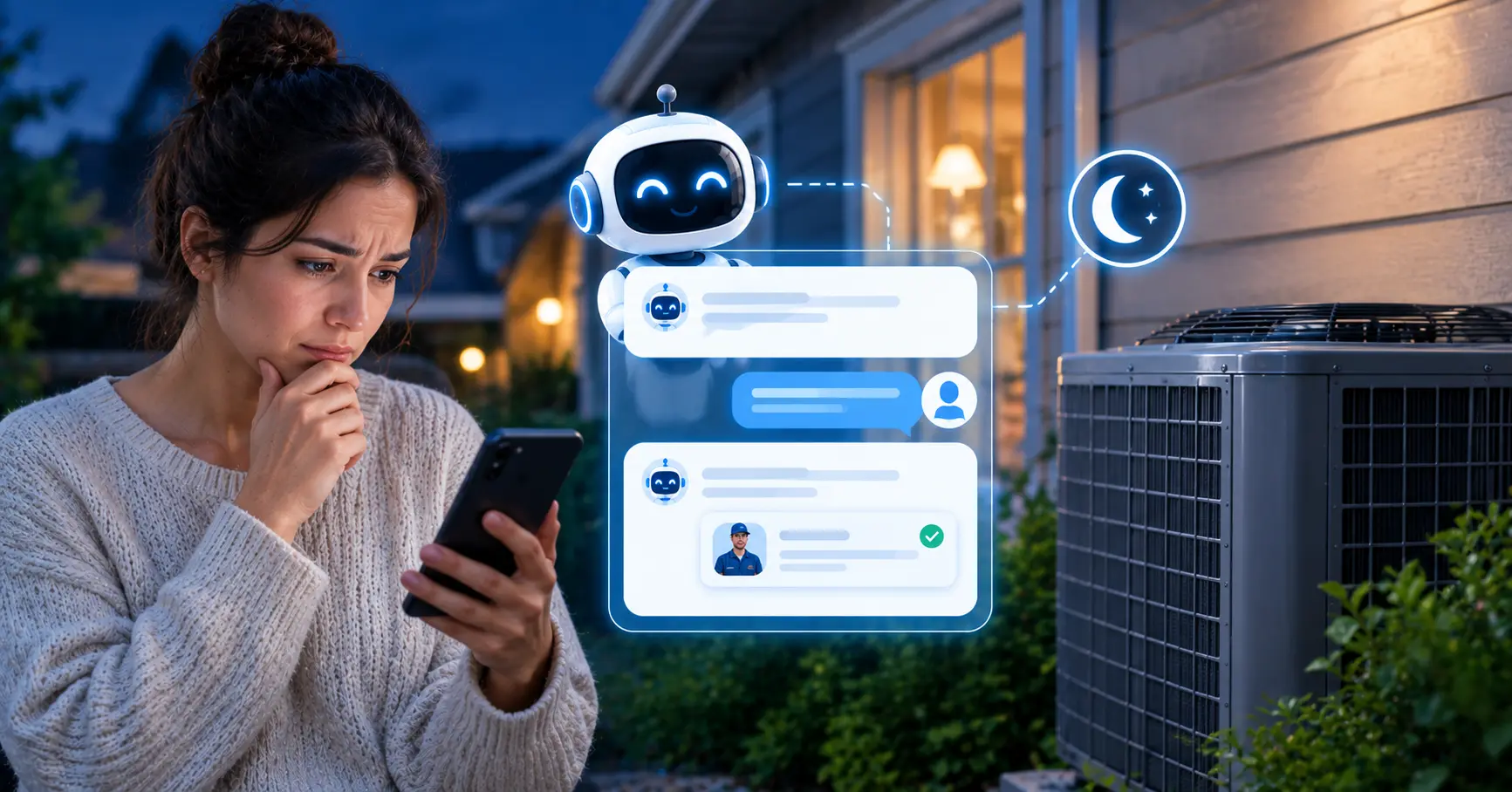
It is 8:47 on a July night. The condenser outside quit an hour ago, the house is creeping past 84 degrees, and somebody in the kitchen is typing "emergency AC repair" into their phone. They will open three or four results. They are not researching anything. They want a company to say yes, we can help, here is what happens next.
If your office closes at 5, that person lands on a website with a contact form and a promise to reply tomorrow. An emergency HVAC chatbot for after hours exists to fill that gap. It talks to the visitor right then, works out how urgent the problem is using rules you write, and gets the details to whoever is on call.
Before we go further, some honesty. A website chatbot does not answer a ringing phone, and plenty of people in a real emergency will call instead of typing. A lot of the statistics on HVAC marketing pages also turn out to have no study behind them. So this guide sticks to numbers we could trace to ServiceTitan, CallRail, Invoca, and government or utility safety guidance, and it says so when something is only an estimate.
If you want the broader picture first, start with our page on the AI chatbot for HVAC companies, then come back here for the after-hours details. Our guide to capturing more website leads covers the general playbook.
The short answer: An emergency HVAC chatbot is a chat assistant on your website that answers homeowners when your office is closed. It checks for gas smells and carbon monoxide alarms first, separates true emergencies from routine repairs using rules you set, collects the address and contact details, and hands the job to your on-call team. It covers website visitors. It does not replace phone coverage.
TL;DR: what the traceable data says
- Between 9.8% (October) and 14.1% (June) of residential HVAC calls arrive outside business hours, mostly from 5 PM to 9 PM (ServiceTitan, 2025 data).
- 78% of consumers have abandoned a business after an unanswered call, and 24% say they would turn to online chat (CallRail, 2025).
- Fewer than 3% of callers sent to voicemail actually leave a message (Invoca, 2024).
- HVAC calls book at 38%, and booking rates drop after 6 PM (ServiceTitan, 2022).
- A gas smell or carbon monoxide alarm means one instruction only: get outside and call 911 (CPSC).
- Website chat and phone coverage catch different people. Plan for both.
What Is an Emergency HVAC Chatbot?
Think of the generic chat widget most websites have. It says "How can we help?", asks for an email address, and treats every visitor the same. An emergency-aware HVAC chatbot is built around the fact that "my furnace is making a weird noise" and "my furnace smells like gas" are not the same conversation, and they should not get the same reply.
In practice it does a handful of jobs well:
- Answers when nobody in the office can, at 9 PM on a Tuesday or all day Sunday.
- Checks the service area (usually by ZIP) before wasting anyone's time.
- Screens for safety hazards, then for how urgent the problem is.
- Collects the system type, the symptom, the address, and a callback number.
- Tells the visitor plainly what happens next, including the after-hours fee if you charge one.
And there are a few things it should never do. It should not diagnose gas or electrical problems, promise an arrival time no human has confirmed, or quote a repair price it cannot possibly know. We will get to why.
How Many HVAC Calls Actually Come In After Hours?
ServiceTitan looked at 2025 inbound call data from residential HVAC contractors on its platform. In October, the low point, 9.8% of calls arrived outside weekday business hours (which it defined as Monday to Friday, 8 AM to 5 PM). In June, the peak, that climbed to 14.1%, a relative jump of about 45%.
The bulk of those off-hours calls land between 5 PM and 9 PM local time, with a smaller bump from 6 to 8 AM in summer. That fits the way these breakdowns actually happen. Someone gets home, finds the house hot, and starts calling.
Two caveats. The data covers ServiceTitan customers, not a national sample, and ServiceTitan itself says the analysis does not prove a link to any business outcome. Also, it measures share, not volume. If June is your busiest month overall, the number of after-hours calls grows faster than the percentage suggests.
The statistics we left out
You will run into claims that 60% or more of HVAC calls come after hours, or that 85% of callers who hit voicemail never call back. We went looking for the studies behind them and could not find any. A September 2026 review of popular after-hours statistics by FieldCamp came to the same conclusion, and traced the "85% won't call back" line to a 2016 vendor blog post that cites nothing. They are repeated everywhere, which is exactly why we skipped them.
What Do Callers Do When Nobody Answers?
CallRail surveyed 1,000 US consumers in 2025. When a business did not pick up, 42% said they would leave a voicemail, 24% said they would turn to online chat, and 21% said they would call another business immediately. Overall, 78% had abandoned a business after an unanswered call at some point.
Look at the gap between two of those numbers. In the survey, 42% say they leave a voicemail. Invoca's recorded platform data from 2024 found fewer than 3% of callers routed to voicemail actually did. What people say they will do and what they do are different things, and I would plan around the recorded behavior.
The 24% who say they would try chat is the number this whole article leans on, so it deserves a caveat. It is a survey answer across all industries, not an HVAC measurement. But it matches common sense. If the phone rings out and there is a chat bubble sitting on the page, a slice of people will type. Those are the ones a chatbot can catch.
One more figure for scale. Invoca's July 2026 benchmark, built on more than 70 million calls, found that 52% of callers to home services businesses spoke with a person. That covers all hours and nine home services categories, so it is not an after-hours HVAC number. It does tell you that unanswered calls are the norm across the trades, not a freak event.
What Is an After-Hours Emergency Lead Actually Worth?
Consumer pricing guides in 2026 disagree on exact figures but agree on the shape. An after-hours service call fee lands somewhere between $150 and $350. Labor usually runs about 1.5 to 2 times the normal rate. A straightforward repair commonly totals $250 to $800, and holidays cost more. Some shops use a flat after-hours add-on instead of a multiplier. Your market and your price book will differ, so treat all of this as a rough range.
Booking rate is the other half. ServiceTitan's 2022 report, drawn from more than 3,000 US and Canadian trade businesses, put HVAC calls at a 38% booking rate against 42% for all trades. It also found that booking rates fall after 6 PM. The report does not say why. My guess, and it is only a guess, is that the person answering at night often cannot see the schedule and ends up taking a message instead of offering a time.
A worked example, with every assumption showing
Here is the arithmetic for a hypothetical shop. Swap in your own analytics and invoices.
| Step | Assumption | Result |
|---|---|---|
| Monthly website visits | From your analytics | 3,000 |
| Visits outside business hours | 12%, borrowed from the ServiceTitan call share as a stand-in | 360 |
| Visitors who open the chat | 20% | 72 |
| Chats that leave contact details | 10% | About 7 |
| Leads that book | 38%, the HVAC booking rate | About 3 jobs |
| Revenue from those jobs | $450 average after-hours ticket | About $1,200 a month |
That is an illustration, not a forecast. Website visits are not phone calls, so the 12% is a placeholder. The chat open rate and the share who leave details are where shops differ most, and both depend on your greeting and your placement. If the real result is a third of this, it still covers a $69 plan. If it is zero because nobody ever opens the widget, the plan did not earn its keep. The point of the exercise is to know which one you are looking at after a month.
What Should the Chatbot Say and Ask, and in What Order?
Order matters more than clever wording. Someone who is freezing or sweating does not want fourteen questions. A sequence that works:
- Safety screen first. Listen for a gas smell, a carbon monoxide alarm, smoke, or flames. Any hit ends the normal flow.
- What is happening? Let the visitor describe it in their own words. No heat, no cooling, water, noise, smell.
- How bad is it? Ask about the indoor temperature and whether there are infants, older adults, or anyone with a medical condition in the home.
- Are you in our area? A ZIP code, asked early, saves out-of-area visitors from typing for three minutes.
- Equipment basics. Furnace, heat pump, or AC, the brand, roughly how old. "I don't know" has to be an acceptable answer.
- Contact details. Name, best phone number, service address. Repeat the phone number back.
- Say what happens next. Who will reach out, roughly how soon, and that after-hours pricing applies if it does.
The safety screen, word for word
Gas and carbon monoxide are the one place we would tell you not to get creative. The US Consumer Product Safety Commission says that if you smell gas or hear it leaking, you should leave the home immediately and contact the gas authorities from outside, without operating electronics like lights or phones on your way out. For carbon monoxide, its advice is to never ignore an alarm: get outside right away and call 911. Gas utilities give the same instruction, outside first, then 911, then the utility.
That order matters for a chatbot. The message has to lead with "leave now," not with an explanation. Something like this:
ChatbotQuick safety check before anything else. Do you smell gas or rotten eggs, is a carbon monoxide alarm going off, or do you see smoke or flames?
Visitoryeah the CO alarm is going off
ChatbotPlease leave the house now with everyone inside, pets included, and call 911 from outside. Do not go back in until the fire department says it is safe. Once you are somewhere safe, come back here and we will get a technician lined up.
Notice what is missing. There is no follow-up question, no troubleshooting tip, and no booking form. The bot has one job in that moment and it is done in two sentences.
Get this wording approved. This is the one script in the whole setup where a mistake has real consequences. Have a qualified person at your company review the exact text, and your insurer too if you want to be thorough. We are not lawyers or safety engineers, and the example above is a starting point, not a certified protocol.
How Do You Decide What Counts as an Emergency?
There is no universal definition, and you can see it in how HVAC companies describe their own policies. One shop treats no heat as an emergency below freezing. Another draws the line at 15 degrees outside. Another goes by the indoor temperature and calls anything under 60 an emergency. For cooling, you will see 80 degrees indoors as the cutoff at one company and 90 degrees outside with vulnerable people in the home at another.
None of them is wrong. They reflect the market, the climate, and how many techs are willing to be on call. What matters is that yours is written down, because a chatbot can only follow rules that exist.
| Tier | Examples | What the chatbot does |
|---|---|---|
| 1. Safety | Gas smell, carbon monoxide alarm, visible smoke or flames | Tells the person to get out and call 911, then stops. No booking flow. |
| 2. Emergency, dispatch tonight | No heat below your freezing threshold, no cooling with infants, older adults, or medical conditions during a heat wave, burning smell or sparks, active water leak from the unit | Collects details, explains the after-hours fee, flags the lead as urgent for the on-call tech. |
| 3. Urgent, can wait | No heat on a mild night with healthy adults, weak airflow, strange noises, blank thermostat | Offers the first morning slot, mentions that waiting avoids the after-hours fee, captures details. |
Tier 3 makes some owners uncomfortable. Should a bot really tell a customer it can wait until morning? We think yes. The customer will see the after-hours fee on the invoice either way, and it is hard to be angry at a company that told you the price up front and let you choose.
Which brings up something simple: put your after-hours fee on your website. The chatbot answers from your site content, and so do your customers.
Website Chat, Phone, or Answering Service: What Covers What?
Here is the part chatbot vendors like to skip. In a real emergency, a lot of people will pick up the phone. Invoca's 2026 home services benchmark is built entirely on phone calls, and it notes that paid search drives the highest volume of calls, leads, and conversions of any paid channel. A website chatbot only reaches people who are already on your site, and it cannot answer a ringing phone.
That is fine, as long as you plan around it. The options catch different people:
| Setup | Who it catches | Typical cost | Where it falls short |
|---|---|---|---|
| Voicemail plus contact form | Very few people at night | $0 | Fewer than 3% of callers sent to voicemail leave a message, and the form reply comes the next day |
| Live answering service | Phone callers, with a human voice | Roughly $140 to $700 a month for small shops, billed by the minute | Cost climbs with call volume, and agents usually work from a script without seeing your schedule |
| AI phone receptionist | Phone callers | Roughly $29 to $200 a month on published small-shop plans | Newer category, quality varies, needs careful testing on emergency calls |
| Website chatbot (Zappiq AI) | Website visitors, including the 24% who choose chat | 14-day trial with 100 conversations; Starter $9/month equivalent annually (350 conversations), Growth $39 monthly or $27/month equivalent annually (1,500), Pro $99 monthly or $69/month equivalent annually (5,000) | Cannot answer a ringing phone |
Prices in that table come from vendor and pricing-guide pages published in 2026. Those sources have their own biases and the numbers move often, so verify before you buy anything.
For scale, consider what real staffing would cost. A week has 123 hours outside Monday to Friday, 8 to 5. At the Bureau of Labor Statistics median receptionist wage of $18.27 an hour (May 2025), putting a person on every one of those hours comes to about $2,250 a week in wages alone, roughly $117,000 a year, before payroll taxes and benefits. Almost no small shop does that, which is why usage-based options exist.
For a small HVAC company the cheapest sensible combination is a chatbot on the site, a big click-to-call button that shows the on-call number after hours, and a voicemail greeting that points people back to the chat. Larger shops can layer an answering service or an AI voice agent on top.
Invoca adds a tip we like. If nobody can book or dispatch after hours, consider pausing the paid campaigns that push calls into those hours, unless something is covering them. Paying for a click that lands on a form nobody reads until 8 AM is an odd use of ad budget. If you do run ads, connecting each lead to its campaign and keyword shows you which ones are actually producing night-time jobs.
How Do You Set Up an Emergency HVAC Chatbot?
Most of the work is thinking, not technology. Set aside an afternoon and go in this order:
- Write your three tiers. Use the table above and fill in your real thresholds. Get the safety wording signed off.
- Put the facts on your website. Service area, hours, brands you work on, financing, and the after-hours fee. The bot answers from your content, so a missing fact becomes a missing answer.
- Write a separate after-hours greeting. Something like "Our office is closed, but tell me what is going on and I will get it to the right person tonight." Do not use the daytime greeting at 10 PM. And only say "tonight" if someone really is on call.
- Decide how a night-time lead reaches a human. Zappiq AI emails each qualified lead with the transcript and lead source. An inbox nobody opens at 2 AM is not a dispatch system, so set the on-call person's phone to alert loudly for messages from that address.
- Add a click-to-call button beside the chat. After hours it should show the on-call number.
- Test with ugly inputs. Typos, all caps, "AC BROKE", a wrong ZIP, someone who mentions a gas smell halfway through describing something else, a visitor who just wants to know your price. Run at least fifteen test chats before launch.
- Read the transcripts. Daily for the first two weeks, then weekly. Real visitors will phrase things in ways you did not expect.
What Mistakes Cost HVAC Companies Jobs?
The lead goes to an inbox nobody checks at night
This is the big one. The chatbot can do everything right and the job still walks if the notification sits unread until 7:30 AM. Decide who is on call and how the alert reaches them before you launch, not after the first missed lead.
Promising arrival times
"A technician will be there in 30 minutes" is a promise your on-call tech never made. Have the bot say someone will contact them shortly, and give times only when a human has confirmed one.
Asking too much
A hot house at 9 PM needs a name, a phone number, an address, and the problem. Everything else can wait for the callback. Our guide to what questions a lead capture chatbot should ask goes deeper on trimming a flow down.
Emergency HVAC AI Agent vs Answering Service
An after-hours HVAC AI agent and a live answering service solve different parts of the same coverage problem. A conversational AI assistant can answer a homeowner who is already comparing HVAC companies online, explain your published service area and fee, ask the first qualification questions, and send the transcript to the on-call person. An answering service is built for callers who want a human voice. If your budget allows only one first step, check which channel your missed leads use most often; many shops need a visible click-to-call number and a website chatbot working together.
Keep the handoff simple. The chatbot should label the conversation as safety, emergency dispatch, or routine follow-up, include the address and callback number, and show the exact next step you have approved. The answering service or dispatcher should see the same emergency rules rather than inventing a different promise. This keeps your website AI receptionist, phone coverage, and technicians aligned when the customer is stressed.
For the broader qualification framework, see our AI lead qualification chatbot guide. If you are deciding whether chat or a form will capture more service requests, compare the website chatbot vs contact form approaches.
Using the same greeting all day
At 2 PM the bot can say "we will call you back this afternoon." At 11 PM that sentence is a lie. Two greetings, switched by time of day, fix it.
Never looking at the transcripts
Chats show you how customers actually describe their problems, what they ask about your prices, and where the bot stumbles. Skipping them wastes the best free market research you will ever get.
What Should You Track After Launch?
Keep it small. Six numbers cover most of it:
- After-hours chats started
- Chats that ended with contact details captured
- Time from lead to first human contact
- Jobs booked from after-hours leads, and their revenue
- Chats abandoned before details were left
- How often the safety screen triggered (rare, but you want to know)
The third one matters most. A widely cited Harvard Business Review study of 2,241 US companies found that firms contacting an online lead within an hour were nearly seven times as likely to qualify it as firms that waited even an hour longer. It was published in 2011 and studied web leads, not phone calls, so treat it as a direction rather than a benchmark. The direction is clear enough, though. For more on measuring, see our breakdown of chatbot analytics metrics.
Where Zappiq AI Fits
Zappiq AI is built for website conversations, so it covers the visitor half of the picture described above. What it does:
- Answers from your website: Train it on your pages so it can handle service area, hours, brands, and fee questions without you typing them all again.
- Asks the questions you would ask on the phone: Set your qualification flow, including the emergency screening from this guide.
- Email delivery with context: Each qualified lead arrives with the full transcript and the lead source.
- Ad tracking: Connect an enquiry to the campaign, keyword, or channel that brought the visitor in.
- Published pricing: 14-day trial with 100 conversations. Starter is $9/month equivalent billed annually for 350 conversations; Growth is $39 monthly or $27/month equivalent annually for 1,500; Pro is $99 monthly or $69/month equivalent annually for 5,000. No plan includes Zappiq branding.
What it does not do is pick up your phone. Pair it with a click-to-call button and a plan for the on-call line, as described above.
A quick way to size the opportunity: open your analytics and check what share of last month's visits happened after 5 PM and on weekends. That is the traffic currently meeting a contact form. Our AI chatbot lead generation statistics page has more benchmarks on how chat compares with forms.
A Note on Where These Numbers Come From
The call-timing data comes from ServiceTitan, the consumer behavior data from CallRail's survey, and the answer-rate figures from Invoca's platform data. Safety guidance comes from the CPSC and gas utility pages. Pricing ranges come from pricing guides and vendor pages, which is the weakest category, so we gave ranges and flagged them. The worked example is our own arithmetic on stated assumptions, not a study.
Where we could not find a source, we left the claim out. That cost us a few punchy statistics. We would rather give you fewer numbers you can check than more you cannot.
Frequently Asked Questions
An emergency HVAC chatbot is a chat assistant on your website that answers homeowners when your office is closed. It screens for gas smells and carbon monoxide alarms first, sorts real emergencies from routine repairs using rules you write, collects the address and contact details, and passes the job to your on-call team.
A website chatbot answers chats, not phone calls. It covers visitors who are already on your site, including the 24% of consumers who told CallRail they would turn to online chat when a business does not answer. For callers, you still need a live answering service, an AI phone receptionist, or a well-run on-call line.
In ServiceTitan's 2025 data for residential HVAC contractors, 9.8% of inbound calls arrived outside weekday 8 to 5 business hours in October and 14.1% in June. Off-hours calls cluster between 5 PM and 9 PM local time. The data covers ServiceTitan customers and is not a national sample.
It should tell the person to leave the building immediately with everyone inside and call 911 from outside, then stop. No troubleshooting and no booking questions. This follows CPSC and gas utility guidance to get outside first and call from a safe place. Have a qualified person at your company approve the exact wording.
Pricing guides in 2026 commonly show an after-hours service call fee of $150 to $350, labor at roughly 1.5 to 2 times normal rates, and totals of about $250 to $800 for a straightforward repair. Holidays cost more, and some shops charge a flat after-hours fee instead. Check your own price book.
They cover different people. An answering service or AI phone receptionist catches callers. A chatbot catches website visitors. Live answering services are billed by the minute and commonly run from about $140 to over $700 a month. Zappiq AI has a 14-day trial with 100 conversations; Starter is $9/month equivalent billed annually for 350 conversations, Growth is $39 monthly or $27/month equivalent annually for 1,500, and Pro is $99 monthly or $69/month equivalent annually for 5,000. Many small shops start with the chatbot plus a click-to-call button.
Some will and some will not. In CallRail's 2025 survey of 1,000 US consumers, 50% said they would use AI to book an appointment and 52% believed companies using AI assistants after hours provide better service. That is general consumer sentiment, not an HVAC emergency study, so test it on your own traffic.
With Zappiq AI, each qualified lead is emailed to you with the full chat transcript and the lead source. To make that work at night, set your on-call person's phone to alert loudly for messages from that address, or forward them to a number that rings. An unread inbox is not a dispatch system.
It should never diagnose gas or electrical problems, promise arrival times a human has not confirmed, quote repair prices it cannot know, or keep asking questions after someone reports a gas smell or carbon monoxide alarm. Its job is to screen, capture details, and hand off.
Zappiq AI has a 14-day trial with 100 conversations. Starter is $9/month equivalent when billed annually for 350 conversations; Growth is $39/month or $27/month equivalent when billed annually for 1,500 conversations; and Pro is $99/month or $69/month equivalent when billed annually for 5,000 conversations. There is no AI credit meter or per-lead fee, and no plan adds Zappiq branding to the widget.
The Bottom Line
An emergency HVAC chatbot is worth having if your website gets visitors after the office closes, and for nearly every HVAC company it does. The people arriving at 9 PM with a dead furnace or condenser are the most motivated visitors you will ever get, and today most of them meet a form.
Just be realistic about the job. The chatbot handles the website. Your phone, your on-call rotation, and your safety wording need their own attention. Get those three things right and the chatbot has something solid to hand leads to.
See what your website does at 9 PM
Train Zappiq AI on your site, run a few late-night test chats, and start a 14-day trial with 100 conversations.
Start Free Trial14-day trial · 100 conversations | Growth: $39 monthly or $27/month billed annually · 1,500 conversations | Pro: $99 monthly or $69/month billed annually · 5,000 conversations
References
- ServiceTitan. "When Summer HVAC Demand Spikes, After-Hours Calls Do Too." State of the Trades, June 3, 2026 (2025 residential HVAC platform data). servicetitan.com
- ServiceTitan. "Data Report: Average Call Booking Rates." October 2022 (3,000+ US and Canadian trade businesses). Via FieldCamp. servicetitan.com
- CallRail. "Why businesses can't afford to miss incoming calls." September 25, 2025 (survey of 1,000 US consumers). callrail.com
- Invoca. "The Invoca Home Services Lead Conversion Benchmarks Report 2026." July 2026. invoca.com
- Invoca. "See How Much Missed Sales Calls Cost Home Services Businesses." May 2024 (voicemail message rate). Via FieldCamp. invoca.com
- FieldCamp. "After-Hours Call Statistics: The Cost of Unanswered HVAC Calls." September 2026. fieldcamp.ai
- U.S. Consumer Product Safety Commission. "CPSC Issues Winter Weather Safety Tips to Prevent Fires and Carbon Monoxide Poisoning." 2026. cpsc.gov
- Columbia Gas of Ohio. "Carbon Monoxide" safety guidance. columbiagasohio.com
- HVACPricingGuide.com. "Emergency HVAC Cost: After-Hours Rates in 2026." hvacpricingguide.com
- StormReady NJ. "Emergency HVAC Service Costs: What to Expect for After-Hours Calls." stormreadynj.com
- Next Heating & Cooling. "What Qualifies as an HVAC Emergency?" nextheatcool.com
- Nelson's Heating and Cooling. "Emergency Call Guidelines." nelsonsheatingandcooling.com
- JP Heating & Cooling Services. "What Qualifies as an HVAC Emergency?" jphvacma.com
- Voksha. "Best AI Receptionist for HVAC Companies: 6 Tools Ranked for 2026." Published pricing for AI and live answering services. voksha.com
- MyQuoteIQ. "Best 24/7 Answering Service Software for HVAC 2026." myquoteiq.com
- Next Phone. "Best Virtual Receptionist for HVAC." getnextphone.com
- U.S. Bureau of Labor Statistics. "Occupational Outlook Handbook: Receptionists." May 2025 wage data. Via FieldCamp. bls.gov
- Oldroyd, McElheran, and Elkington. "The Short Life of Online Sales Leads." Harvard Business Review, March 2011. Via FieldCamp. hbr.org

Ansar Ali
Ansar Ali is the founder of Zappiq AI, a lead-capture platform built for small businesses that cannot afford to lose high-intent website visitors. He writes from hands-on experience building chatbot flows, attribution systems, and qualification workflows for service businesses, with a focus on the practical details that turn website conversations into qualified enquiries.