
Quick Summary
- Zappiq AI is the best Featurebase alternative for small business websites that want AI-powered lead capture and qualification, not a bundled feedback and roadmap suite. Flat pricing, no per-seat fee, no per-resolution AI charge.
- Crisp is the best flat, workspace-priced live chat and AI inbox for teams that want Featurebase's chat and Fibi-style AI without the seat-plus-resolution structure.
- Chatbase fits teams that want an AI agent trained specifically on their own content, deployable on its own without a full helpdesk attached.
- Canny is the strongest pick if feedback boards, voting, and a public roadmap are the actual reason you looked at Featurebase, without needing the helpdesk half of the bundle.
- tawk.to is the honest answer for anyone who needs live chat running today and has no budget for it at all.
- Help Scout works well for lean teams that would rather run support out of a shared inbox that still feels like email.
- HubSpot Service Hub makes sense for teams already living inside HubSpot's CRM who want support tickets and chat tied to the same contact record.
Why Teams Are Looking Past Featurebase
Featurebase set out to solve a real annoyance: most product and support teams end up running one tool for the helpdesk, a second for feedback collection, a third for the public roadmap, and a fourth for the changelog, none of which talk to each other well. Featurebase folds all four into a single subscription, and for a team that genuinely needs every one of those pieces, that consolidation is a legitimate reason to choose it over stitching four separate tools together.
The friction shows up in how the AI layer is priced, and in how much of the bundle a smaller team actually ends up using. Featurebase's free plan is upfront about the limitation: Fibi AI is available on paid plans, not the free plan. With annual billing, Growth is $29 per seat per month, Professional is $59, and Enterprise is $99, while monthly billing is higher. Every paid plan adds a separate $0.49 charge for each successful Fibi resolution on top of the seat price. That is the same two-part billing shape, a seat fee plus a per-resolution AI fee, that has pushed plenty of teams away from other helpdesk platforms in the first place.
Featurebase's own math: the company's pricing page includes a savings calculator comparing itself to Zendesk for a 4-seat team resolving 500 AI conversations a month, and shows Featurebase saving roughly $10,668 a year against that comparison. That calculator is worth using in reverse: it confirms Featurebase itself expects a small team's realistic bill to include hundreds of dollars a month in AI resolution fees on top of seats, just less than the alternative it's comparing against.
What a 4-Seat Team Resolving 500 AI Conversations Actually Pays
The second reason teams look elsewhere has less to do with pricing and more to do with fit. Featurebase is built around the idea that helpdesk and feedback belong in the same subscription, which is true for a product team juggling both. A small business that just wants a chat widget to capture and qualify website visitors is paying for a public roadmap, a changelog builder, and feedback voting boards it will likely never open, bundled into the same per-seat price as the feature it actually wanted.
None of this makes Featurebase a poorly built product. The helpdesk is genuinely capable, and bundling four tools that usually live separately is a real convenience for the right buyer. It means the pricing and the feature set are both built around a specific kind of customer, a growing SaaS company running product and support together, and a lot of businesses researching Featurebase alternatives simply are not that customer.
Quick Comparison: 7 Featurebase Alternatives
| Tool | Starting Price | AI Billing Model | Free Plan | Setup Time | Best For |
|---|---|---|---|---|---|
| Zappiq AI | From $9/mo equivalent billed annually (Starter) | Flat, included, no per-resolution fee | 14-day trial with 100 conversations | Under 5 min | SMB lead generation |
| Crisp | $45/mo (Mini) | Metered AI credits, capped by tier | Yes, 2 seats | 15 to 30 min | Flat-rate live chat and inbox |
| Chatbase | Free / $40/mo (Hobby) | Credit-based, varies by AI model | Yes, 50 credits/mo | 15 to 30 min | AI agent trained on your content |
| Canny | Free / $79/mo (Pro) | N/A, priced by tracked users | Yes, 25 tracked users | 30 to 60 min | Dedicated feedback and roadmap |
| tawk.to | Free | No built-in AI agent | Yes, unlimited agents | Under 15 min | Zero-budget live chat |
| Help Scout | $25/user/mo | No native per-resolution AI meter | Yes, 5 users | 15 to 30 min | Small teams running support by email |
| HubSpot Service Hub | Free, paid from ~$20/seat | Bundled Breeze AI credits | Yes, unlimited seats | Hours | Teams already on HubSpot CRM |
Billing snapshot: Zappiq AI, tawk.to, and HubSpot's free tier keep AI cost out of the equation entirely. Crisp bundles AI credits into a flat workspace price. Chatbase and Canny both meter usage in their own way, by AI credits and tracked users respectively, so either can still surprise you at scale.
1. Zappiq AI: Best for Lead Generation on SMB Websites
Zappiq AI
zappiqai.com | AI lead generation chatbot built for small and medium business websites, no developer required
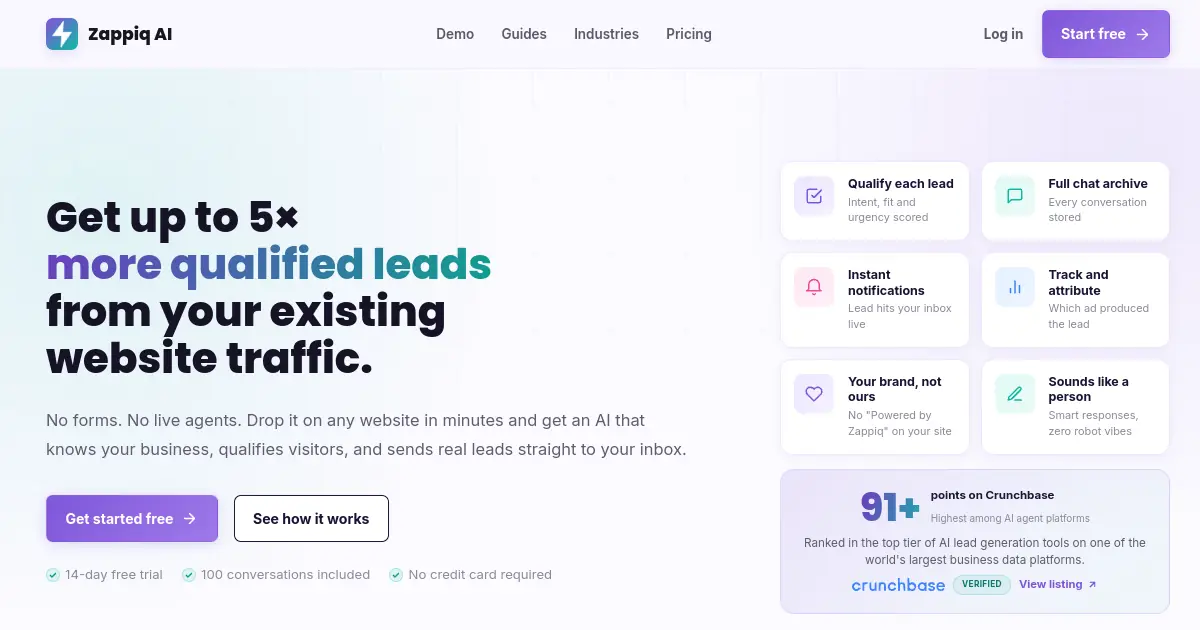
Featurebase and Zappiq are solving different problems for different buyers. Featurebase is built for product-led companies that need helpdesk, feedback, roadmap, and changelog working together under one roof, priced accordingly. Zappiq is built for one specific outcome: turning small business website visitors into qualified leads, without a bundle of product-management tooling attached to the price, and without a per-resolution fee stacking on top of a seat count.
That focus shows up immediately in setup. There is no roadmap to configure, no changelog to populate, and no feedback board to seed with initial posts before the tool feels useful. Zappiq reads your website the moment you sign up and trains the chatbot on your services, pricing, and common questions automatically, so a working assistant is answering visitor questions before the account setup is even finished.
Pricing is flat and tied to conversation volume, not seats and not a per-resolution meter. The 14-day trial includes 100 conversations. Starter is $9/month equivalent when billed annually for 350 conversations; Growth is $39/month or $27/month equivalent annually for 1,500; and Pro is $99/month or $69/month equivalent annually for 5,000. See the full details on the Zappiq AI pricing page. A slow month and a busy month cost the same predictable number, which is different from a billing model where the AI itself gets more expensive as it resolves more conversations.
Lead qualification is built into the core product rather than assembled from a general-purpose helpdesk's settings. The chatbot asks about intent, timeline, and fit before it ever collects a name or phone number, and the moment a visitor clears that bar, Zappiq emails you the lead along with the full conversation transcript.
Ad attribution closes a gap Featurebase, built around existing product users rather than new website visitors, was never designed to address. Zappiq ties each captured lead back to the campaign, keyword, or channel that brought the visitor to your site, which matters for any business running paid traffic to a landing page.
Webhook routing: Zappiq connects to Zapier, Make, and n8n, so a captured lead can land in your CRM, a Slack channel, or any tool already in your stack without custom integration work.
Pros
- No developer or admin setup required
- Trains itself on your website from day one
- Flat pricing, no seats, no per-resolution AI charge
- Lead qualification built in, nothing to configure
- Instant email alerts with full transcript
- Ad source tracking on every captured lead
- No branding on any plan
Cons
- No feedback boards, roadmap, or changelog features
- Not built as a full ticketing or helpdesk system
- No shared team inbox for multi-agent support queues
- Younger platform, smaller community than Featurebase
Pricing
Best for: Small and medium business websites where the goal is turning visitors into qualified enquiries, not managing a product feedback and roadmap program. Service businesses, agencies, real estate, dental, legal, home services, and anyone running paid traffic who wants to know exactly what it costs.
2. Crisp: Best Flat-Rate Live Chat and AI Inbox
Crisp
crisp.chat | Live chat, shared inbox, and AI chatbot billed per workspace instead of per agent
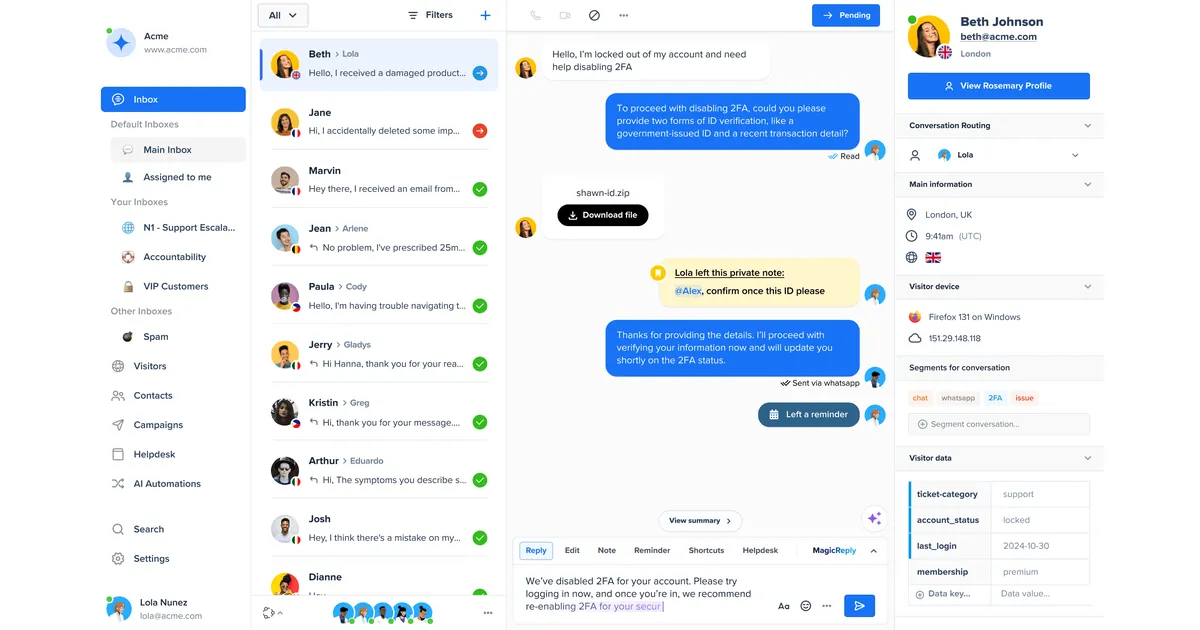
Crisp solves the same live chat and AI Agent job Featurebase's helpdesk half handles, but through workspace pricing rather than a seat-plus-resolution structure. Every paid tier folds a pool of AI credits for Crisp's chatbot, called Hugo, into the flat price, so a team gets a working AI assistant without a second line item that grows every time the AI resolves a conversation.
The free plan covers two seats with unlimited live chat, genuinely usable for a very small team. Mini runs about 45 dollars a month, Essentials about 95 dollars, and Plus about 295 dollars for larger teams that want unlimited AI automation rather than a capped daily allowance, all well under what Featurebase's Professional tier costs once resolution fees are added for a team of any real size.
The trade-off worth knowing is that Hugo is metered on the lower tiers, roughly fifty AI actions a day on Essentials, tight for anything with real volume. Getting past that means moving to Plus, a real jump from Essentials but still a single predictable number rather than a fee that climbs with usage indefinitely.
Crisp also bundles a knowledge base, co-browsing, and native WhatsApp, Instagram, and Messenger channels starting at Essentials, covering a meaningful share of what Featurebase's helpdesk side offers without the feedback and roadmap tooling layered on top of the price.
Pros
- Workspace pricing, not billed per agent
- AI credits bundled into every paid tier
- Genuinely usable free plan with two seats
- Knowledge base and co-browsing included
- Native WhatsApp, Instagram, and Messenger channels
Cons
- AI actions capped on lower tiers, around 50/day on Essentials
- Unlimited AI only available on the $295/mo Plus plan
- No feedback boards, roadmap, or changelog tooling
- No lead qualification logic built for SMB lead generation
Pricing
Best for: Teams that want live chat, a shared inbox, and AI bundled into one predictable workspace bill, without Featurebase's per-resolution charge or its feedback and roadmap features attached.
3. Chatbase: Best AI Agent Trained on Your Own Content
Chatbase
chatbase.co | Custom AI chatbot builder trained on your website, PDFs, and documents
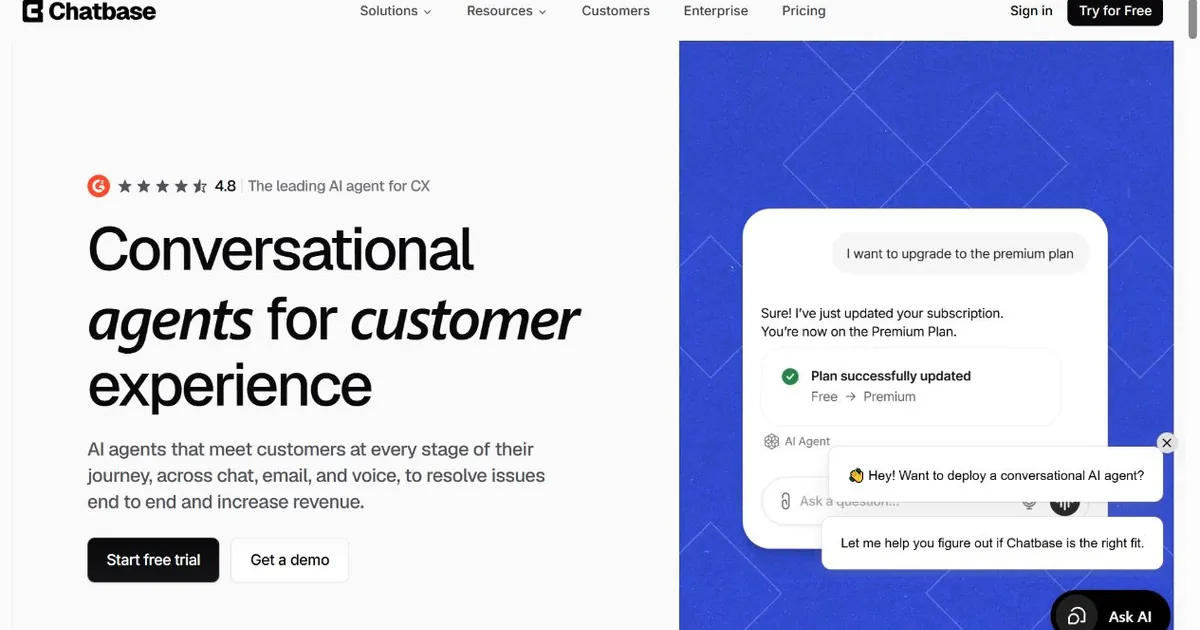
Where Featurebase's Fibi AI Agent lives inside a much larger helpdesk-plus-feedback product, Chatbase is AI first and standalone: upload your website, PDFs, and documents, pick a model, and the chatbot answers from that material directly, with no ticketing system, feedback board, or changelog required underneath it.
The free plan includes fifty message credits a month, enough to test the concept before committing. Paid tiers start with Hobby around 40 dollars a month, moving up to Standard around 150 dollars and Pro around 500 dollars, with the credit system varying by which AI model you select. A more capable model consumes more credits per response, so the same plan can stretch further or run out faster depending on which model is chosen, a different mechanic from Featurebase's flat 0.49 dollars per resolution but a metered cost either way.
Chatbase connects to existing helpdesk and CRM tools rather than replacing them, which makes it a natural fit for a team that wants to bolt an AI agent onto whatever support stack it already runs, without adopting an entirely new bundled platform to get there.
Pros
- Trains directly on your website, PDFs, and documents
- Free plan available for testing before committing
- Model choice lets you balance cost against response quality
- Connects to existing helpdesk and CRM tools
Cons
- Credit system means real cost varies by AI model chosen
- No feedback boards, roadmap, or changelog features
- No native lead qualification logic out of the box
- Higher tiers get expensive fast for high-volume sites
Pricing
Best for: Teams that want an AI agent trained specifically on their own documentation and website content, without adopting a full helpdesk-plus-feedback platform to get it.
Want leads captured today, without a bundle of tools you'll never open?
Zappiq AI trains itself on your website, qualifies visitors automatically, and emails you every lead. Flat pricing. No AI charge stacked on top, no feedback board or roadmap tooling included in the bill.
Start free14-day trial · 100 conversations | No developer needed | No branding on any plan
4. Canny: Best Dedicated Feedback and Roadmap Tool
Canny
canny.io | Feature request boards, voting, public roadmap, and changelog, without a helpdesk attached
If the actual reason you looked at Featurebase was the feedback and roadmap half of the bundle rather than the helpdesk, Canny is the more established, purpose-built option. It has been at this since 2017, and the feedback voting, public roadmap, and changelog functionality are all deeper and more mature than what sits inside a helpdesk platform that added feedback tooling as one module among several.
Canny's pricing overhaul in mid-2026 simplified the plan lineup to three tiers, Free, Pro, and Business, but the underlying mechanic stayed the same: cost scales with tracked users, meaning anyone who posts, votes, or comments on your feedback boards. Free covers 25 tracked users and 5 manager seats. Pro starts around 79 dollars a month for 100 tracked users, but climbs quickly as your board gets real engagement, reaching roughly 379 dollars at 700 users and 579 dollars at 1,250.
That growth-linked pricing is a different shape of cost problem than Featurebase's per-resolution AI fee, but it rhymes with it in an important way: the more successful your feedback program is at getting customers to engage, the more it costs to run. A popular feature request that goes viral on social media can push you into a higher tier through voter count alone, regardless of your team's actual size.
Canny also includes Autopilot, an AI layer that surfaces feedback mentioned in support tickets, sales calls, and community threads and merges duplicate requests automatically, which is a genuinely useful triage tool once feedback volume gets high enough to need it.
Pros
- Most established, deepest feedback and roadmap platform in the category
- Autopilot AI surfaces and deduplicates feedback automatically
- Free plan usable for early testing at small scale
- Wide integration ecosystem, including most major helpdesk tools
Cons
- Pricing scales with tracked users, not a flat monthly fee
- Costs can jump sharply if a post goes viral
- No helpdesk, live chat, or ticketing included
- PM tool integrations require the Pro tier
Pricing
Best for: Product teams that specifically need feature request boards, voting, and a public roadmap, and would rather use a dedicated, mature tool than the feedback module inside a bundled helpdesk platform.
5. tawk.to: Best Free Option
tawk.to
tawk.to | Fully free live chat with unlimited agents, no conversation caps, and no per-seat billing
Featurebase's free plan is real but limited, one seat, no AI. tawk.to has no such asterisk. Unlimited agents, unlimited chat history, and unlimited conversations have stayed genuinely free for years, funded through an optional hire-a-live-agent service rather than a subscription tier that eventually points toward a paid upgrade.
For a business that just needs a chat widget on its site and a reliable way to know when a visitor reaches out, tawk.to covers that job completely at zero monthly cost, a stark contrast to even Featurebase's cheapest AI-enabled seat running 29 dollars a month before a single resolution fee is added.
The honest limitation is that tawk.to is manual live chat, not an AI platform. There is no Fibi-style AI Agent, no automated flow builder, and no feedback board or roadmap functionality at all. Every conversation needs a human on the other end, which is fine for a small team watching the widget during business hours and a real constraint for anyone hoping to automate first-line responses.
If the branded widget is a concern, removing it costs about 29 dollars a month, still a fraction of a single Featurebase seat before AI is even switched on.
Pros
- Completely free, unlimited agents and chats
- No seat cap, no conversation cap, no trial clock
- Simple to install on any website in minutes
- Branding removal is a small flat monthly add-on
Cons
- No AI agent, purely manual live chat
- No feedback boards, roadmap, or changelog tooling
- Requires a human watching the widget to be useful
- Reporting and automation are basic compared to paid tools
Pricing
Best for: Businesses with genuinely no budget for support software who just need a chat widget and a human answering it, without any AI layer or feedback tooling at all.
6. Help Scout: Best for Lean Teams Running Support by Email
Help Scout
helpscout.com | Shared inbox, knowledge base, and live chat widget built to feel like email rather than a support console
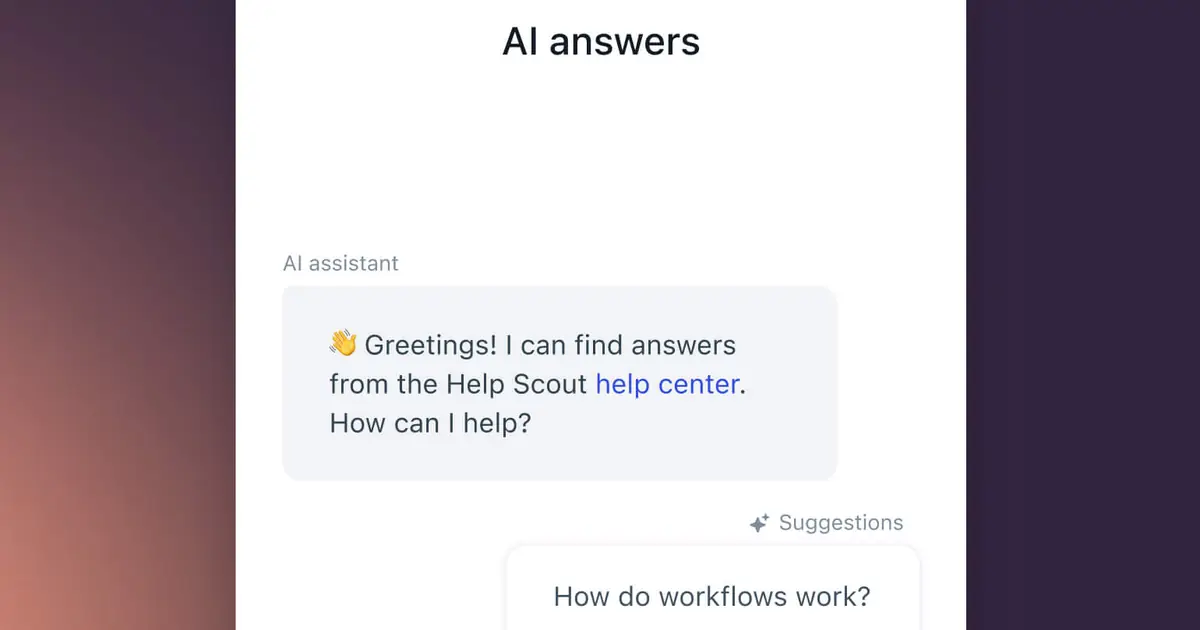
Help Scout takes a deliberately quieter approach than Featurebase's helpdesk. There is no roadmap module, no feedback voting board, and no bundled product suite to learn. Conversations look and feel like an email thread, which suits small teams whose support volume does not justify a platform built around product-led growth.
The free plan includes five users, one shared inbox, a public knowledge base, and Beacon, Help Scout's embeddable widget combining live chat, a contact form, and searchable help articles. Paid plans start around 25 dollars per user a month and add multiple inboxes, workflows, and reporting.
Where Help Scout differs most from Featurebase is that it does not build its pricing around a per-resolution AI meter at all. There is AI-assisted drafting and summarization built into the product, but the billing model stays anchored to seats, which is the exact line item Featurebase customers tend to watch grow unpredictably once AI resolutions are added on top.
The trade-off is depth. Help Scout does not attempt a feedback board, a public roadmap, or a changelog builder, all of which sit inside Featurebase's bundle. For a five or ten person team answering support email and the occasional chat, that is rarely a real limitation. For a team that specifically wanted the product-feedback half of what Featurebase offers, it is worth knowing upfront.
Pros
- Free plan includes 5 users and a full knowledge base
- No per-resolution AI billing
- Genuinely simple to learn, closer to email than a console
- Beacon widget bundles chat, forms, and docs in one place
- Strong reporting for a tool this lightweight
Cons
- No feedback boards, roadmap, or changelog features
- No standalone customer-facing AI resolution agent
- No visual flow builder for complex automation
- Not built for high-volume, multichannel operations
Pricing
Best for: Small teams that want their support inbox to feel like email, without learning a full product-and-support console or budgeting for a per-resolution AI meter.
7. HubSpot Service Hub: Best for Teams Already on HubSpot CRM
HubSpot Service Hub
hubspot.com/products/service | Support ticketing and live chat built directly into HubSpot's free CRM
HubSpot's pitch is different from Featurebase's product-suite bundle. It is not primarily a helpdesk with feedback tooling attached. It is a CRM with a support desk attached, and for a business already running marketing and sales through HubSpot, every conversation and ticket gets logged against the same contact record your sales team already sees.
The free tier is genuinely usable, not a stripped trial. It includes unlimited seats, a shared inbox, live chat, and ticketing, tied to HubSpot's free CRM with no seat limit forcing an upgrade, unlike Featurebase's one-seat free plan. Paid tiers start around 20 dollars a seat and add automation, reporting, and Breeze, HubSpot's AI layer.
Breeze is billed differently than Featurebase's Fibi. Rather than a per-resolution charge, AI capability comes bundled as credits included in your plan tier, so the bill does not move conversation by conversation the same way. That structure is more predictable, though heavy AI usage on a lower tier will still hit a credit ceiling that forces an upgrade eventually.
The trade-off is that HubSpot Service Hub has no feature-request voting board or public roadmap the way Featurebase does, so a business that specifically wanted the product-feedback half of Featurebase's bundle would need Canny or a similar dedicated tool alongside it.
Pros
- Free tier includes unlimited seats and a real CRM
- Every chat and ticket tied to the same contact record
- Breeze AI billed as bundled credits, not per resolution
- Strong reporting once paired with HubSpot Marketing or Sales
Cons
- No feedback voting board or public roadmap included
- Widget customization more limited than dedicated chat tools
- Real value only shows up alongside other HubSpot products
- AI credit ceilings can force an upgrade at moderate volume
Pricing
Best for: Businesses already running sales or marketing through HubSpot who want support tickets and chat tied to the same contact timeline, without adding a completely separate platform.
How to Choose the Right Featurebase Alternative
Decision rule: Work out which half of Featurebase's bundle you actually need, helpdesk or feedback, before comparing sticker prices, since almost none of these alternatives try to do both.
The first question worth answering honestly is whether you need a helpdesk at all, or whether what you actually want is more qualified leads from your existing website traffic. Those are different jobs. If lead generation is the real goal, Zappiq AI is built specifically for that outcome and will outperform every general-purpose helpdesk on this list at the thing you actually care about, since none of the others were designed around lead qualification and ad attribution in the first place.
If real support volume is the job and you mainly want to escape Featurebase's seat-plus-resolution billing without giving up live chat and AI, Crisp is the closest functional replacement, trading Featurebase's per-resolution fee for a flat workspace price. Chatbase is worth a look if you want an AI agent trained on your own content without adopting a full helpdesk platform to deploy it.
If feedback boards, voting, and a public roadmap were the actual reason you looked at Featurebase, Canny is a more mature, purpose-built option, even though its own pricing scales with tracked users rather than staying flat. For a lean team that mostly answers support by email, Help Scout keeps things simple, and if budget is the entire constraint, tawk.to gets a working chat widget live today for nothing. If your business already runs on HubSpot, Service Hub is worth evaluating before adding a separate platform.
Before you migrate: Export your Featurebase help articles, feedback posts, and any Fibi training sources before canceling. Most tools on this list can ingest help content directly, though feedback boards and roadmap data rarely transfer automatically between platforms. Running your new tool alongside Featurebase for a week or two before cutting over traffic will surface any gaps before your visitors do.
Frequently Asked Questions
Zappiq AI is the best Featurebase alternative for small business websites that want AI-powered lead capture and qualification without paying for a bundled feedback, roadmap, and changelog suite they will never fully use. It charges a flat monthly rate with no per-seat fee and no per-resolution AI charge, and trains itself on your website from day one. Crisp and tawk.to are worth a look if live chat and a shared inbox are the main requirement instead.
The two most common reasons are the billing model and feature overlap. Featurebase's AI Agent, called Fibi, is not available on the free plan at all, and every paid tier charges $0.49 per AI resolution on top of a per-seat fee that runs from $29 to $99 a month. Featurebase also bundles helpdesk, feedback boards, a public roadmap, and a changelog into one subscription, which is more product surface than many small teams need if they only want a chat widget or a simple feedback board.
Yes. tawk.to is completely free with unlimited agents and no conversation cap, though it has no AI. Canny offers a free plan covering 25 tracked users and 5 manager seats for feedback collection specifically. HubSpot Service Hub has a free tier with unlimited seats. Zappiq AI offers a 14-day trial with 100 conversations. Crisp and Chatbase have their own free or limited entry options, so verify their current terms before choosing.
Fibi AI Agent is not included on Featurebase's free plan at all. Every paid tier, Growth at $29 a seat, Professional at $59 a seat, and Enterprise at $99 a seat, bills AI resolutions separately at $0.49 each on top of the seat price. Using Featurebase's own example of a 4-seat team resolving 500 AI conversations a month on the Professional plan, seats alone run about $236 a month, and resolutions add roughly $245 more, for a realistic total near $481 a month before any add-ons.
Yes. Featurebase bundles a live chat and ticketing helpdesk together with feedback boards, a public roadmap, and a changelog builder in the same subscription, aimed at product-led companies that want all four working together. A business that only needs one piece of that bundle, such as a chat widget for lead capture or a standalone feedback board, is generally better served by a tool built specifically for that one job.
The Bottom Line
Featurebase built something genuinely useful for the buyer it is aimed at: a product-led company that wants helpdesk, feedback, roadmap, and changelog working together without stitching four separate subscriptions into one workflow. For that buyer, the bundle is a real convenience, and the pricing, while it does climb with seats and AI resolutions, is not unreasonable for what it replaces.
Most people reading this fall into one of a few groups. Some are small business owners who came across Featurebase looking for a simple AI chat widget and found a much bigger product suite attached to the price. Some specifically want the feedback and roadmap tooling without the helpdesk half of the bundle. Some want AI without a per-resolution fee stacking on top of seats. And some just want to know their monthly bill before the month starts, not after it ends.
For the first group, particularly anyone whose real goal is more qualified leads from their website rather than a full product-feedback suite, Zappiq AI removes the exact costs that sting the most: the per-seat fee and the per-resolution AI charge, along with an entire bundle of tooling most small businesses never open. It trains on your site automatically, qualifies visitors before ever asking for contact details, and routes every lead to your inbox with the full conversation attached.
For the other groups, the right pick depends on the specific need: Crisp or Chatbase for AI and live chat without Featurebase's billing structure, Canny for dedicated feedback and roadmap tooling, Help Scout for a lean team that wants support to feel like email, tawk.to if the budget is genuinely zero, and HubSpot Service Hub for teams already living inside HubSpot's CRM.
Start a 14-day trial with 100 conversations at zappiqai.com. Zappiq has no per-resolution meter and adds no branding to your widget on any plan.
Try the Featurebase alternative built for lead generation
Zappiq AI is live in under 5 minutes. Trains itself on your website, no flows to build, no AI meter to track. Just leads in your inbox the moment they are captured.
Start free14-day trial · 100 conversations | No developer needed | No branding on any plan
References
- Featurebase. "Pricing." featurebase.app.
- Featurebase. "Canny Pricing 2026: Is It Worth It?" featurebase.app.
- Worknotes. "Canny Pricing 2026: Plans, Costs, and Is It Worth It?" worknotes.ai.
- Wishkit. "Canny Review 2026: Features, Pricing & Who It's For." wishkit.io.
- Product Lift. "Canny Pricing 2026: Plans, Costs & Hidden Fees." productlift.dev.
- checkthat.ai. "Crisp Pricing 2026: Plans, Costs & Savings vs Competitors." checkthat.ai.
- CostBench. "Chatbase Pricing 2026: $1-$384/month." costbench.com.

Ansar Ali
Ansar Ali founded Zappiq AI after watching small business owners get quoted product-suite pricing for a job that was really just "answer questions on our website and tell us who's interested." He spends most of his time on lead qualification logic, attribution, and making sure a chatbot install never touches a business owner's page speed, and writes these comparisons from that practical angle rather than a neutral industry-report one.