TL;DR - Quick Summary
- An after-hours dental chatbot gives visitors a clear path to contact the practice when the office is closed.
- It can collect symptoms in the visitor's own words, contact details, preferred callback time, and consent for follow-up.
- It should never diagnose, promise urgent treatment, or replace local emergency services or an approved on-call dental line.
- The best setup uses practice-approved messages, clear escalation rules, and instant notifications for the dental team.
The After-Hours Dental Emergency Gap
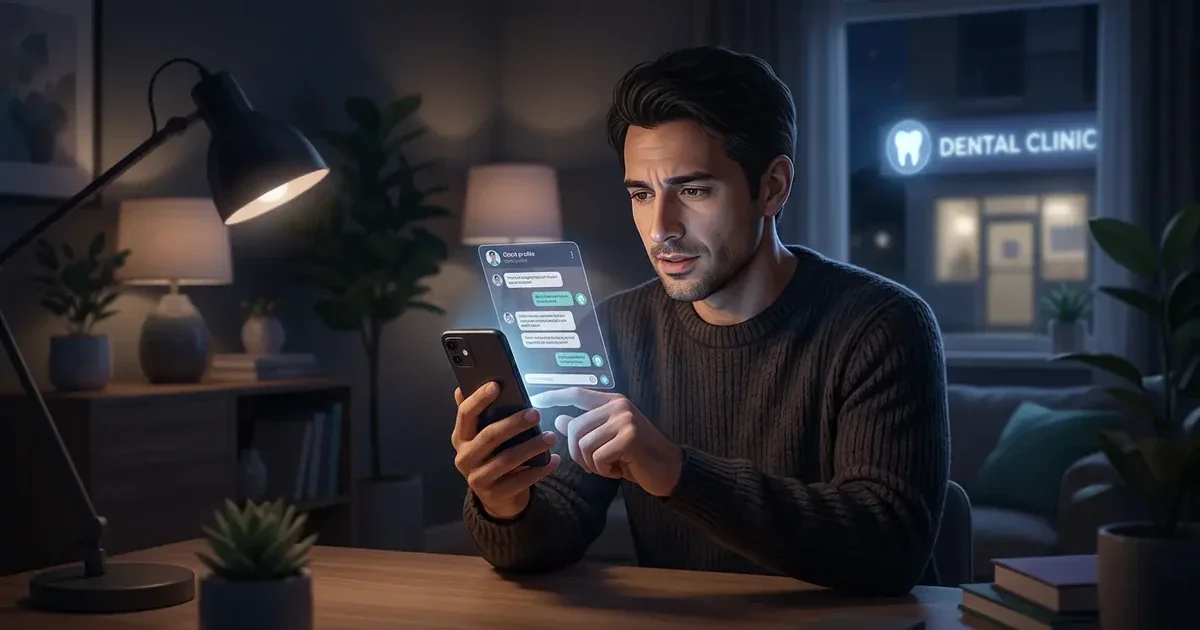
A patient's tooth cracks at 10 PM. They are in pain, anxious, and searching for help. They land on your dental practice website. They see a contact form and a phone number that goes to voicemail. They leave. They call the next dentist on Google.
This scenario plays out thousands of times every night. Dental practices lose emergency patients because they cannot capture after-hours traffic. The patient does not wait until morning. They find someone who responds faster.
After-hours visitors may be in pain, anxious about a broken tooth, or unsure which contact route to use. A voicemail alone does not collect the context your team needs for a useful callback. A chatbot can acknowledge the message, show the practice's approved emergency instructions, and capture the enquiry for review.
Safety first: If someone reports trouble breathing, uncontrolled bleeding, major facial swelling, a serious injury, or another life-threatening situation, the chatbot should direct them to local emergency services immediately. It must not ask them to wait for a callback.
Why Patients Choose Emergency Providers
Emergency patients do not have the luxury of shopping around. They need help now. Here is what drives their decision-making.
- Clear next steps: They need to know whether to call an emergency number, contact an on-call dentist, or submit details for a practice callback.
- Reassurance without diagnosis: A calm acknowledgement and practice-approved information can reduce confusion without pretending to assess a clinical condition.
- A reliable contact path: Visitors want to share their details once and understand what happens next.
A static website can publish useful information, but it cannot collect the details needed for a callback or notify the right team member. The chatbot should complement the practice's emergency phone instructions, not replace them.
If your practice also wants to capture routine consultation requests after hours, see this guide to an AI chatbot for appointment booking and the handoff details it should collect. For the broader service overview, visit our AI chatbot for dental clinics page.
How AI Chatbots Handle After-Hours Emergencies
An AI chatbot is the perfect tool for after-hours emergency capture. It responds instantly, captures patient details, and triggers urgent notifications to your team.
Instant Response
The chatbot acknowledges the visitor and presents the practice's approved after-hours instructions.
Intake Routing
The chatbot records what the visitor reports and applies simple routing rules set by the practice. It does not diagnose.
Lead Capture
The chatbot collects the visitor's name, contact details, message, and preferred callback time with appropriate consent.
Instant Notification
The chatbot can send a notification to the designated team or on-call workflow so the enquiry is reviewed promptly.
Keep Medical Guidance Within Safe Boundaries
A chatbot should not diagnose a dental condition, recommend prescription treatment, or decide whether a patient needs emergency care. Those decisions belong to a qualified professional. Configure the bot to use a short, practice-approved message and route clinical questions to the right human contact.
Emergency instruction: If a visitor reports trouble breathing, uncontrolled bleeding, a serious facial injury, severe swelling affecting the airway, or another life-threatening symptom, tell them to contact local emergency services immediately. Do not make them wait for a chatbot reply or a practice callback.
The Emergency Chatbot Script Template
A safer flow is short, transparent, and built around routing rather than diagnosis.
- Set expectations: Explain that the chatbot cannot diagnose or provide emergency treatment.
- Show the approved emergency route: Display the practice's on-call number and local emergency instruction supplied by the practice.
- Ask for the visitor's own description: Collect what happened, when it started, and whether the visitor wants a callback.
- Capture contact details: Request name, phone number, email, and preferred contact method with clear consent.
- Notify the right team: Send the enquiry through the practice's email, webhook, or on-call workflow.
Common Scenarios and Safe Chatbot Responses
The chatbot can recognize the visitor's topic for routing, but the response should stay factual and avoid diagnosing the condition.
| Visitor message | Safe chatbot action | Practice follow-up |
|---|---|---|
| Broken or chipped tooth | Acknowledge the message, show the approved contact route, and collect details. | Review the enquiry and offer the next available appointment or callback. |
| Toothache or lost filling | Explain that the chatbot cannot assess the cause and route the visitor to the practice's approved advice. | Have a qualified team member decide the appropriate next step. |
| Swelling, heavy bleeding, or serious injury | Display the configured emergency instruction and direct the visitor to local emergency services when appropriate. | Do not rely on a normal callback workflow for a possible emergency. |
Review every response with the practice team before publishing. Keep the emergency phone number, on-call instructions, and escalation rules current.
Emergency Notification Routing
Emergency Notification RoutingFor after-hours emergencies, standard email notifications are not enough. You need instant routing to the right person.
- Email notification: The chatbot sends an email to the practice with the patient's details and emergency type.
- SMS notification (via webhook): The chatbot can trigger an SMS to the on-call dentist's mobile phone.
- Urgency flagging: The notification is marked as "HIGH PRIORITY" so your team knows to respond immediately.
- CRM integration: The lead is pushed directly to your patient management system for morning follow-up.
Pro tip: Set up SMS notifications via Twilio integration through Zapier or Make. The on-call dentist receives a text message with the patient's name, phone number, and emergency type within seconds of the chatbot capturing the lead.
What to Measure After Launch
Track whether the chatbot is helping visitors reach the practice without creating unsafe expectations. Useful measures include:
- After-hours conversations: How many visitors start an enquiry outside office hours?
- Completed contacts: How many provide usable contact details and consent for follow-up?
- Response time: How long does the designated team take to review a routed enquiry?
- Appointment outcomes: Which enquiries become callbacks, bookings, or referrals to another service?
- Safety review: Which conversations need clearer emergency wording or a faster escalation path?
These measures are more useful than promising a fixed number of appointments or revenue. Outcomes depend on the practice, local demand, staffing, and the quality of the follow-up process.
Why Zappiq AI Fits After-Hours Dental Intake
Zappiq AI is built for website lead capture and routing. A dental practice can train the chatbot on its own pages, then decide which questions, contact paths, and notifications it should use. It should support the practice's emergency instructions, not make clinical decisions.
- Ad tracking: Preserve campaign and landing-page context so the team can see where an after-hours enquiry came from.
- Email lead delivery: Send completed enquiries to the practice inbox or a designated team member for review.
- Team notifications: Use webhook-based workflows when the practice needs additional routing beyond email.
- No Zappiq branding: Keep the visitor experience focused on the dental practice and its own instructions.
- Self-training from your website: Start with the practice's approved pages and update the content when hours, phone numbers, or policies change.
- Simple pricing: The 14-day trial includes 100 conversations. Starter is $9/month equivalent billed annually for 350 conversations; Growth is $39/month or $27/month equivalent billed annually for 1,500; Pro is $99/month or $69/month equivalent billed annually for 5,000.
For planning the after-hours workflow, see our guide to handling website leads after hours, lead capture chatbot explainer, and lead qualification questions for chatbots.
Capture after-hours enquiries with a safer workflow
Start a 14-day trial with 100 conversations and let your practice review the workflow before routing more enquiries.
Start free14-day trial · 100 conversations | No branding on any plan
>Frequently Asked Questions
It is a website chatbot that acknowledges after-hours visitors, shows the practice's approved contact instructions, collects an enquiry, and routes it to the designated team. It is an intake and communication tool, not a diagnostic service.
No. It should not diagnose a condition, recommend prescription treatment, or decide whether a patient needs emergency care. It can record what the visitor reports and direct them to the practice's approved care route.
The chatbot should tell the visitor to contact local emergency services immediately when the practice's approved guidance identifies a possible life-threatening situation, such as trouble breathing, uncontrolled bleeding, or a serious injury. The visitor should not wait for a chatbot or callback.
It can collect enquiries about issues such as a broken tooth, toothache, lost filling, or damaged crown, provided the practice supplies the approved wording and routing rules. The chatbot should avoid telling the visitor what condition they have.
It can request an appointment or callback when the practice connects it to an approved booking workflow. The practice still controls availability and should not let the chatbot promise a slot it cannot confirm.
Usually the visitor's name, phone number or email, a short description in their own words, preferred contact method, preferred callback time, and consent for follow-up. Avoid collecting sensitive clinical details unless the practice has approved the workflow.
The widget can be available around the clock when the website and chatbot service are operating. Team response times still depend on the practice's on-call process, business hours, and notification settings.
Depending on the setup, it can deliver a completed enquiry by email or send it to a webhook-based workflow. The practice should test the notification path and define who reviews after-hours enquiries.
No. The chatbot should reinforce the practice's emergency phone instructions and make the correct route easy to find. A qualified dental professional or local emergency service must handle clinical decisions.
No provider should be treated as automatically compliant. A practice should review the vendor's data handling, retention, security controls, business associate agreement, and the information collected before using the chatbot for sensitive health data.
Use a short approved response library, review it with the dental team, test high-risk scenarios, and update phone numbers, hours, on-call instructions, and escalation rules whenever they change.
Track after-hours conversations, completed contact forms, notification delivery, team response time, callbacks, bookings, and safety-related handoffs. Review transcripts for confusing wording instead of judging success only by conversation volume.
Zappiq AI has a 14-day trial with 100 conversations. Starter is $9/month equivalent when billed annually for 350 conversations; Growth is $39/month or $27/month equivalent when billed annually for 1,500; and Pro is $99/month or $69/month equivalent when billed annually for 5,000. There are no per-lead fees or Zappiq branding on any plan.
The Bottom Line
Dental emergency patients do not wait for business hours. They find the practice that responds fastest. If you cannot respond after hours, you lose them to competitors.
An AI chatbot can make after-hours intake more consistent by acknowledging visitors, collecting the details your practice needs, and routing the enquiry for review. It is available as a website layer, but the practice still needs a tested emergency contact path and a qualified person responsible for follow-up.
Zappiq AI makes it easy to add an after-hours intake flow to a website. Configure the approved messages, publish the widget, test the notification route, and let the practice decide how each enquiry is handled.
Start capturing after-hours enquiries
Build an after-hours intake flow and give your team a clear path to review new enquiries.
Get started free14-day trial · 100 conversations | No branding on any plan
References
- American Dental Association. "After-Hours Dental Enquiry Statistics." ada.org.↩
- CallRail. "Speed-to-Lead Statistics for Local Businesses." callrail.com.↩
- Conferbot. "Chatbot vs Forms: Which Gets More Leads? 2026." conferbot.com/blog/chatbot-vs-forms.↩
- Fullpath. "Website Engagement for Automotive." fullpath.com/website-engagement.↩
- Frank Leta Honda. "Case Study: AI-Powered Chatbot Results." Via Zappiq AI Blog.↩

Ansar Ali
Ansar Ali is the founder of Zappiq AI, a lead-capture platform built for small businesses that cannot afford to lose high-intent website visitors after hours. He writes from hands-on experience building chatbot flows, attribution, and follow-up systems for local and online service teams, focusing on the practical details that turn conversations into qualified enquiries.