TL;DR - Quick Summary
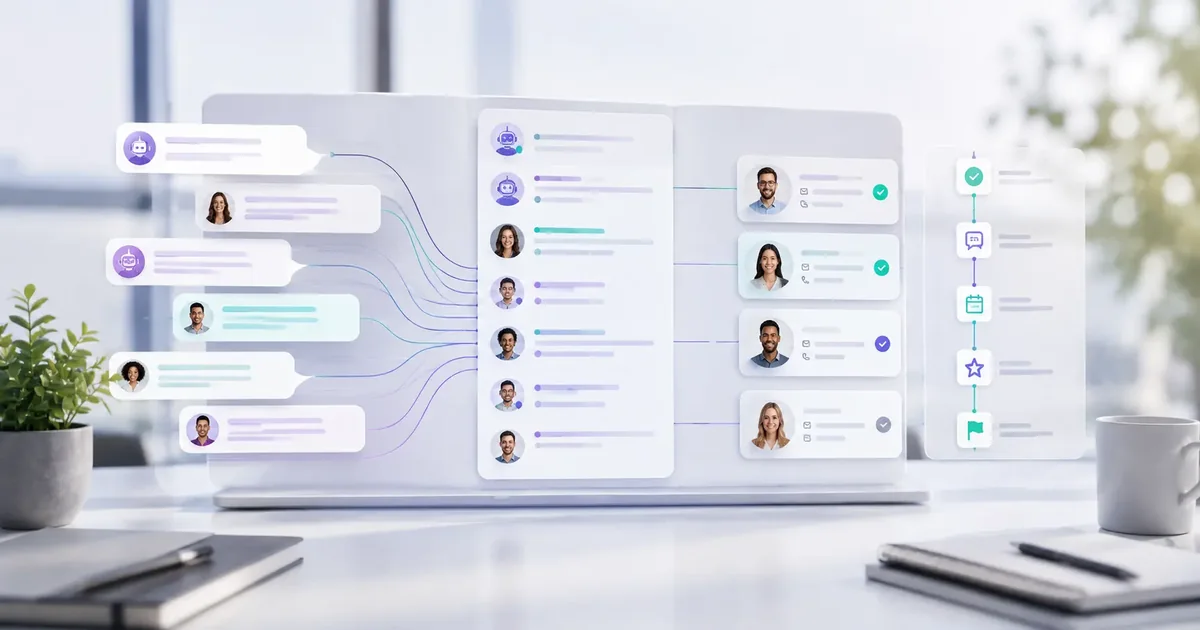
- A conversation archive stores chatbot messages, visitor context, and lead details in one place for review.
- Searchable history helps teams follow up with context instead of treating every lead like a brand-new enquiry.
- UTM or campaign data can connect conversations with the pages and channels that generated them.
- Retention, access, and deletion rules should match your business needs and the information collected.
What Is an AI Chatbot Conversations Archive?
An AI chatbot conversations archive is a structured repository where every interaction between your chatbot and website visitors is stored, organized, and made searchable. It is not just a log of raw data. It is a searchable, analyzable database that turns conversations into actionable insights.
Think of it as a complete historical record. Every question a visitor asks. Every answer the chatbot gives. Every lead captured. Every qualification step completed. All stored in one place for review, analysis, and optimization.
Without a proper archive, conversations are lost. You cannot see what visitors asked last week. You cannot analyze which questions are most common. You cannot track how your chatbot's responses are performing. The archive solves all of these problems.
Why Your Business Needs a Conversation Archive
A conversation archive is not a nice-to-have. It is essential for any business serious about lead generation and customer engagement. Here is why.
Search and Retrieval
Find any conversation instantly. Search by keyword, date, visitor name, or lead status. No more scrolling through endless chat logs.
Analytics and Optimization
Analyze conversation patterns. See what visitors ask most frequently. Identify where the chatbot is performing well and where it needs improvement.
Compliance and Auditing
Keep an organized record for internal review, but do not assume an archive by itself makes your business compliant. Review applicable laws, consent requirements, retention periods, and access controls for your use case.
Lead Tracking
Every lead captured is stored with the full conversation context. Your team can see exactly what the visitor asked and how they were qualified.
How Zappiq AI Stores Conversations and Leads
Zappiq AI automatically archives every conversation and lead generated through your chatbot. Here is how it works.
Conversation Storage
Every time a visitor interacts with your Zappiq AI chatbot, the full conversation is recorded. This includes:
- Visitor questions and messages
- Chatbot responses
- Qualification steps completed
- Lead capture details (when applicable)
- Timestamps and session data
- Source attribution (UTM parameters)
Lead Separation
Not every conversation becomes a lead. Zappiq AI separates conversations from captured leads. Conversations are the full interaction history. Leads are conversations where contact details were captured and qualification was completed.
This separation is important. It lets you see:
- How many conversations your chatbot is having
- How many leads those conversations generate
- Your conversation-to-lead conversion rate
- Which topics generate the most leads
Dashboard Access
All archived conversations and leads are accessible from the Zappiq AI dashboard. Your team can view, search, and export conversation data without any technical expertise.
Live demo: See the Zappiq AI dashboard in action at zappiqai.com/demo. Browse archived conversations, review captured leads, and explore analytics in real-time.
What You Can Do with the Zappiq AI Archive
The Zappiq AI conversations archive is not just storage. It is a tool for understanding your visitors and optimizing your chatbot.
1. Search and Filter Conversations
Find specific conversations quickly. Search by visitor name, email, keywords, date range, or lead status. The archive is fully searchable and filterable.
2. Review Lead Context
Every lead comes with full conversation history. Your team can see exactly what the visitor asked, how they were qualified, and what they were looking for before they shared their contact details.
3. Export Conversation Data
Need to analyze conversation data outside the dashboard? Export conversations to CSV for further analysis in spreadsheets or BI tools.
4. Identify Common Questions
See which questions visitors ask most frequently. Use this data to improve your chatbot responses, update your FAQ page, or create new content that addresses common concerns.
5. Track Lead Attribution
Each conversation includes UTM parameters, so you can see which campaigns, channels, and keywords are generating the most conversations and leads.
AI Chatbot with Built-In Email Automation
Conversations are only half the story. The other half is what happens after a lead is captured. Zappiq AI combines a conversations archive with built-in email automation to create a complete lead management workflow.
When a lead is captured, Zappiq AI automatically:
- Sends an email notification to your team with the lead's details and conversation history
- Stores the lead in the conversations archive for future reference
- Attaches conversation context so your team knows exactly what the visitor was looking for
This means your team does not have to manually piece together the story. The full conversation is delivered to their inbox alongside the lead details. Follow-up is faster, more personalized, and more effective.
Built-in email automation: Zappiq AI can deliver qualified lead details and conversation history to your inbox. Where enabled, a webhook can pass the enquiry to a CRM or another workflow.
Security and Privacy in the Archive
Conversation records can contain contact details and sensitive business context, so the archive should be treated as operational data rather than an unlimited transcript dump.
- Limit collection: Ask only for information needed to respond, qualify the enquiry, or measure the source.
- Control access: Give archive access to the team members who need it and review permissions when roles change.
- Set retention rules: Decide how long conversations remain available and how deletion requests are handled.
- Explain follow-up: Tell visitors why contact details are collected and how the business will use them.
- Review vendor terms: Confirm storage, export, deletion, security, and any regulated-data obligations before collecting sensitive information.
An archive can support responsible review, but encryption, compliance status, and retention behavior depend on the actual product configuration and your contracts. Avoid collecting protected health information unless your approved workflow and vendor agreements support it.
Why Zappiq AI Fits Conversation Archiving
Zappiq AI combines website lead capture with a dashboard where teams can review conversations, separate leads from general chats, and keep campaign context attached to the enquiry. The exact retention and access settings should be reviewed against your business workflow.
- Ad tracking: Keep campaign and landing-page context with the conversation when attribution data is available.
- Email lead delivery: Send qualified lead details and conversation context to the team inbox.
- Searchable history: Review conversations by visitor details, date, keywords, or lead status when those fields are available.
- Lead context: Separate captured leads from general conversations so follow-up work is easier to prioritize.
- No Zappiq branding: Keep the visitor-facing experience focused on your business.
- Website-trained setup: Start with your own pages and approved instructions, then update them as your business changes.
- Simple pricing: The 14-day trial includes 100 conversations. Starter is $9 per month equivalent when billed annually for 350 conversations; Growth is $39 monthly or $27 per month equivalent annually for 1,500 conversations; and Pro is $99 monthly or $69 per month equivalent annually for 5,000 conversations. All plans are unbranded.
For the wider workflow, read our guide to chatbot analytics metrics, lead capture chatbot explainer, and guide to qualifying website leads automatically.
Keep conversation history useful
Try a 14-day trial with 100 conversations and give your team searchable context for lead follow-up.
Start free14-day free trial | 100 conversations | No branding on any plan
>Frequently Asked Questions
It is an organized record of chatbot interactions that can include messages, visitor context, lead details, timestamps, and source information for review.
Archived conversations help teams follow up with context, find repeated questions, improve chatbot instructions, and understand which enquiries become leads.
Depending on the setup, it may contain chat messages, contact details, timestamps, page or campaign context, lead status, and internal notes. Collect only what the workflow needs.
A searchable archive can help you find conversations by keywords, date, visitor details, or lead status when those fields are available in the dashboard.
Zappiq AI is designed to distinguish captured leads from general conversations so teams can prioritize follow-up while still reviewing the wider visitor history.
Export options depend on the product and account configuration. Confirm the available format, fields, permissions, and deletion behavior before making exports part of your process.
If campaign parameters are passed through the visit, attribution fields such as UTM data can help connect a conversation with its source. Tracking quality depends on the links and analytics setup.
A configured workflow can send the lead and relevant conversation context to the team inbox. Test the destination, notification timing, and fallback process before relying on it for urgent follow-up.
There is no single period for every business. Set a retention period based on the purpose of the data, customer expectations, applicable rules, and how long the team needs the record.
No. An archive does not automatically make a business compliant. Review consent, access, retention, deletion, vendor terms, and any industry-specific obligations for your use case.
Only collect sensitive information when the practice, workflow, vendor agreement, and security controls have been reviewed for that purpose. Otherwise, ask visitors to use the approved secure contact route.
The 14-day trial includes 100 conversations. Starter is $9 per month equivalent when billed annually for 350 conversations; Growth is $39 monthly or $27 per month equivalent annually for 1,500 conversations; and Pro is $99 monthly or $69 per month equivalent annually for 5,000 conversations. All plans are unbranded.
The Bottom Line
An AI chatbot conversations archive is more than storage. It gives your team a working record for follow-up, chatbot improvements, attribution review, and responsible data management.
Zappiq AI automatically archives every conversation and lead, making them searchable and accessible from the dashboard. When a lead is captured, the team can review its conversation context and use the configured email delivery workflow for follow-up.
Stop losing conversations. Start understanding your visitors with Zappiq AI.
Make every conversation easier to follow up
Build your AI chatbot, keep useful conversation context, and give your team a clear follow-up workflow.
Get started free14-day free trial | 100 conversations | No branding on any plan
References
- Conferbot. "Chatbot vs Forms: Which Gets More Leads? 2026." conferbot.com/blog/chatbot-vs-forms.↩
- Ruler Analytics. "Average Form Conversion Rate Benchmark Report." ruleranalytics.com.↩
- HIPAA Journal. "Business Associate Agreements and HIPAA Compliance." hipaajournal.com.↩

Ansar Ali
Ansar Ali is the founder of Zappiq AI, a lead-capture platform built for small businesses that cannot afford to lose high-intent website visitors after hours. He writes from hands-on experience building chatbot flows, attribution, and follow-up systems for local and online service teams, focusing on the practical details that turn conversations into qualified enquiries.